70
2001 NEW
7
7
DSC OPERATION
■ DSC Settings
D Position Input (See page 27)
D Individual ID (See page 23)
D Group ID (See page 25)
D DSC Frequency
This set frequencies are selectable when you want to
send an Individual call, Group call, Geographical Area
call, Position Request call, or Test call. Usually your
dealer has set all the DSC frequencies to use.
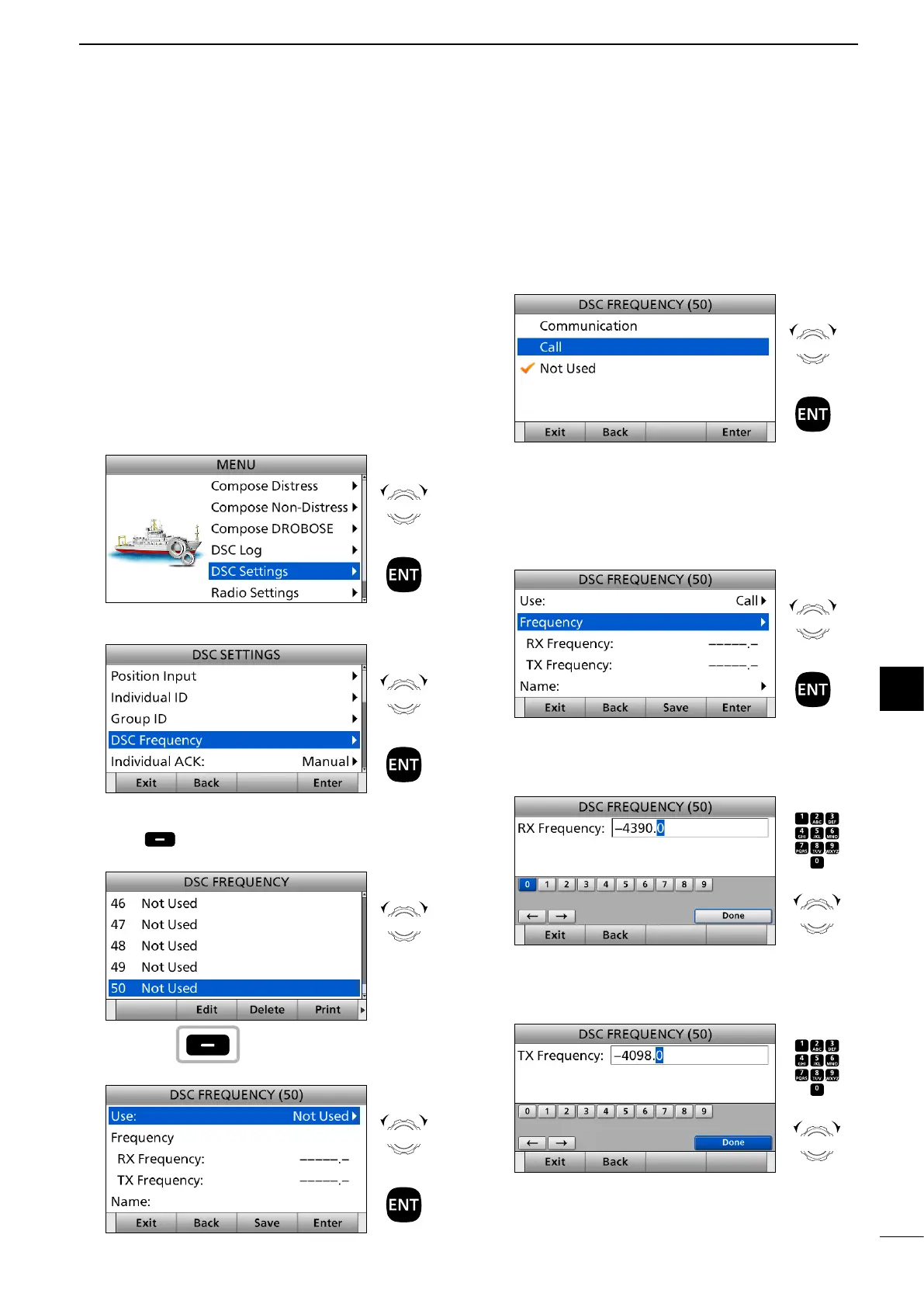
To add a new DSC frequency:
1. Push [MENU].
2. Select “DSC Settings.”
3. Select “DSC Frequency.”
4. Select a DSC frequency number and push
[Edit] .
(Example: 50)
5. Select “Use:.”
Rotate
+
Push
Rotate
+
Push
Rotate
Push
Rotate
+
Push
6. Select an option. (Example: Call)
• Communication: Communication frequency that is
used to talk with other station after
DSC call communications.
• Call: DSC call frequency that is used to
send DSC calls.
7. Select “Frequency.”
8. Enter an RX frequency.
After entering, select “Done” and push [ENT].
(Example: 4.390.0)
9. Enter a TX frequency.
After entering, select “Done” and push [ENT].
(Example: 4.098.0)
Rotate
+
Push
Rotate
+
Push
Push
+
Rotate
to select
a character
CH/GRP
Push
+
Rotate
to select
a character
CH/GRP
► Continued on the next page.



 To Next Page