71
2001 NEW 2001 NEW
7
DSC OPERATION
■ DSC Settings
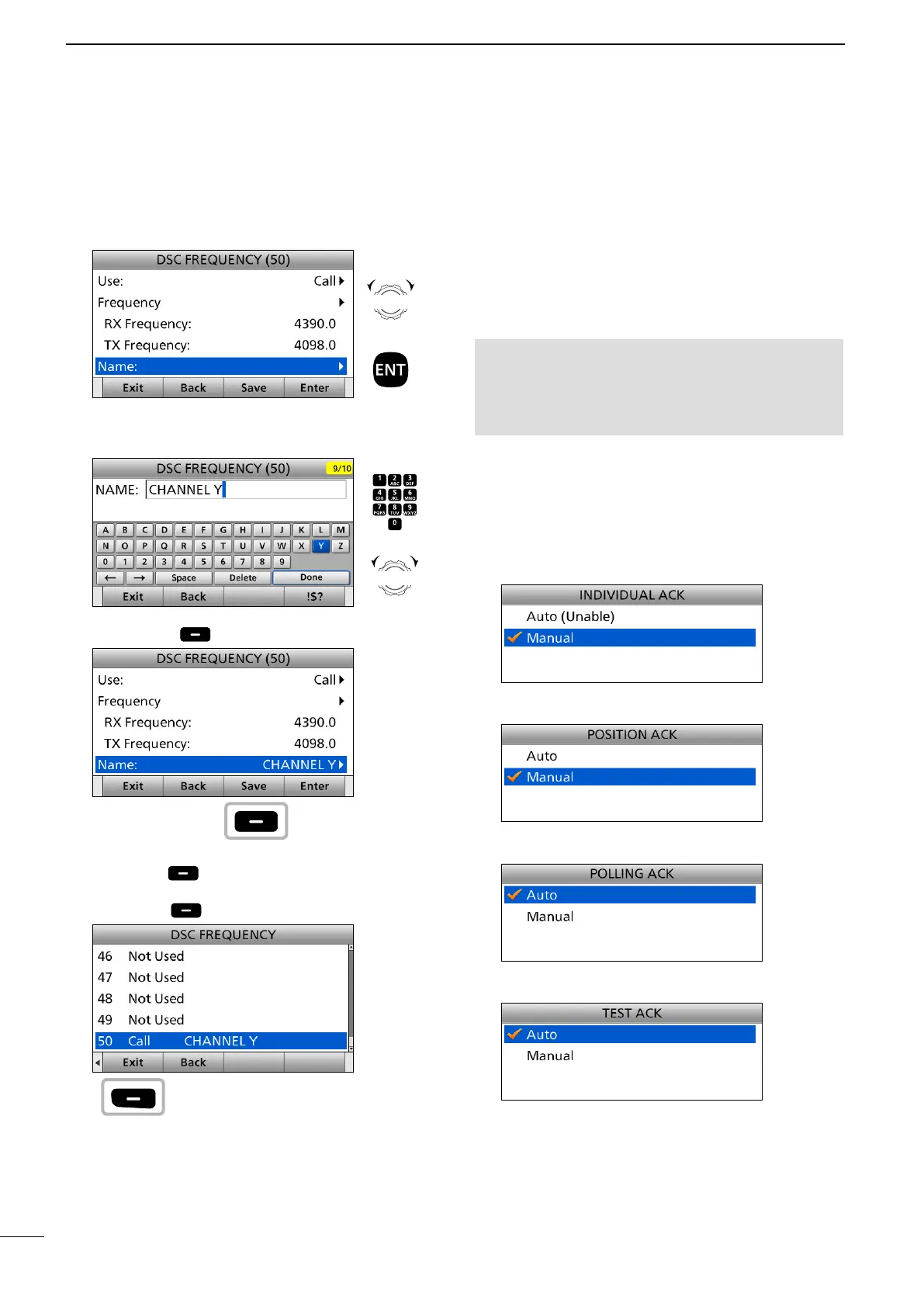
10. Select “Name.”
11. Enter a DSC frequency name.
After entering, select “Done” and push [ENT].
12. Push [Save] .
• “Are You Sure?” is displayed.
13. Push [OK] to save the content.
14. Push [≈] to scroll the Software key functions.
15. Push [Exit] to return to the Main screen.
Rotate
+
Push
Push
+
Rotate
to select
a character
CH/GRP
Push
Push
1. Push [MENU].
2. Select an item.
( DSC Settings > Individual ACK, Position ACK,
Polling ACK, Test ACK)
3. Select an option, and then push [ENT].
Individual ACK (Default: Manual)
Position ACK (Default: Manual)
Polling ACK (Default: Auto)
Test ACK (Default: Auto)
4. Push [MENU] to return to the Main screen.
D Automatic acknowledgement
These items set the Automatic Acknowledgement
function. When you receive an Individual call,
Position Request call, Polling Request call or Test
call, the transceiver automatically sends each
acknowledgement, if “Auto” is set.
NOTE: When you set the “Individual ACK” item
to “Auto (Unable),” and receive the Individual
call, the transceiver automatically sends the
acknowledgment including “ACK (Unable)” (No
Reason Given).
D DSC Frequency (Continued)



 To Next Page