45
DSC OPERATION
7
D
Sending an Individual acknowledgement
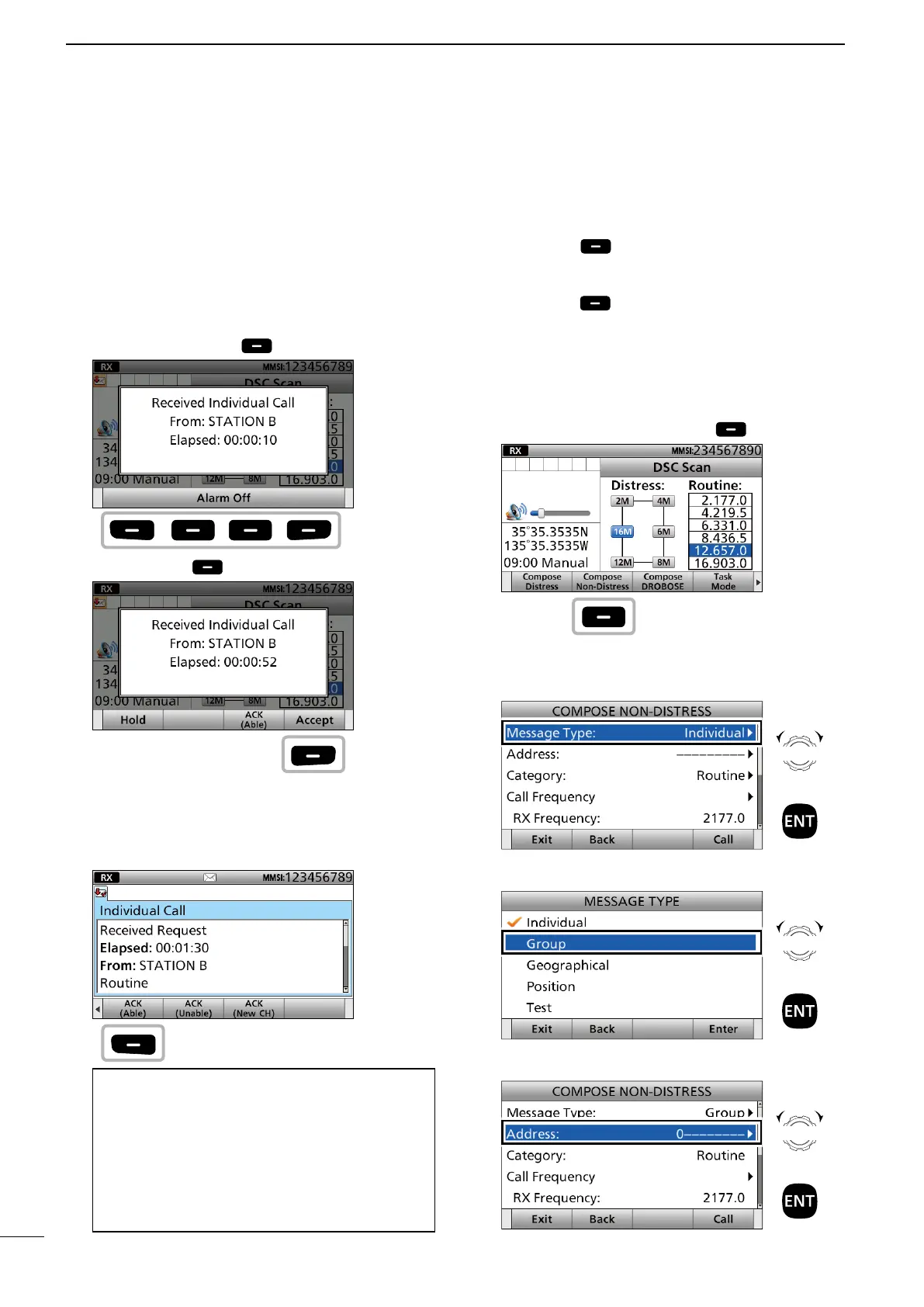
When receiving an Individual call, you can send an
acknowledgement (‘Able,’ ‘Unable,’ or ‘New CH’) by
using the on-screen prompts.
1. When an Individual call is received:
• Alarm sounds.
• The following screen is displayed.
Push any [Alarm Off] .
2. Push [Accept] .
• Enters the DSC Task mode.
• “✔” is displayed on the Task tab.
3. Push [≈] to scroll the software key function.
4. Push a key to select an acknowledgement option.
(Example: ACK (Able))
Information
ACK (Able):
Send an acknowledgment without any changes.
ACK (Unable):
Send an acknowledgment, but you cannot make a
communication.
ACK (New CH):
Send an acknowledgment. You can specify the Voice
Communication channel.
• The call contents screen is displayed.
5. Rotate [CH/GRP] to confirm the contents.
6. Push [Call] to send the Individual
acknowledgement.
7. Hold down [PTT] to communicate.
8. Push [Exit] to return to the Main screen.
D Sending a Group call
You can transmit a DSC signal to only a speci c
group.
1. Push [Compose Non-Distress] .
To display the screen from the Menu screen:
([MENU] >
Compose Non-Distress)
2. Select “Message Type.”
3. Select “Group.”
4. Select “Address.”
Push
Push
Push
Push
Rotate
+
Push
Rotate
+
Push
Rotate
+
Push
■ Sending a Non-Distress calls



 To Next Page