33
2001 NEW 2001 NEW
DSC OPERATION
7
■ Sending a Distress call
D Resending a Distress call
While waiting for an acknowledgement, you can
resend the call (Repeat call).
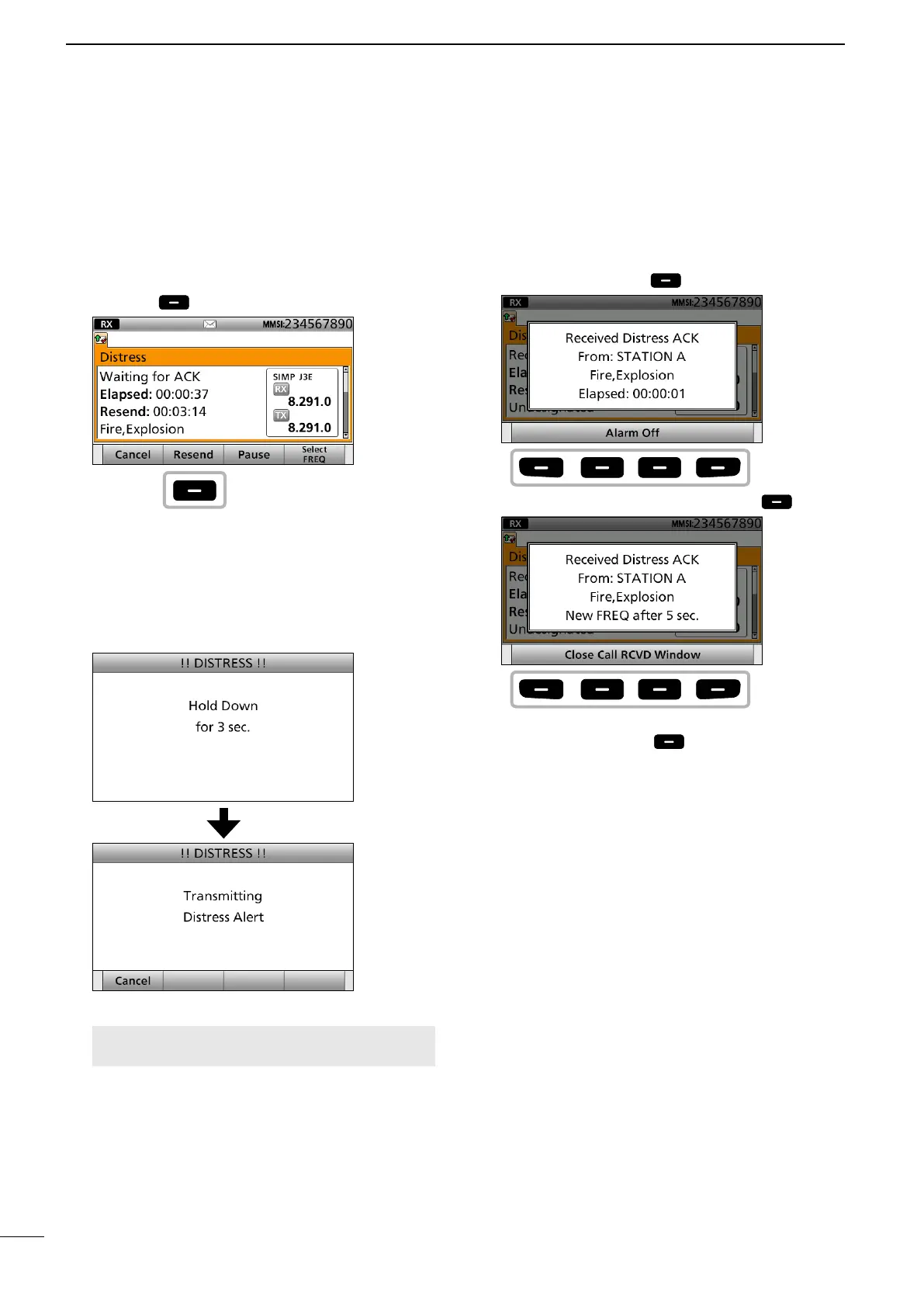
1. When “Waiting for ACK” is displayed, push
[Resend] .
See page 29 for details of the Software Key
functions in the DSC Task mode.
2. Lift up the key cover, then hold down [DISTRESS]
until “Retransmitting” is displayed to resend the
call.
• While holding down [DISTRESS], count down beeps
sound and both the key and display backlighting
blink.
NOTE: To cancel a Distress call while
transmitting see page 34.
3. When receiving the acknowledgement:
• Alarms sound.
• The following screen is displayed.
Push any [Alarm Off] .
4. Push any [Close Call RCVD Window] .
5. Hold down [PTT] to announce your situation.
6. Push [Standby Mode] to return to the
Standby mode.
Push
Push
any
Push
any



 To Next Page