32
2001 NEW
7
1
2
3
4
5
6
Quick Reference
8
9
10
11
12
13
14
15
16
17
7
DSC OPERATION
NOTE: To cancel a Distress call while
transmitting see page 34.
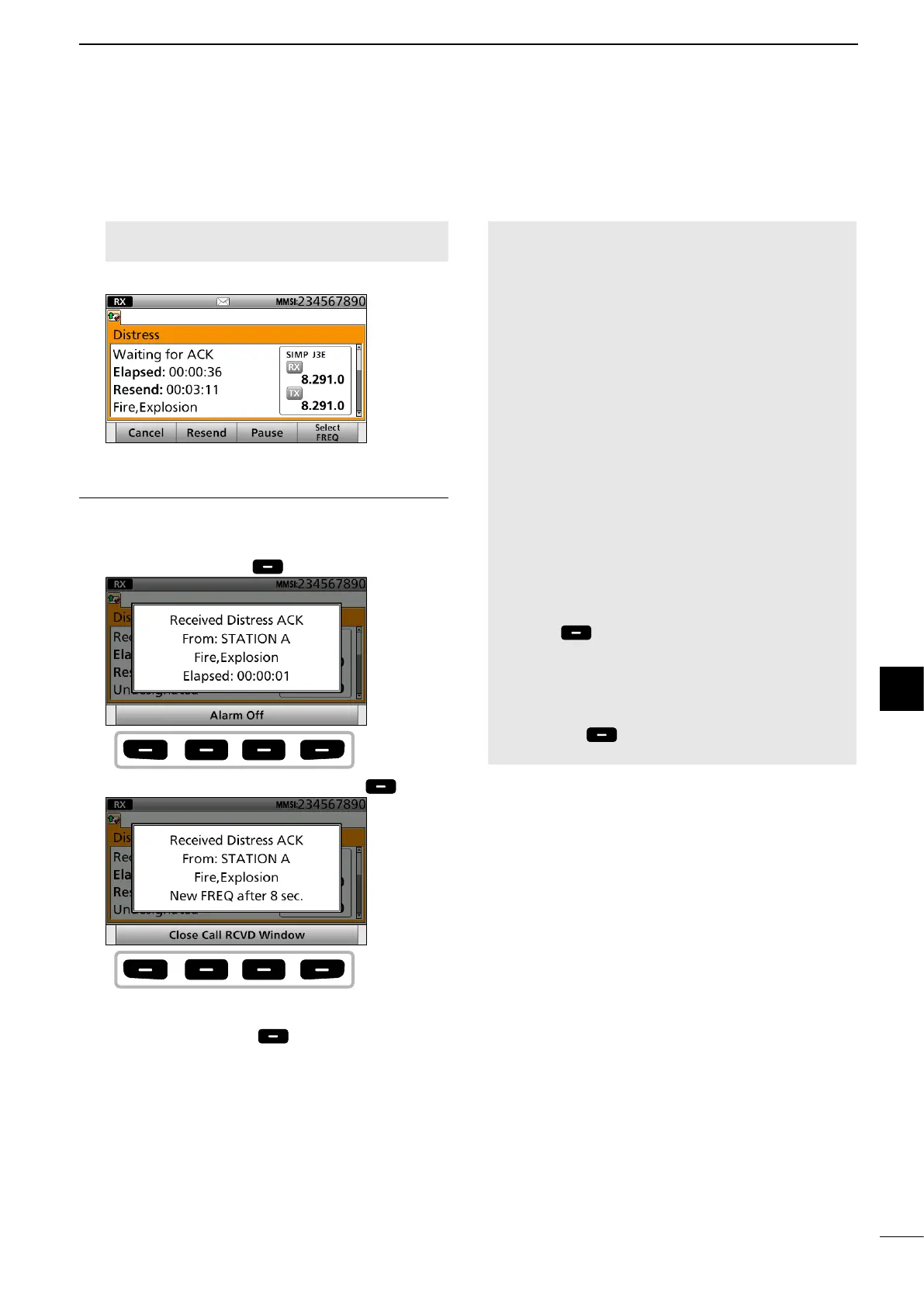
9. After sending, the following screen is displayed.
Step. 5 Replying
10. When receiving the acknowledgement:
• Alarms sound.
• The following screen is displayed.
Push any [Alarm Off] .
11. Push any [Close Call RCVD Window] .
12. Hold down [PTT] to announce your situation.
13. Push [Standby Mode] to return to the
Standby mode.
NOTE:
Transmitting:
• A Distress call default contains:
- Nature of distress:
Undesignated distress
- Position data:
The latest GPS or manual input position data is
retained for 23.5 hours, unless you turn OFF the
transceiver.
• While holding down [DISTRESS], count down beeps
sound, and both the key and display backlights blink.
• The Distress call is transmitted in one of the DSC
Emergency frequencies.
Waiting for an Acknowledgement:
• The Distress call is automatically transmitted every 3.5
to 4.5 minutes, until an acknowledgement is received
(Call Repeat function), or you make a Distress Cancel
call. (p. 35)
• To manually transmit a Distress repeat call, push
[Resend]
.
• To display the transmitted Distress call information, push
[∫] or [√].
• To pause the Call Repeat function,
push [Pause]
.
To resume it, push [Resume Countdown].
Push
any
Push
any



 To Next Page