4
2
2
PANEL DESCRIPTION
17
16
15
14
13
12
11
10
9
8
7
6
5
4
3
1
Quick Reference
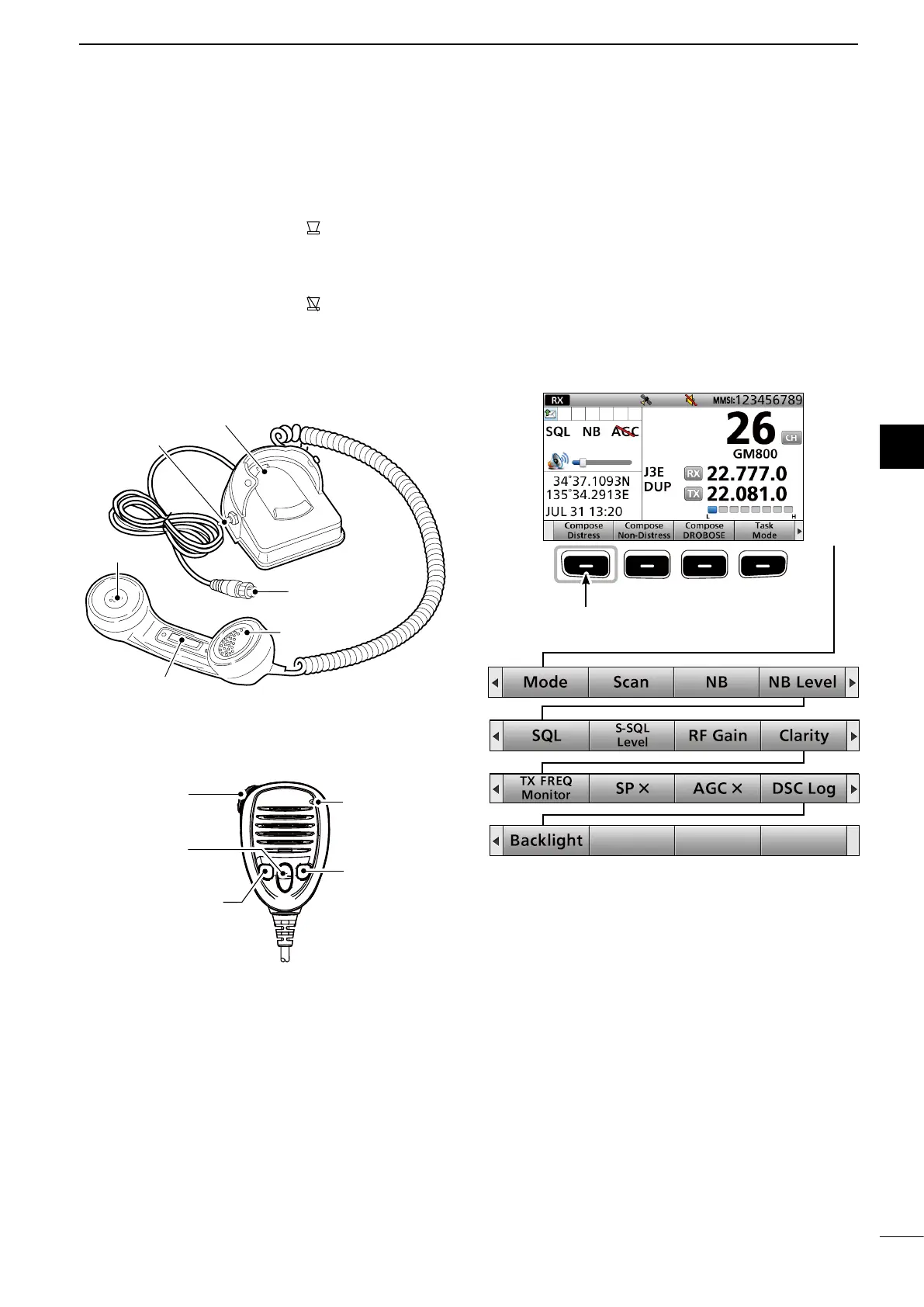
■ Handset
Speaker
Handset connector
Cradle
Speaker switch
PTT switch [PTT]
Microphone
D About the Speaker Switch
When the switch is set to the “ ” position:
You can hear the receive audio from the remote
controller's speaker.
When the switch is set to the “ ” position:
Mutes the remote controller speaker output.
• You can hear the receive audio from the handset.
Put the handset into the cradle to output the hear
audio from the remote controller's speaker.
■ Software Key function
The transceiver has Software Keys for various
functions. The key's function is displayed above
them, as shown below.
D Selecting the Software Key function
When “Ω” or “≈” is displayed beside the key icon,
pushing [Ω] or [≈] scrolls the Software Key functions.
When you push [Ω] or [≈] once, 4 functions scroll
together.
q PTT SWITCH
Hold down to transmit, release to receive.
w UP/DOWN KEYS [▲]/[▼]
Push to select an operating channel or group.
e PROGRAMMABLE KEY [P]
Push to activate the preset Software Key function.
Ask your dealer for details.
You can reassign some Software Key functions to
the key. (p. 20)
r DSC SCAN KEY [D-SCAN]
Push to start the DSC scan. (p. 12)
■ Optional HM-214H
q PTT SWITCH
[PTT]
w UP/DOWN
KEYS [▲]/[▼]
e PROGRAMMABLE
KEY [P]
MICROPHONE
r [D-SCAN]
Push [≈]
Push [≈]Push [Ω]
Push [Ω]
Push [Ω]
Push [≈]
Push [≈]
Push this Software Key to
compose a Distress call.



 To Next Page