16
2001 NEW
6
17
16
15
14
13
12
11
10
9
8
7
5
4
3
2
1
Quick Reference
6
OTHER FUNCTIONS AND OPERATIONS
D Automatic Gain Control OFF
The Automatic Gain Control (AGC) function
prevents distortion from strong signals and
maintains a constant output level.
To receive weak signals, turn OFF the Automatic
Gain Control function.
1. Push [Ω] or [≈] until “AGC ×” is displayed in the
Software Key area.
2. Push [AGC ×]
to turn OFF the function.
When the function is OFF, “AGC ×” is displayed.
D RF gain level
To receive weak signals, you can set the minimum
RF (Radio Frequency) gain level needed.
Set to between 0 and 9.
1. Push [Ω] or [≈] until “RF Gain” is displayed in
the Software Key area.
2. Push [RF Gain]
• The RF gain level setting window is displayed.
3. Rotate [CH/GRP] to adjust the RF gain level.
D Clarity Control function
With the Clarity Control function, you can slightly
shift the receive frequency without changing the
operating frequency to nely tune. When the Clarity
Control function is ON, adjust the clarity control
level.
1. Push [Ω] or [≈] until “Clarity” is displayed in the
Software Key area.
2. Push [Clarity]
to turn the function ON or
OFF.
When the function is ON, “ ” is displayed.
3. Rotate [CH/GRP] to adjust the clarity control.
D Automatic Antenna Tuner function
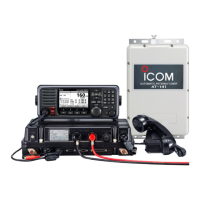
When using the AT-141 with the GM800, you can
use the Tuner Through function.
z Push to turn ON the Automatic Antenna Tuner
function, or to bypass the tuning circuit.
z Hold down to start manual tuning.
After tuning is completed, “TUNE” is displayed.
When the tuner cannot tune the antenna, “THRU” is
displayed.


 To Next Page