60
2001 NEW
7
7
DSC OPERATION
8
9
10
11
12
13
14
15
16
17
1
2
3
4
5
6
Quick Reference
InformationL
• The communication frequency is automatically
selected. Monitor it, because a coast station may
require assistance.
• Rotate [CH/GRP] to conrm the call contents.
• See page 29 for details of the Software key functions
in the DSC Task mode.
3. Push [Standby Mode] to return to the
Standby mode.
TIP: See page 42 for details of sending
acknowledgement.
TIP: When you push [Pause] in step 2, the
countdown will be paused. Push [Resume] to
restart the countdown.
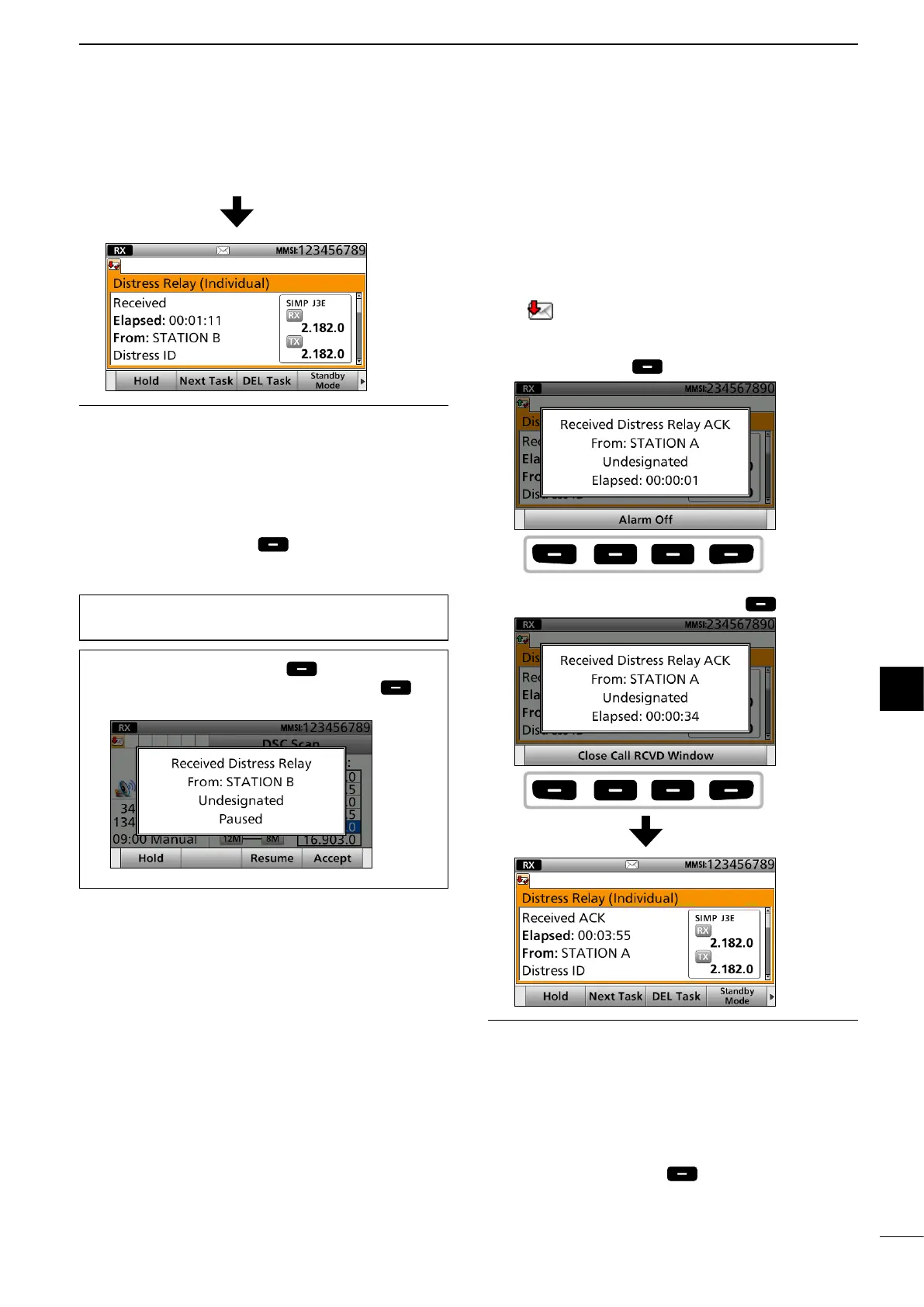
D Receiving a Distress Relay
acknowledgement
1. When a Distress Relay Acknowledgement is
received:
• Alarm sounds.
• “
” is displayed.
• The following screen is displayed and the backlight
blinks.
Push [Alarm Off] .
2. Push [Close Call RCVD Window]
.
InformationL
• The communication frequency is automatically
selected. Monitor it, because a coast station may
require assistance.
• Rotate [CH/GRP] to conrm the call contents.
• See page 29 for details of the Software key functions
in the DSC Task mode.
3. Hold down [PTT] to announce your situation.
4. Push [Standby Mode] to return to the
Standby mode.
Push
any
Push
any



 To Next Page