29
2001 NEW 2001 NEW
DSC OPERATION
7
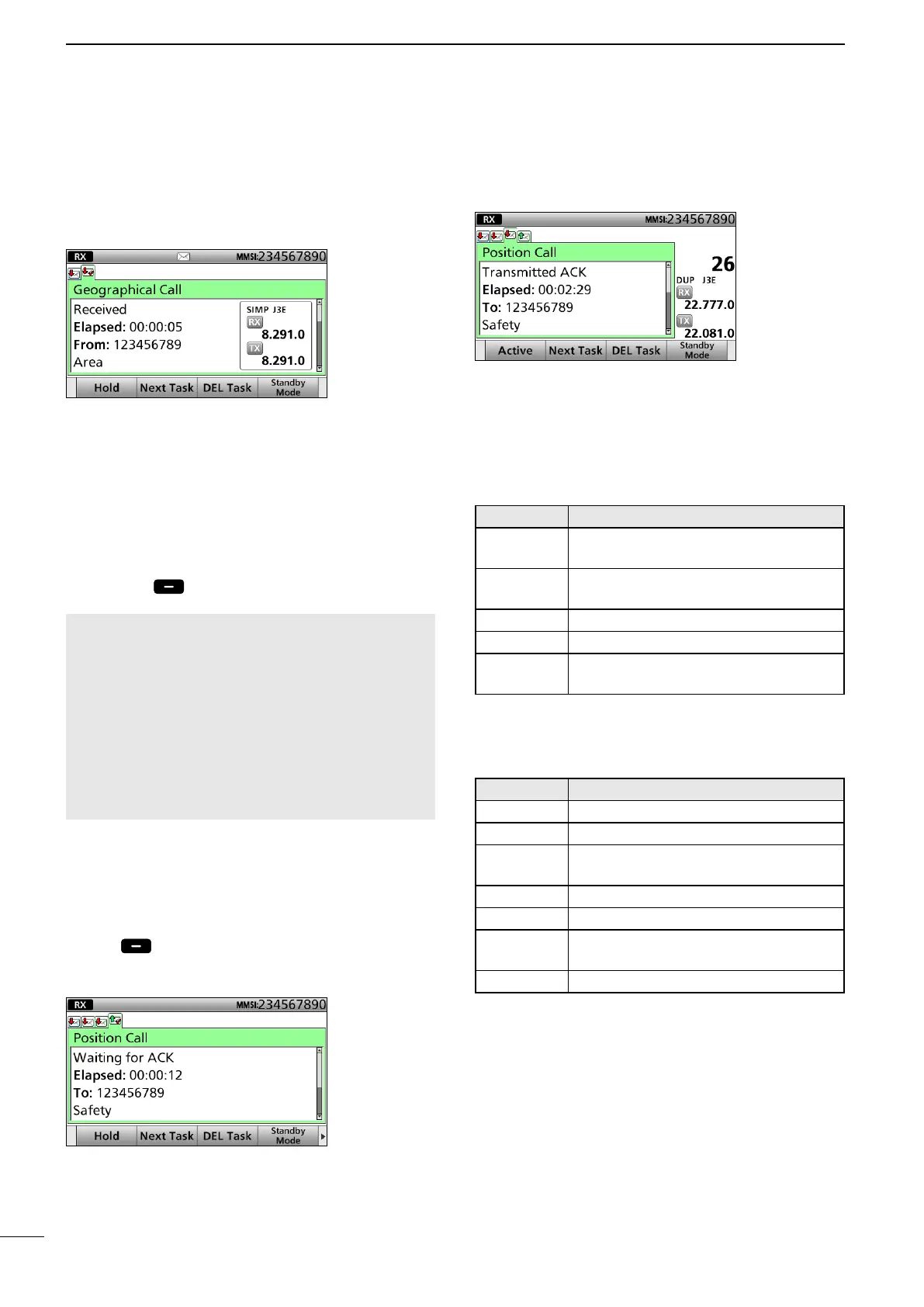
After sending or receiving the DSC call, the
transceiver enters the DSC Task mode.
(Example: After receiving a Geographical call)
In the DSC Task mode, you can resend the call, or
send an acknowledgement to the caller station.
• The transceiver can hold up to 7 DSC tasks.
• In the Standby mode, a task icon is displayed in the Task
area, when the transceiver has a DSC task. (p. 6)
• When any DSC task icon is displayed in the Standby
mode, you can enter the DSC Task mode by pushing
[Task Mode]
.
NOTE: The DSC Task mode has the Time-out Timer
(TOT) function. When you push no key for a preset
period, the transceiver automatically cancels the
DSC Task mode.
The count down alarm sounds 10 seconds before
the TOT activates.
No count down alarm sounds before Radio
Telephone TOT activates.
The default settings of the TOT function:
• DSC Related: 15 minutes
• Distress Related: OFF
D About “Active” and “Hold”
The DSC Task mode has 2 statuses, “Active” and
“Hold.” When you send the repeat call, or send an
acknowledgement to the caller station, push
[Active] to display the Active window.
• Active window
L “✔” is displayed on the active Task tab.
L To view the contents, rotate [CH/GRP].
• Hold window
L To view the contents, push [Ù] or [Ú].
D Software Key functions
While in the DSC Task mode, the following functions
are displayed rst.
FUNCTION DESCRIPTION
Hold Push to cancel the Active Task
window.
Active Push to activate the selected Task
window.
Next Task Push to select other Task window.
DEL Task Push to delete the Task window.
Standby
Mode
Push to enter the Standby mode.
The following functions may be displayed, depending
on the call type.
FUNCTION DESCRIPTION
Cancel Push to send a Cancel call.
Resend Push to resend the call.
Pause Push to pause the Call Repeat
function.
Finish Push to return to the Main screen.
ACK Push to send an acknowledgement.
History Push to display the Distress call
history screen.
Relay Push to send a Distress Relay call.
See the following pages for details of the DSC Task
mode operation for each DSC call.
■ DSC Task mode



 To Next Page