78
9
8
9
CONNECTIONS AND INSTALLATION
CAUTION:
• After connecting an antenna, tuner control cables,
external speaker, or GPS receiver, cover the
connectors with rubber vulcanizing tape, as shown
below. Covering with the tape prevents water from
seeping into the connector.
• DO NOT pull the antenna and control cable
receptacles.
This may cause cable disconnection (in the tuner
unit), damage inside the connector, or a bad
connection.
NOTE: Turn OFF [DC ISOLATE] on the GM800
main unit, or charge the battery while at anchor,
otherwise the battery may become exhausted.
The GM800 has a high-stability ovenheater type
crystal oscillator, and the oscillator’s heater is
directly connected to the DC power terminals. It
keeps its temperature to at a speci ed level, even if
you turn OFF the power by holding down [ ] on the
remote controller.
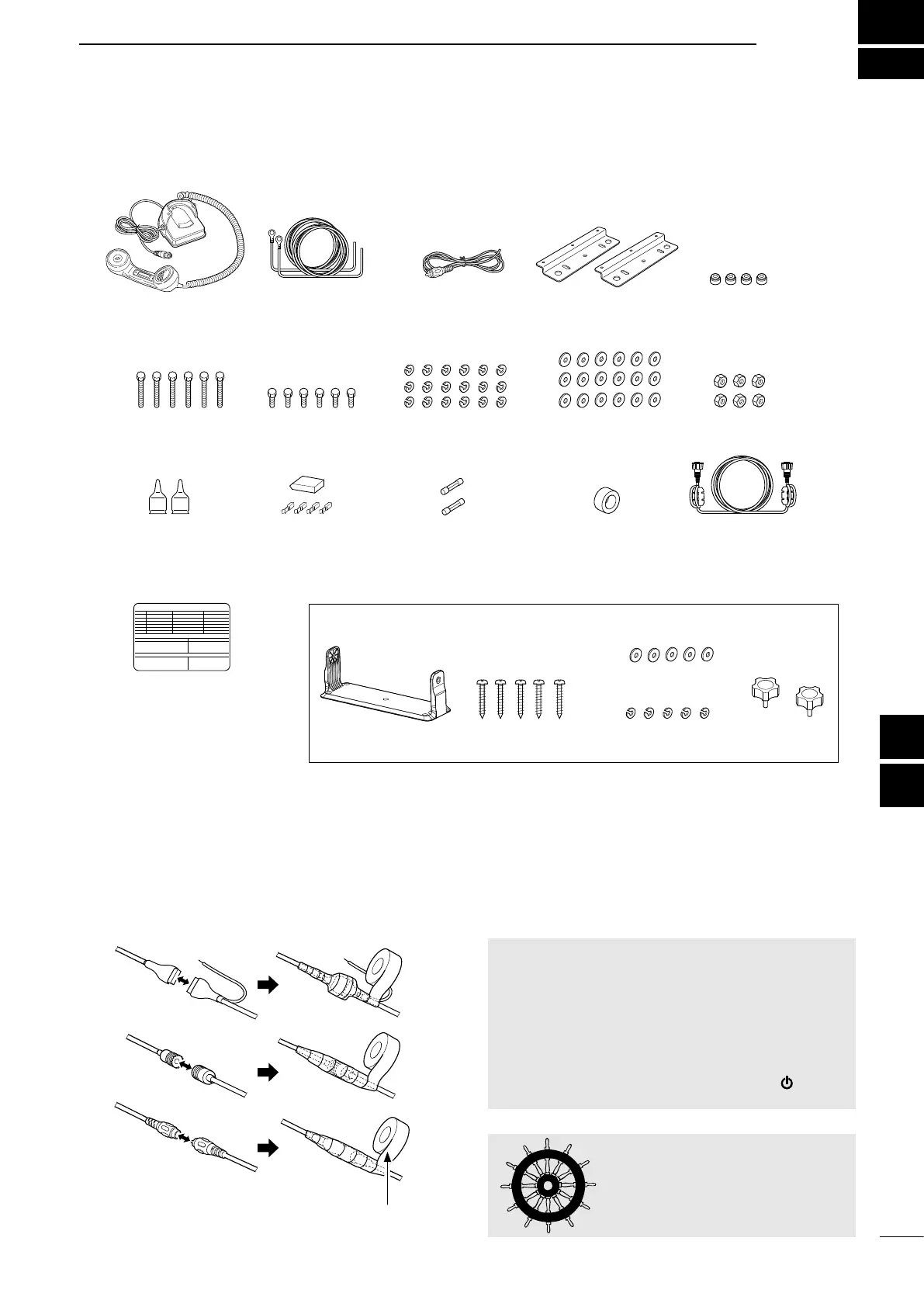
■ Supplied accessories
GM800
NOTE: Must be used with the
ICOM AT-141.
Rubber vulcanizing tape
■ Basic connections
Handset Rubber feetDC power cable
(Red and Black)
RCA cable
(for the GPS connection)
Mounting plates
for the main unit
Hex head bolts
(M6×50)
Hex head bolts
(M6×15)
Spring washers (M6) Flat washers (M6) Hex nuts (M6)
Weatherproof caps Tuner connector kit Spare fuses (FGB 5 A) Ferrite EMI lter
(for the DC power
cable)
Remote control cable
Mounting bracket kit for the remote controller
Mounting bracket Self-tapping screws (M5) Flat washers (M5)
Spring washers (M5)
Knobs
Emergency frequency
sticker



 To Next Page