27
DSC OPERATION
7
A Distress call should include the ship’s position
data and time. If a GPS receiver compatible with the
IEC61162-1 Ed.4 (2010-11) format is connected,
position and UTC time are automatically included. If
no GPS is connected, you should manually enter your
position data and UTC (Universal Time Coordinated)
time.
NOTE:
• Manual entry is invalid when a GPS receiver is
connected.
• Manually entered position data and time are valid for
only 23.5 hours.
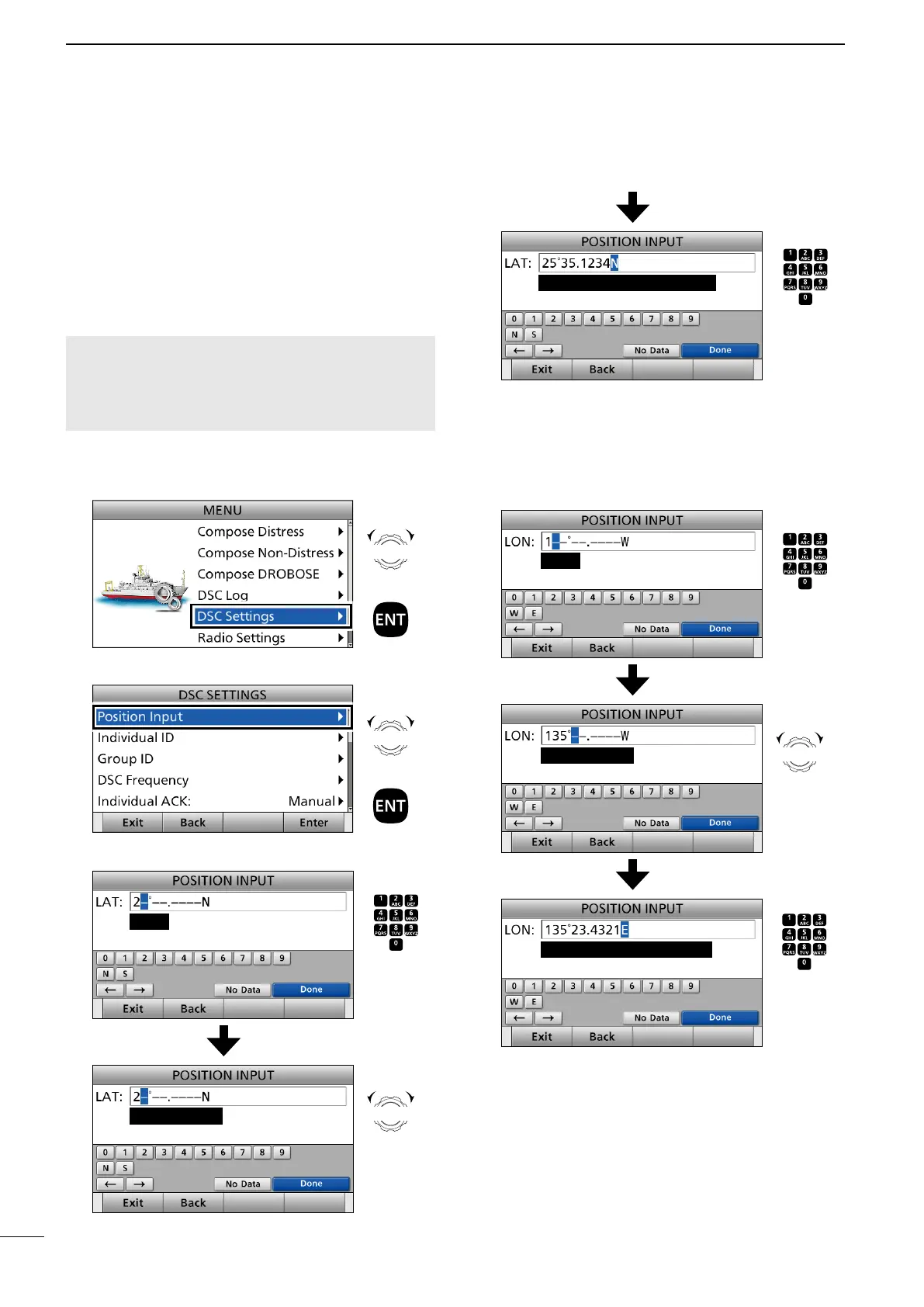
1. Push [MENU].
2. Select “DSC Settings.”
3. Select “Position Input.”
4. Enter your latitude.
L To select ʻNʼ (North latitude) or ʻSʼ (South latitude),
push any key when the cursor is on the ‘N’ or ‘S’
position.
5. After entering, push [▲], [▼], [◄], or [►] to select
“Done” and push [ENT].
6. Enter your longitude.
7. After entering, push [▲], [▼], [◄], or [►] to select
“Done” and push [ENT].
Rotate
+
Push
Rotate
+
Push
Enter
Push
+
Rotate
to select
a character
CH/GRP
Cursor moves
Rotate
Set ‘N’ (North) or ‘S’ (South)
Push
+
Rotate
to select
a character
CH/GRP
Push
+
Rotate
to select
a character
CH/GRP
Enter
Cursor moves
Rotate
Set ‘W’ (West) or ‘E’ (East)
(any key)
Push
+
Rotate
to select
a character
CH/GRP
■ Entering position data and time
(any key)



 To Next Page