51
2001 NEW 2001 NEW
7
DSC OPERATION
D Sending a Position Request call (continued)
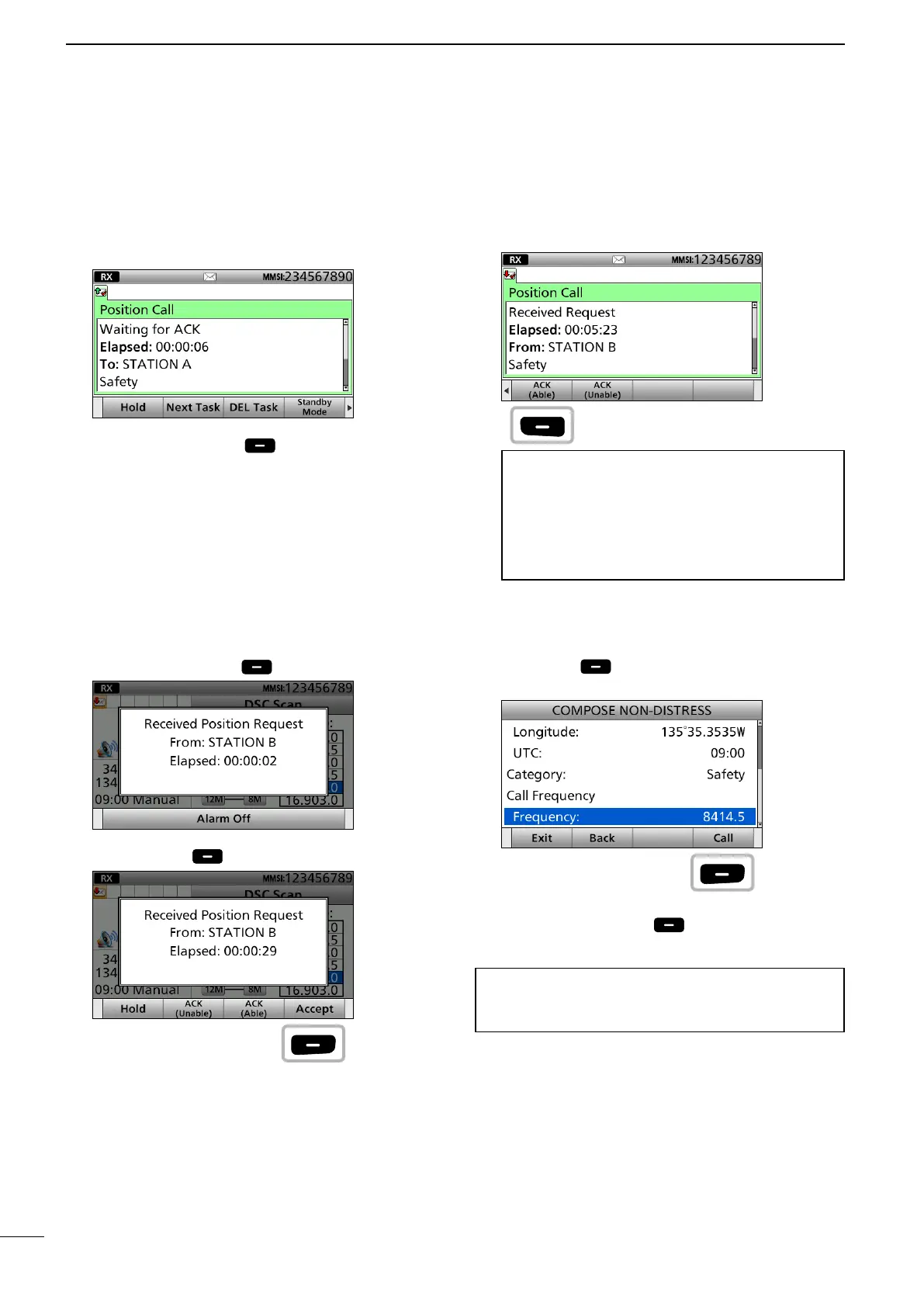
9. After sending, the following screen is displayed.
• See page 29 for details of the software key function
in the DSC Task mode.
10. Push [Standby Mode] to return to the
Standby mode.
D Sending a Position Request
acknowledgement
When receiving a Position Request call, you can
send an acknowledgement.
1. When a Position Request call is received:
• Alarm sounds.
• The following screen is displayed.
Push any [Alarm Off] .
2. Push [Accept] .
• Enters the DSC Task mode.
• “✔” is displayed on the Task tab.
3. Push [≈] to scroll the software key function.
4. Push a key to select an acknowledgement option.
(Example: ACK (Able))
Information
ACK (Able):
Send an acknowledgment with position data and
time.
ACK (Unable):
Send an acknowledgment, but it does not include
position data.
• The call contents screen is displayed.
Rotate [CH/GRP] to conrm the contents.
Change your position data, if the displayed data is
invalid. (p. 27)
5. Push [Call] to send the Position Request
acknowledgement.
• Your position data and time are transmitted.
6. Push [Standby Mode] to return to the
Standby mode.
TIP: When “Position ACK” is set to Auto, the
transceiver automatically replies to the call.
(p. 71)
Push
Push
Push
■ Sending a Non-Distress calls



 To Next Page