EasyManua.ls Logo

Ingenico Move 5000 - DNS Server 2 Configuration

Ingenico Move 5000
108 pages
Print Icon
To Next Page IconTo Next Page
To Previous Page IconTo Previous Page
Loading...
Page 93
Move/
5000
User Guide
Copyright© 2019 Ingenico
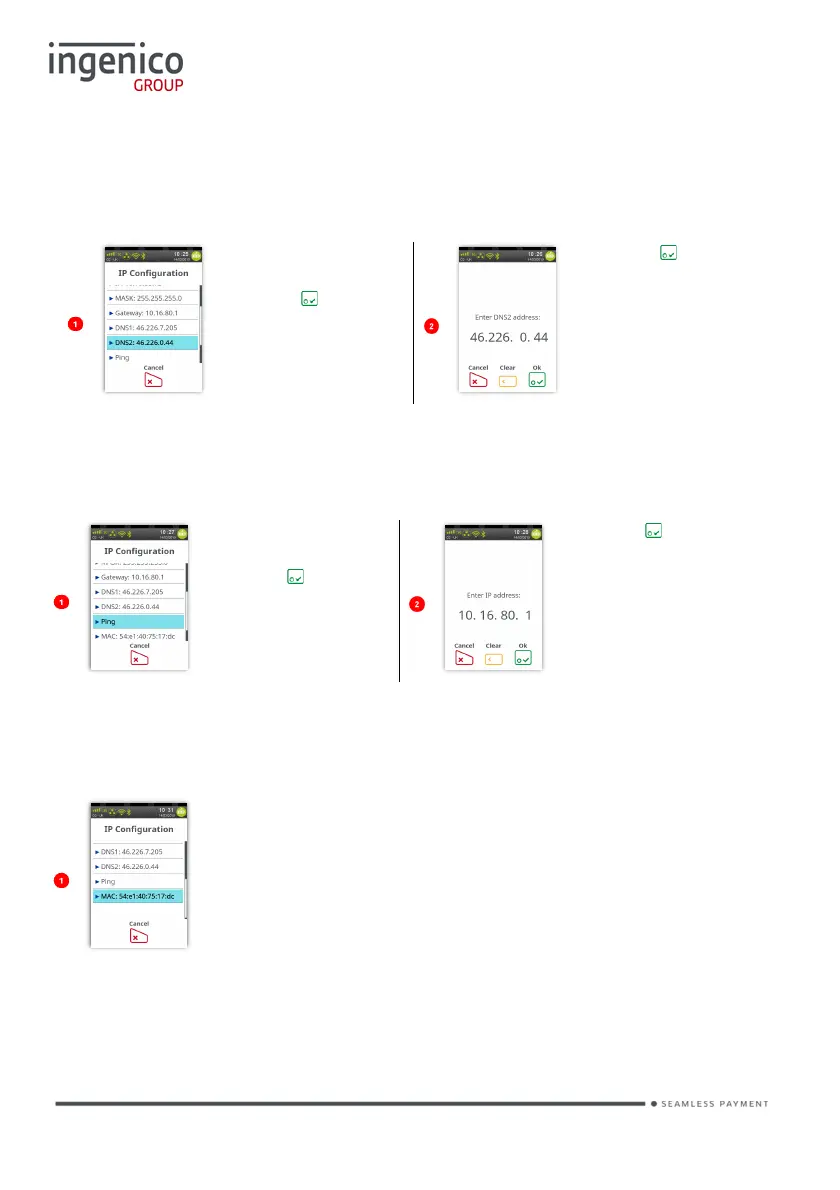
DNS2
You may configure the DNS2 address. The initial screen will display which DNS2
address you are connected to.
Touch screen to
select ‘DNS2’ or
press to select
highlighted
option.
Press to
confirm address
or clear the digits
and re-enter new
address.
PING
It is possible for the terminal to ping an IP address.
Touch screen to
select ‘Ping’ or
press to select
highlighted
option.
Press to ping
the address or
clear the digits
and re-enter new
address to ping.
MAC
The screen will display which MAC address you are connected to.

Table of Contents

Other manuals for Ingenico Move 5000

Related product manuals