Page 99
Copyright© 2019 Ingenico
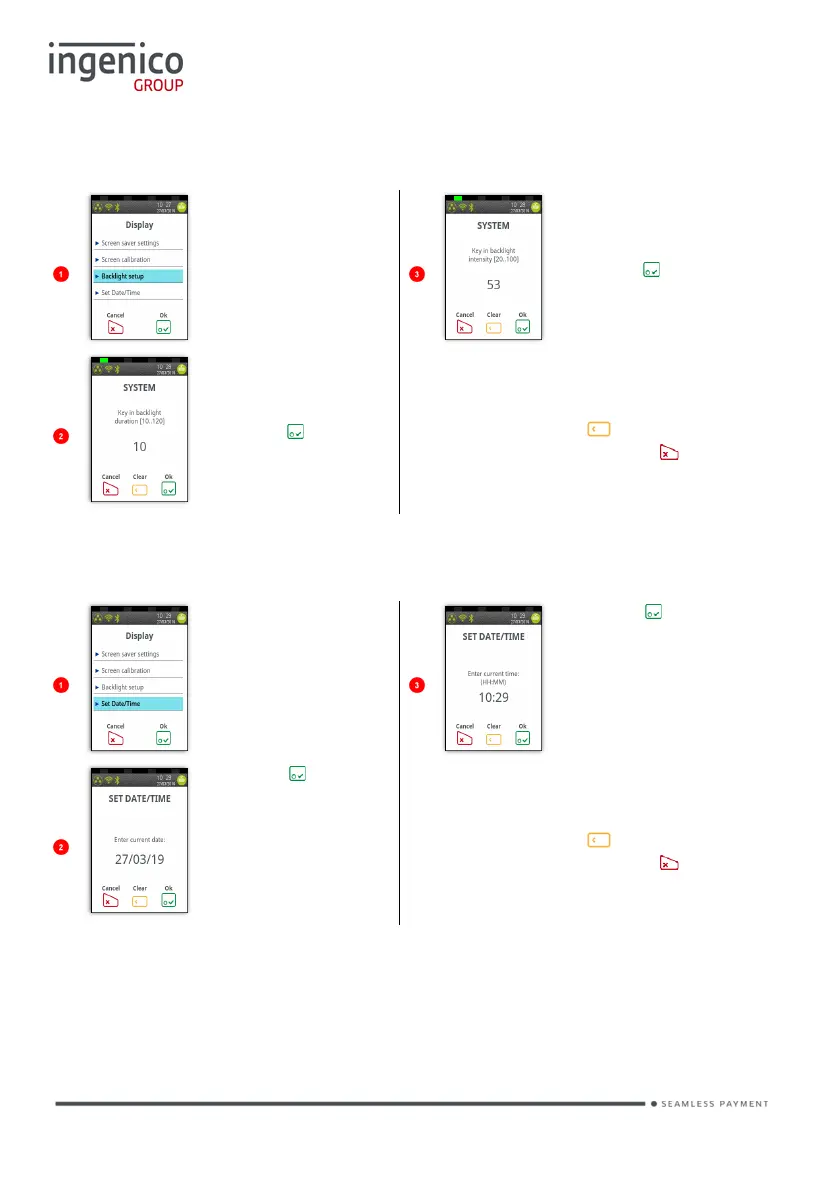
Backlight Setup
Touch ‘Backlight
setup’ on the
screen to open
the window
Key in the
backlight
intensity and
press to
submit value.
Key in backlight
duration is
seconds and
press to
submit value.
Typing value will overwrite existing
value. To correct mistakes when
entering data press to delete one
character at a time or press to
delete all data entered.
Set Date/Time
The terminal will
display the
current mode.
Touch the screen
to open the
window
Press if time is
correct.
Press if date is
correct.
Typing value will overwrite existing
value. To correct mistakes when
entering data press to delete one
character at a time or press to
delete all data entered.














 To Next Page