Appendix B — Media Specifications
EasyCoder PM4i Printer User’s Guide (Fingerprint Version) 137
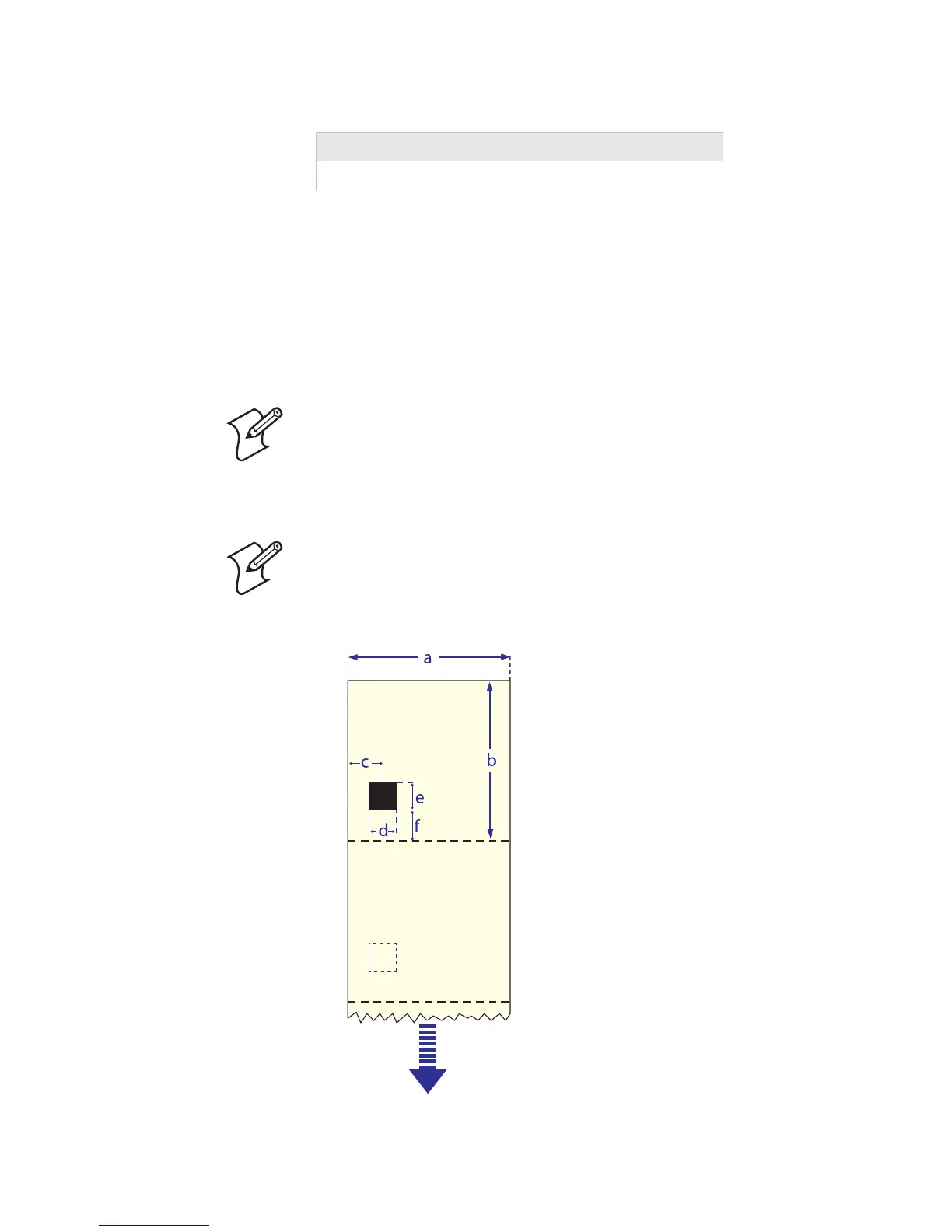
⇐ f ⇒ Black Mark Y-Position
It is recommended that you place the black mark as close to the
front edge of the ticket as possible and use a negative Stop Adjust
value to control the media feed, so the tickets can be properly
torn off.
Media Type Setup
• Ticket (w mark)
Common: 12.5 mm (0.5 in)
Minimum:
5.0 mm (0.2 in)
Note: Preprint that may interfere with the detection of the black
mark should be avoided. However, the Intermec Fingerprint
statement LBLCOND allows the sensor to be temporarily
disabled during a specified amount of media feed in order to
avoid unintentional detection, see Intermec Fingerprint manuals.
Note: The black mark should be non-reflective carbon black on a
whitish background. Do not allow any perforations to break the
edge of the media as this may cause the media to split and jam the
printer.















 To Next Page