LIP-9070 iPKTS User Guide
12
4.3.3 Dialogs and Popups
Dialog boxes are employed when a user entry is required such as a contact name. Popups are used to inform
the user of potential issues or warning messages such as ‘Please insert SD card’ or ‘Bluetooth not connected’.
4.4 Launcher Screens
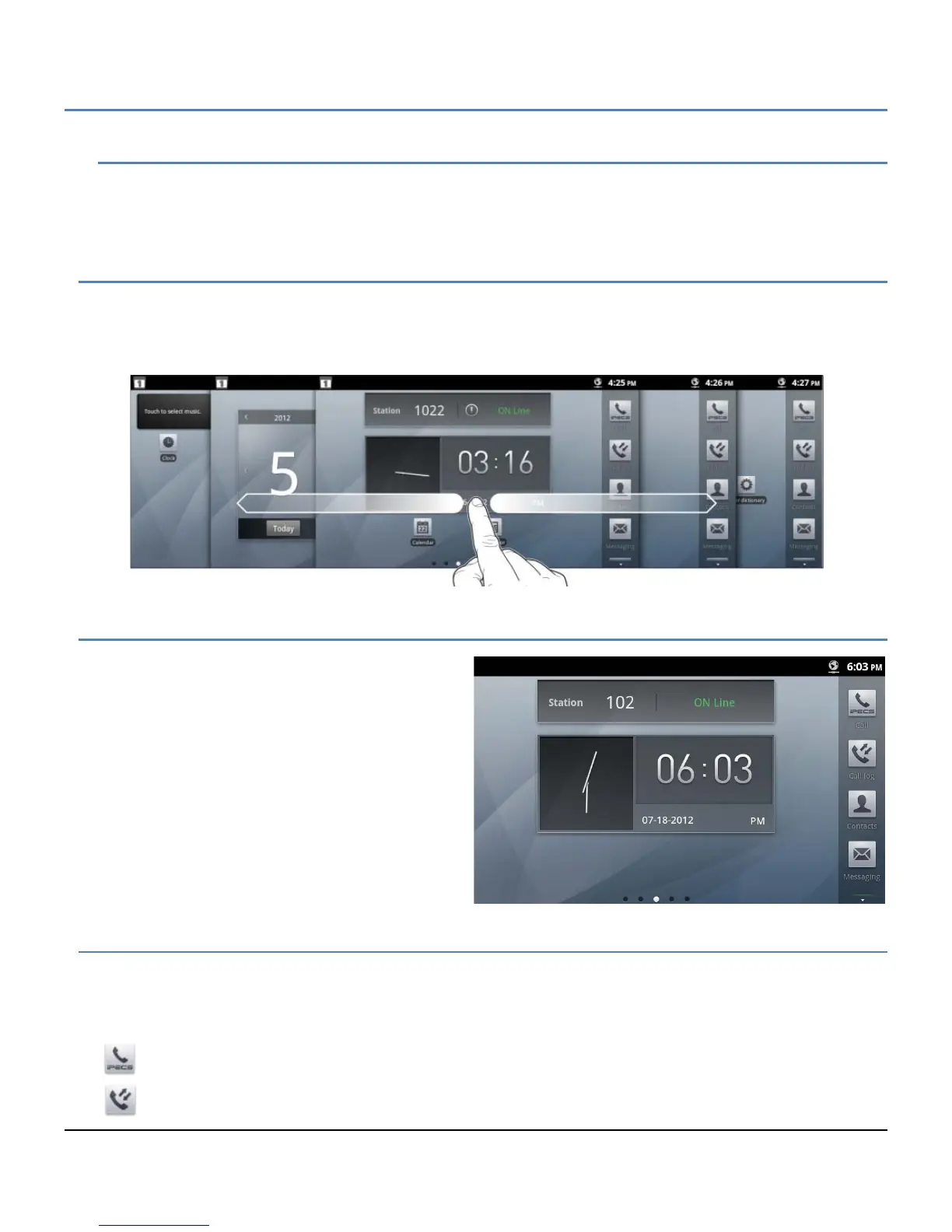
The Launcher is divided into five (5) screens where shortcut icons and widgets can be located. Selecting an
application icon from one of the Launcher screens opens the application. The Launcher Home screen displays
upon power-up. Other Launcher screens can be viewed employing the flick gesture. Each Launcher screen can be
customized by adding, deleting or moving application icons and widgets.
4.5 Home Screen
The Home screen, as with all the Launcher screens, is
composed of the Notification and Status bar at the top
of the screen, the main display area where application
icons and widgets are displayed and the App Dock on
the right. The dots on the bottom of the screen
indicate the exposed Launcher screen, 1 to 5, with the
center screen ‘3’ as the Home screen.
The Home screen as a default includes the iPECS
Station (CalInfo) widget above the Clock widget in the
main display area.
4.6 Application Dock
The Application Dock is scrollable and displays up to twenty dock locations for application icons. The scrollable
App Dock appears on the right side of all the Launcher screens to permit quicker access to apps than moving
across the Launcher screens. The first eight dock locations are available and the first four are fixed with icons for
applications in the LIP-9070 including:
iPECS Phone (Call)
Call Log



 To Next Page