LIP-9070 iPKTS User Guide
13
Contacts
SMS Message
4.6.1 Managing the App Dock
The icon for any installed application can be added to the dock, deleted from the dock or the number of available
dock positions changed
4.6.1.1 Adding Icons to App Dock,
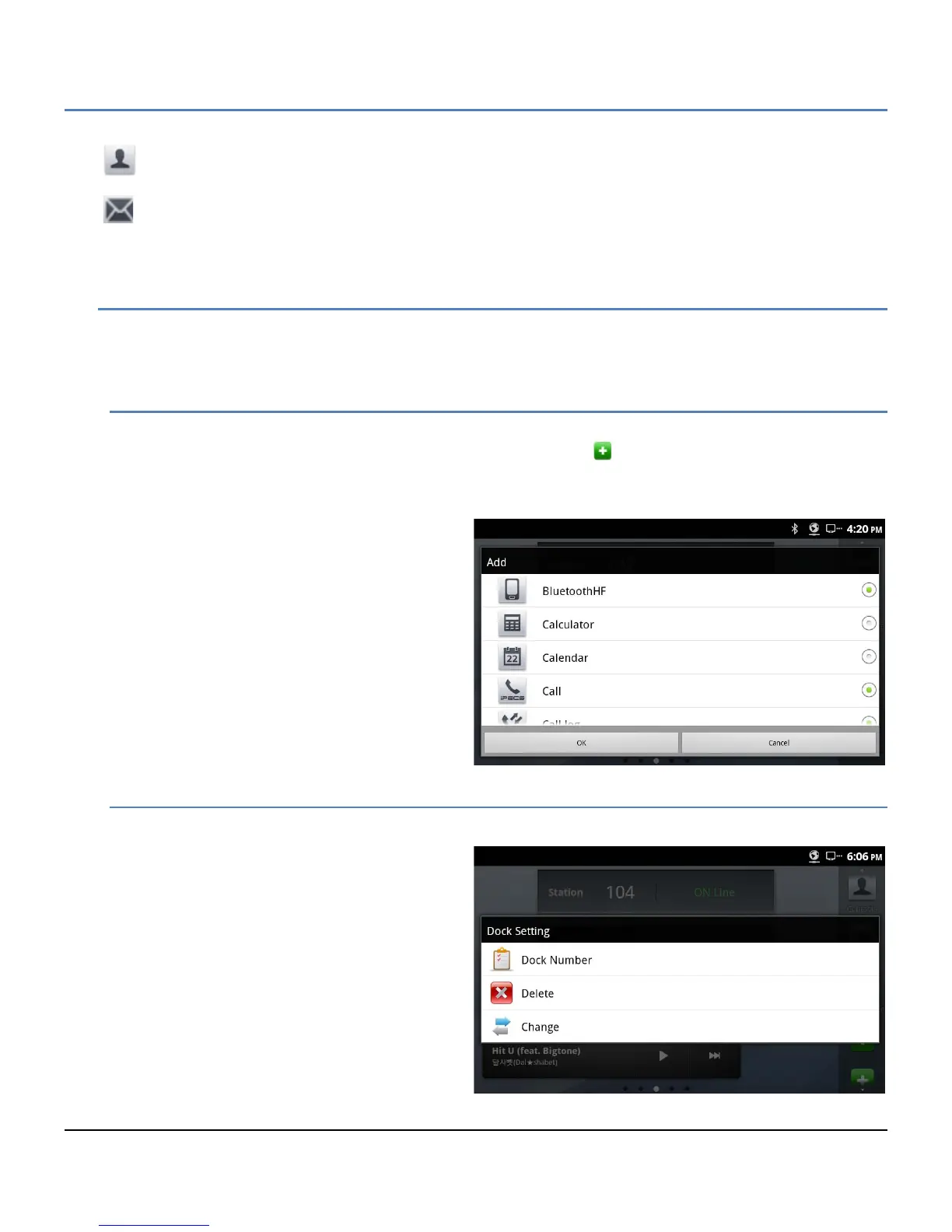
To add an application icon to the Apps Dock,
1. Touch and hold an unoccupied dock position shown as the icon
Or
On a Launcher screen touch the Menu button then select the Add button
2. In the Add Context menu, select the
desired application icon.
3. Touch OK to add the icon to the dock.
4.6.1.2 Deleting Icons from the Apps Dock
To delete an icon from the dock,
1. In the dock, touch and hold the icon to
be deleted.
2. Select ‘Delete’ from the Dock Setting
menu. The icon is removed from the
dock but remains on the Launcher
screens.
In addition, from the Dock Setting menu the
number of available dock positions (maximum 20)
and an application icon in the dock can be
changed to another application icon.



 To Next Page