LIP-9070 iPKTS User Guide
55
11.2.2 Outgoing HFP call
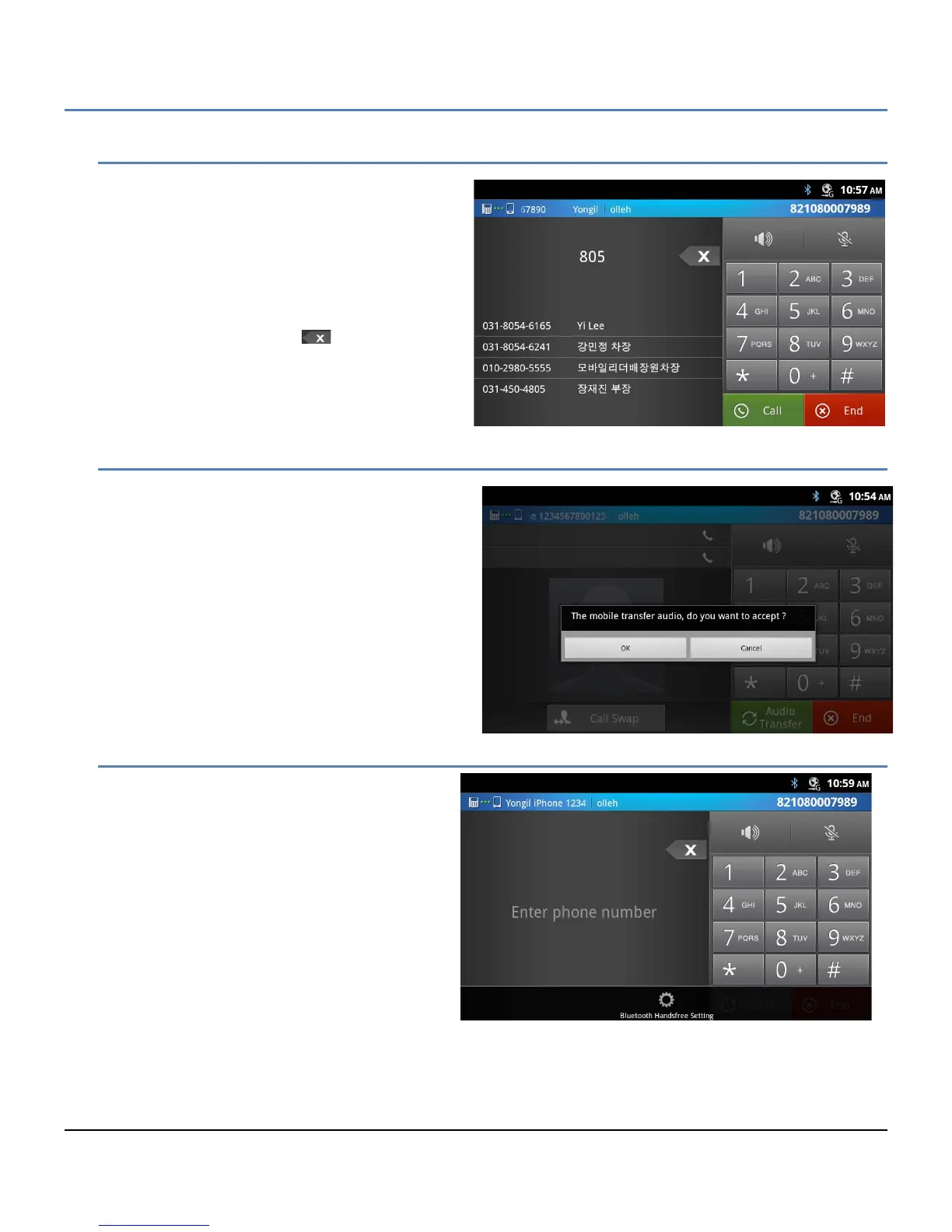
With the Bluetooth HF profile, the LIP-9070 can
place an outgoing call using the Bluetooth AG.
Digits dialed from the dial pad display. Matching
contacts are also displayed and can be selected for
dialing. Touching the ‘Call’ button signals the
Bluetooth AG to place the call.
Note
° The Backspace icon, , can be used to
delete dialed digits.
11.2.3 Audio Transfer
While active on a Bluetooth HF call, the external
Bluetooth device can request to terminate the HF
connection and return audio to the device’s audio
interface. If accepted, the audio is transferred back
to the device.
The LIP-9070 can initiate the audio transfer using the
Audio Transfer button. The phone will initiate the
transfer automatically if an iPECS call is received and
audio priority is not assigned for the Bluetooth
connection.
11.2.4 Bluetooth HF Audio Priority
Normally, when an iPECS call arrives with the
HFP application active, the HFP audio is
transferred to the Bluetooth AG, the HFP
application closed and the iPECS window opens
to notify the user of the new iPECS call. If desired,
Bluetooth Handsfree Audio Priority can be set to
maintain the Bluetooth call and reject the
incoming iPECS call. To enable Bluetooth audio
priority,
1. Activate the HFP app by touching the icon
in the Apps Dock or on a Launcher screen.
2. Touch the Menu button.
3. Select ‘Bluetooth Handsfree Setting’ from
the Option menu.
4. Touch ‘Bluetooth Handsfree audio priority’ to check the box and enable Bluetooth priority.



 To Next Page