LIP-9070 iPKTS User Guide
67
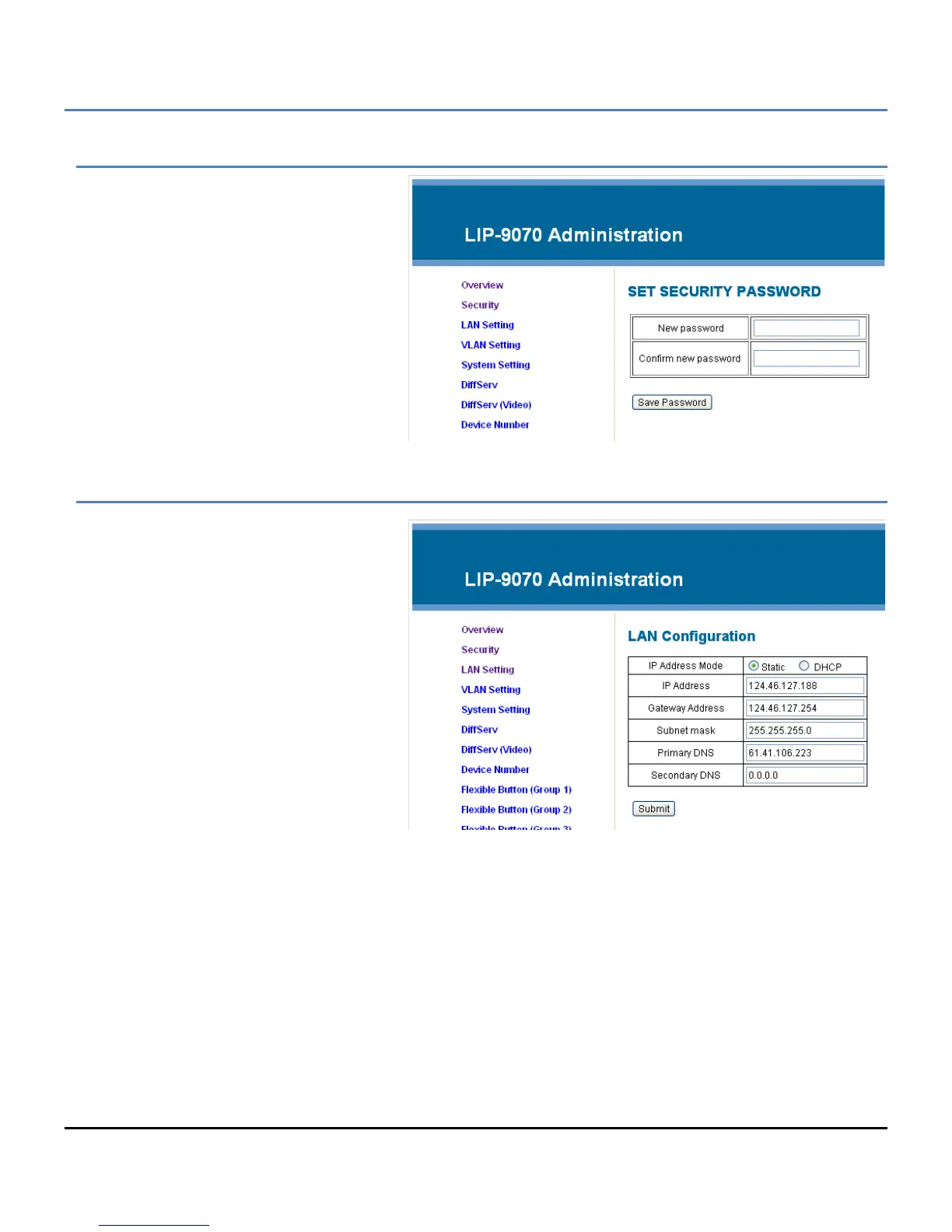
Security Menu
The Security menu permits the definition of a
password of up to 20 characters. When
entered, the password will be required in the
LIP-9070 Web Manager login screen.
LAN Settings
The LAN Setting menu configures the
address Mode, Static or Dynamic. If static
addressing is employed, the IP and Gateway
address as well as the subnet mask must be
defined. In addition a Primary and
secondary DNS (Directory Name Server)
can be configured to support VPN
installations.



 To Next Page