LIP-9070 iPKTS User Guide
46
10.3.4 Review Pictures and Videos
Pictures and videos stored in the Camera
application memory, can be viewed, edited, deleted
or shared. The Pinch gesture can be used to
control zoom and, if the left/right arrow displays, the
Flick gesture will display the next/previous picture.
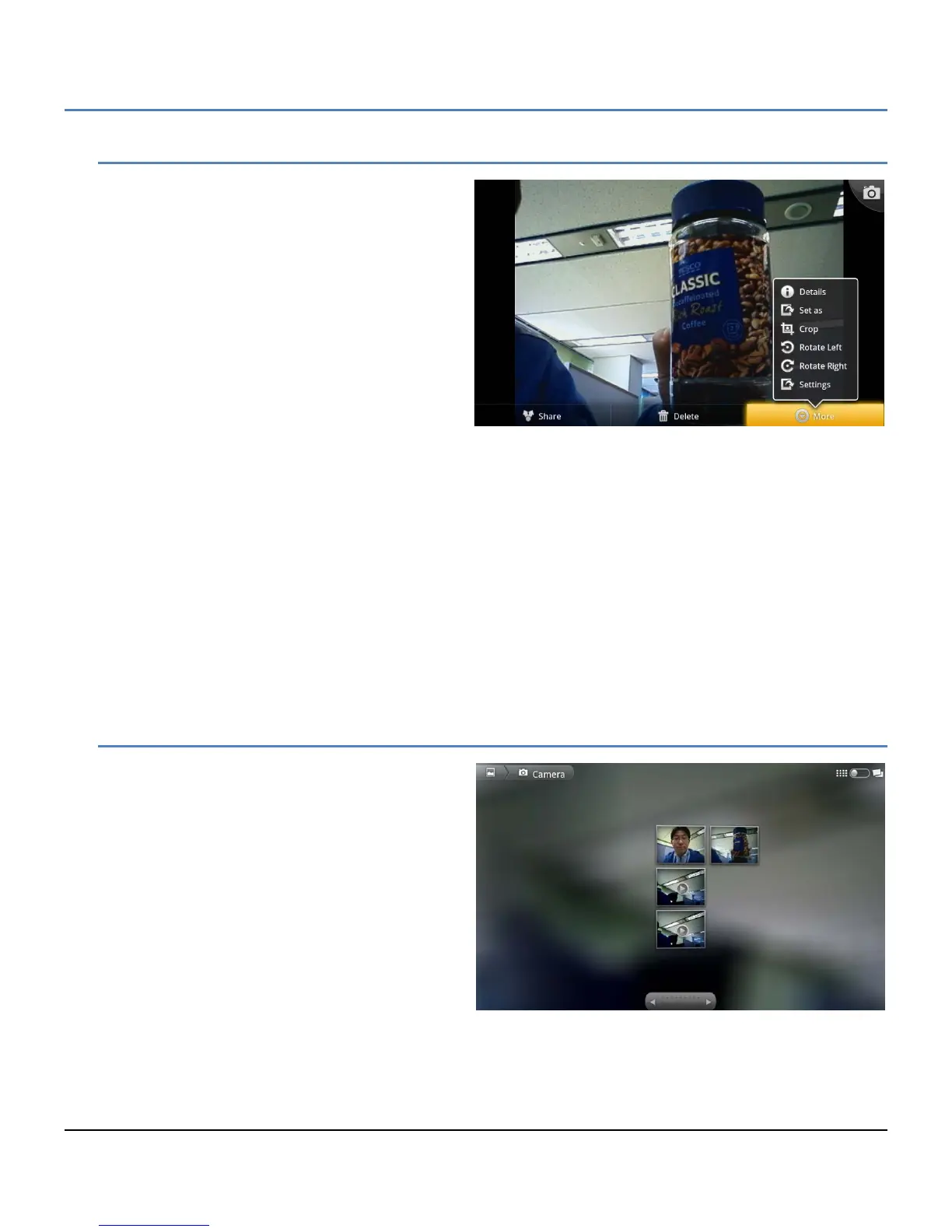
The Picture review screen opens when a thumbnail
in the upper right corner of the Camera screen is
touched. The screen includes the following Picture
tools.
Share: share the picture with a Bluetooth
device, the Bluetooth device selection
screen will appear.
Delete: delete the picture, a confirmation is required.
More:
Details: display details for the picture including name, type of file, date and album.
Set as: configure the picture as a contact icon or as the wallpaper. The picture will be sized to fit the
Contact icon or Wallpaper screen size.
Crop: crop the picture and save as a new picture in the Album.
Rotate Left: rotate the picture 90° counterclockwise.
Rotate Right: rotate the picture 90° clockwise.
Settings: enable subtitles and the select font for the subtitles.
To return to the Camera, touch the Camera in the upper right corner of the review screen to take a picture.
10.3.5 Using the Gallery and Albums
The Gallery application organizes and displays
picture albums on the SD card and in the Camera.
Items in the album are shown in a grid view with
thumbnails of each picture or video. The Gallery
displays files of the JPEG, PNG, BMP and GIF
types as pictures and H.263, H.264 and MPEG4
files as videos. At the top of Gallery screen is the
name of the Gallery and, at the top right, is the View
Control. At the bottom is the navigation control to
view the next or previous album. The navigation
displays thumbnails for additional pictures and
videos organized by date.
View Control:
Slideshow: show all pictures in album as a slide show.
Multiple select: select multiple items to share or delete.



 To Next Page