LIP-9070 iPKTS User Guide
20
5.1.2 Setting up a Station Speed Dial
Station Speed Dial numbers are somewhat like Contacts except with Speed Dial only a name and a phone
number are assigned. The number of bins available will be from 20 to 100 depending on the iPECS system. A
Speed Dial can be up to 48 digits in length and may include special characters. For more details, see the Feature
and Operation manual for the iPECS system.
To configure a Station Speed Dial number
1. Touch the PGM button to access the Station User menu.
2. Touch the Speed button.
3. Dial the CO Line/Trunk access code, generally ‘9’.
4. Dial the Speed Dial bin number (00 to 19 or 00 to 99).
5. Dial the telephone number for the Speed dial.
6. Touch the Hold/Save button.
7. Enter an optional Name using the dial pad with two digits for each character.
8. Touch the Hold/Save button to complete the Speed Dial entry.
5.2 Call Back Message Wait
When calling another station in the iPECS system and the call is not answered, you can leave a request for a call
back and activate an Intercom Message Wait to the called user.
To activate a Call Back message wait
1. While receiving no answer on an internal call, press Call back. A Call Back Message wait is activated and
the called station user receives a message waiting indication for the Intercom (ICM) call.
To respond to a Call Back message
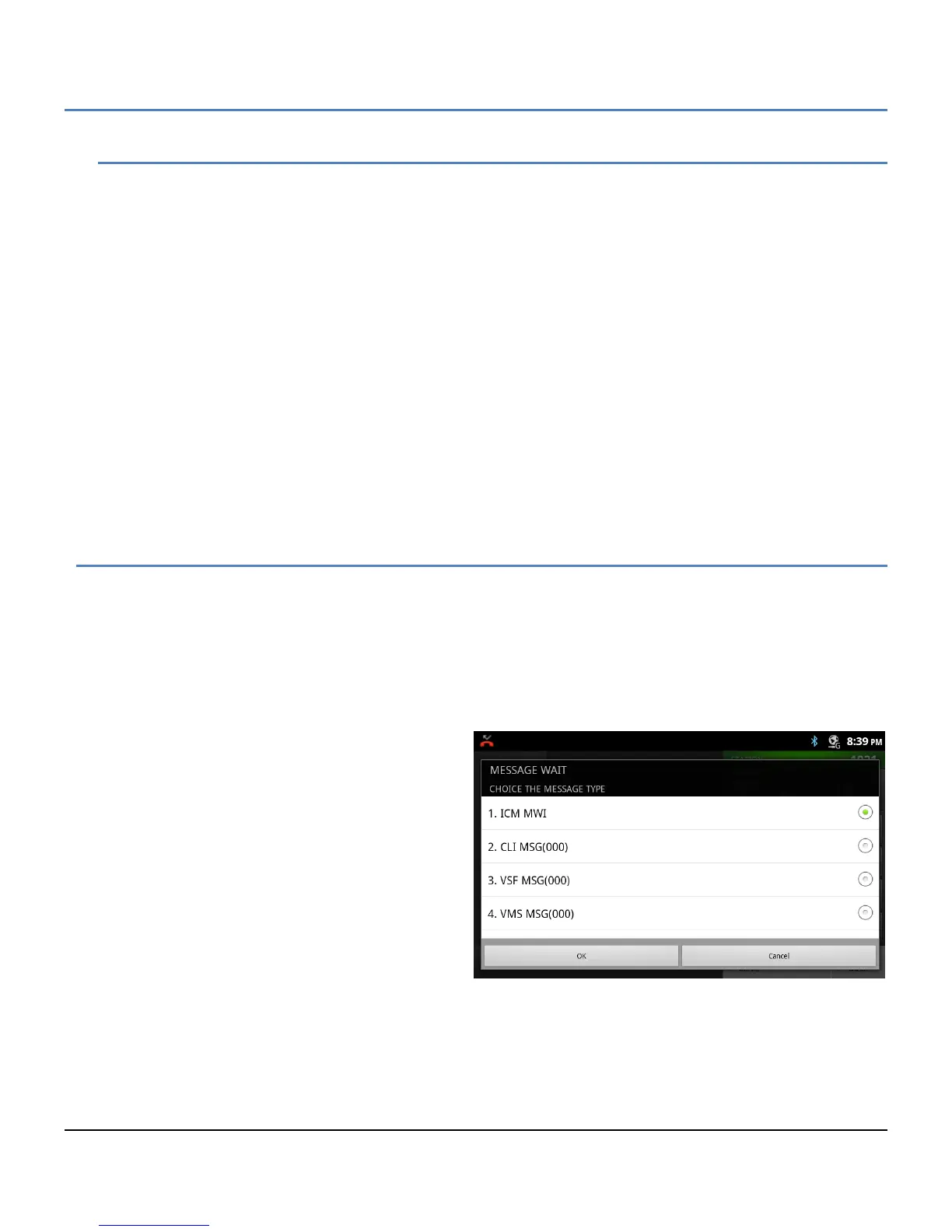
1. Press the flashing Call Back button.
2. Select the ICM MWI radial button.
3. Select the Station to call back from the
Station message list.



 To Next Page