LIP-9070 iPKTS User Guide
43
10.2 Using the Calculator
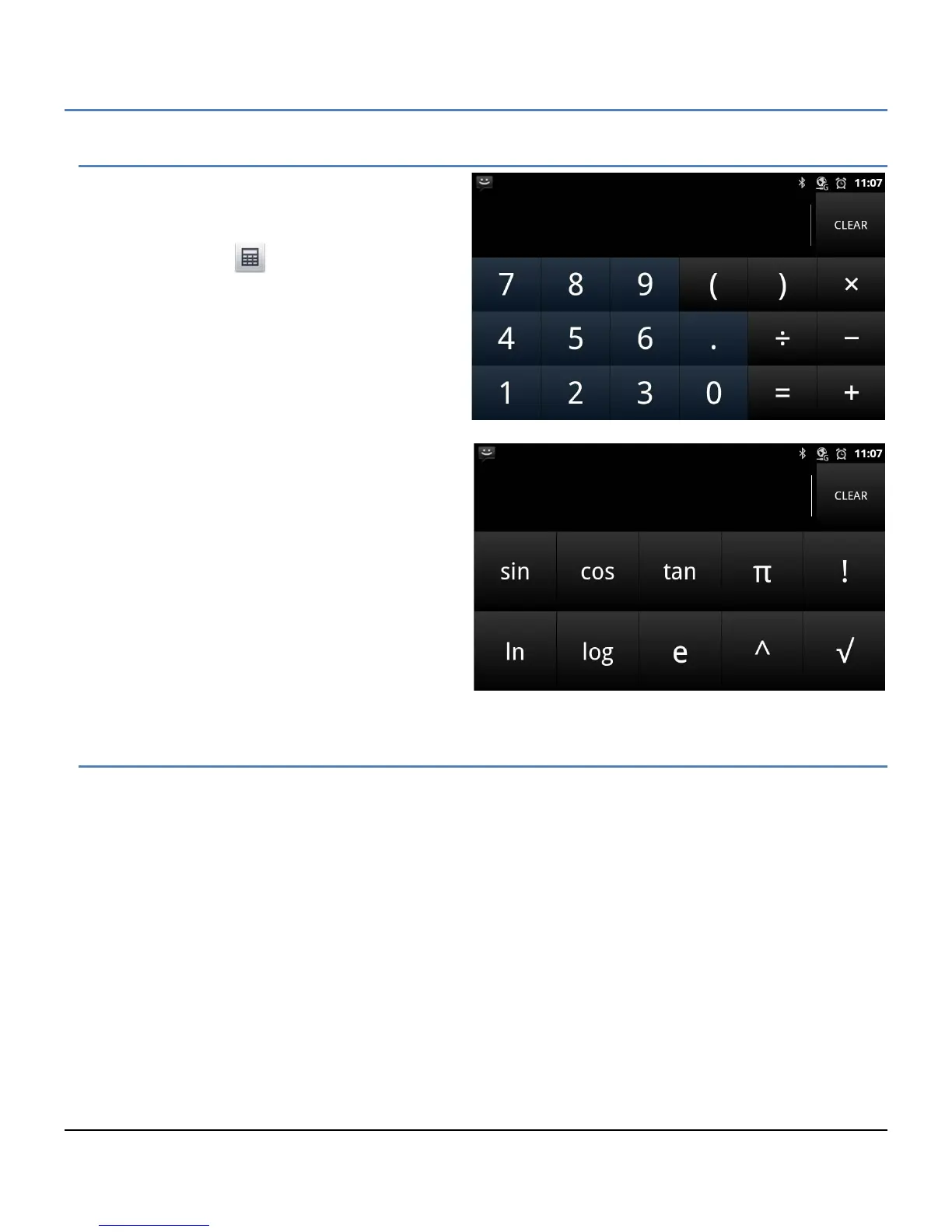
The Calculator has the common arithmetic functions
and with a left flick, the advanced mathematic
function calculator is exposed.
The Calculator icon ( ) opens the basic calculator.
Use the keypad to enter digits and the functions
buttons to complete an operation. Touch and hold
the number in the calculator display to show the
Result menu where the results can be copied to other
applications or other tools can be accessed.
Note
° Touch clear to erase the last entry or touch
and hold to erase the displayed value.
° Left flick on the basic Calculator to show the
advanced mathematics function calculator.
10.3 Handling Pictures and Videos
Pictures and videos have two associated applications. The Camera application takes pictures and records videos
with the built-in camera. Pictures and videos are stored on the SD card and can be shared. In addition, pictures
can be used as wallpaper or a user contact icon. The Gallery application organizes pictures and videos into albums
that can be viewed and managed.
The camera is a 1.3 Mega-pixel CMOS camera and can be tilted manually for the best view. Pictures taken by the
Camera are stored as the jpeg file type. Videos employ the 3GPP file types.



 To Next Page