LIP-9070 iPKTS User Guide
62
12.9 About phone
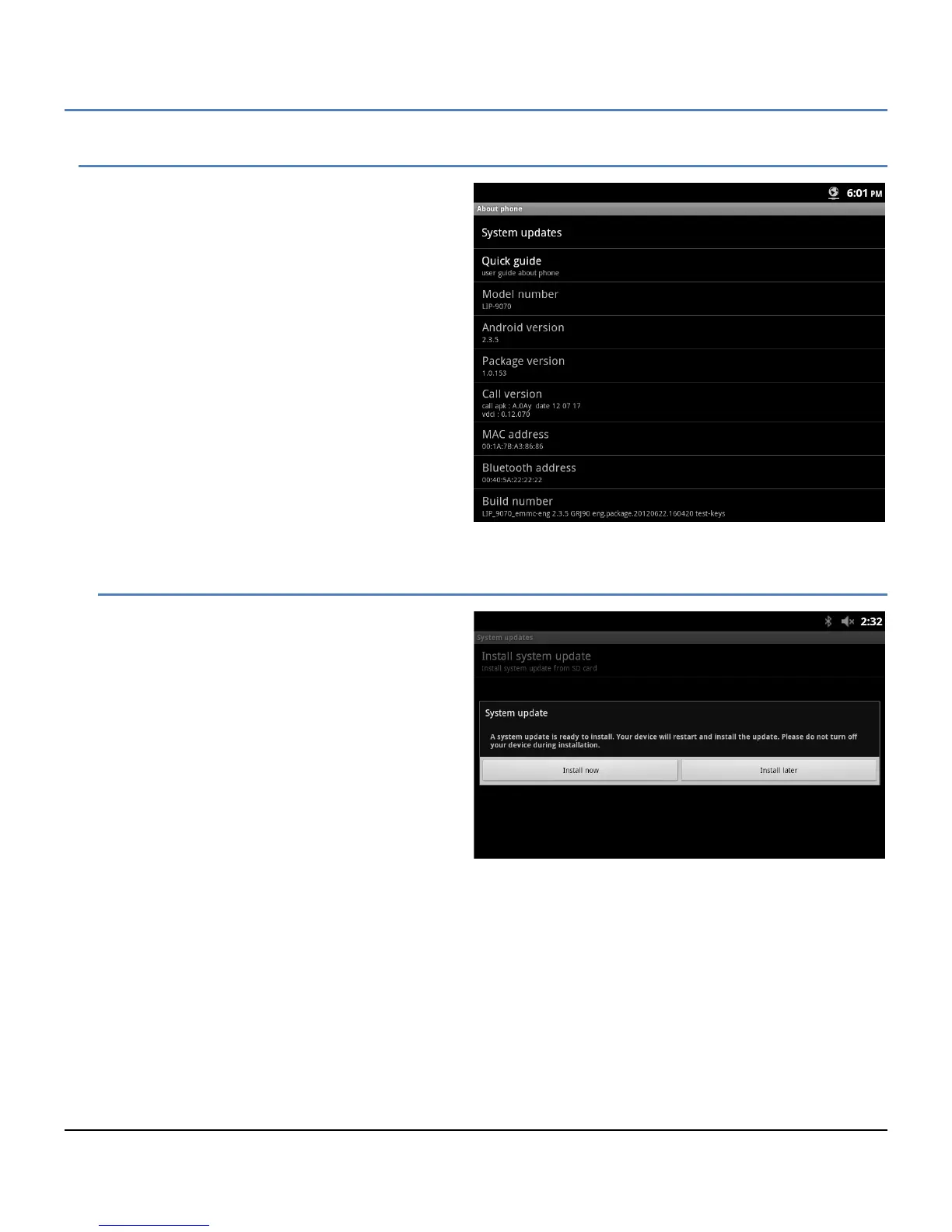
About displays information about the LIP-9070
including the OS version, build and MAC address. In
addition, System Updates can be selected to update
the LIP-9070 software from the SD card.
Note
° You may need to scroll down the screen to
see all selections.
12.9.1 System Updates
The LIP-9070 software can be updated from the SD
card in the slot located on the right side of the
phone. When 'System updates' is selected, the
LIP-9070 checks for updated software in a valid
update.zip file. The file may contain either newer or
older version software and, if available on the SD
card, a confirmation dialog appears.
Selecting ‘Install now’ initiates the update process
with a phone reboot.
Note
° During the update procedure, do NOT unplug
or remove the phone from the power source.
° An update will return the Call Preferences, Flex button labels and Call Sound settings to the default values.



 To Next Page