LIP-9070 iPKTS User Guide
63
Appendix A Station User Programming
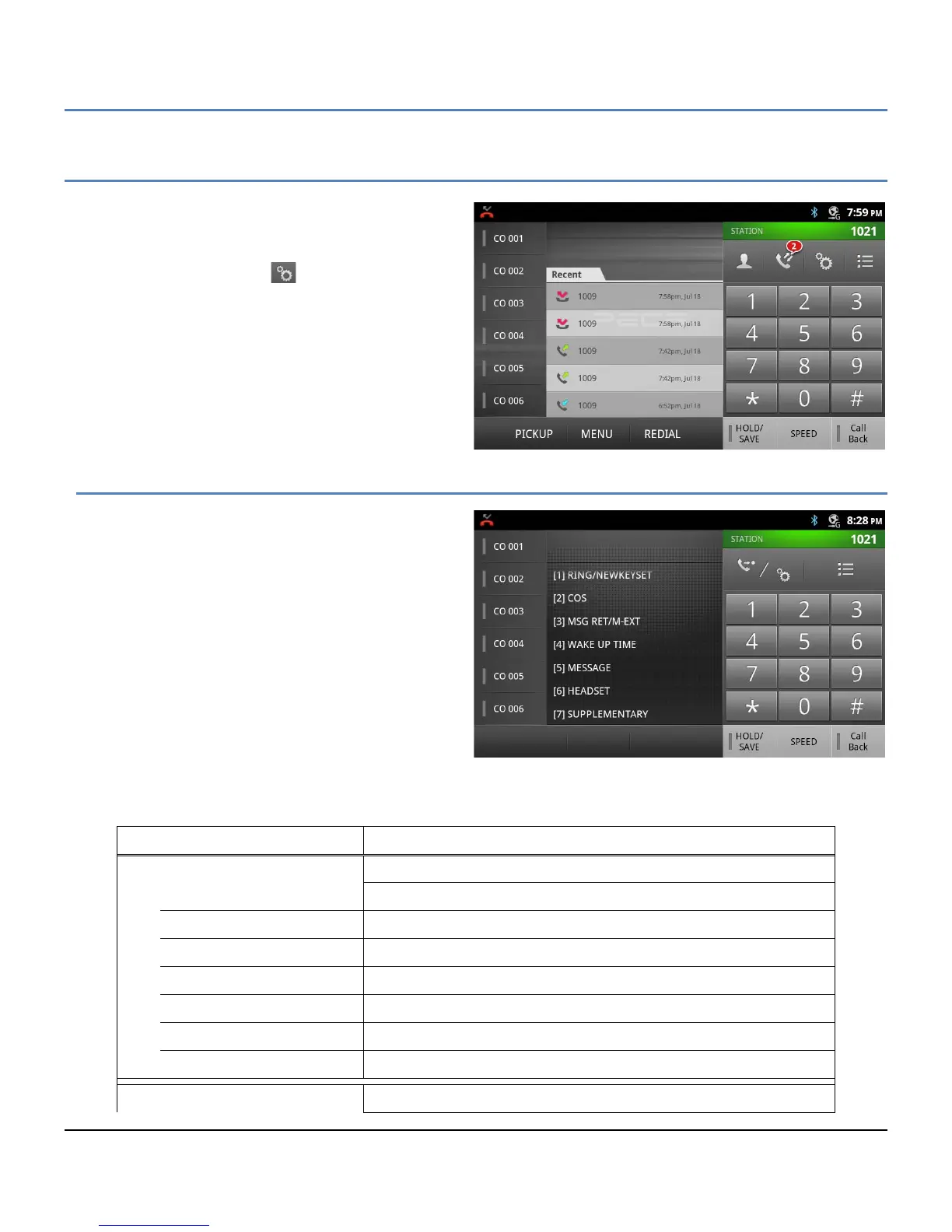
Like all iPECS Phones, the LIP-9070 incorporates the
Station User Programming. This programming includes
menus and tools that impact the User’s station and Flex
buttons. Station User Programming is accessed by
touching the PGM button ( ) in the iPECS Phone
application. An item can be selected from the displayed
Station User Menu or a Flex button can be selected and
assigned a feature.
Note
° Station User Programming can be accessed
with the Menu button in the iPECS Phone
screen and then selecting Trans/PGM.
Station User Menu
The Station User Menu is a layered menu, selecting a
menu item exposes the next menu layer until a simple
selection for the feature is entered. The main layer of
the Station User Menu is shown in the chart below
with a brief description of the purpose of each item in
the menu. Touching a menu item or dialing the digit in
front of the item opens the next layer. Select the next
item or enter a value for the item and then press the
HOLD/SAVE button.
Station User Menu(iPECS LIK)
Menu Selections Input and function
[1] RING/NEWKEYSET
1 Intercom Ring Select Internal call ringtone, 1 - 8
2 CO Line/Trunk Ring Select outside call ringtone, 1 - 8
3 Intercom Answer Mode Select internal call answer mode – 1: HF, 2: Private, 3: Ring
4 Call Coverage Attribute Allow Coverage (1: On/Off) and select ring delay 2: 0-9
5 Station Ring download
Download ringtones 5 – 8 from iPECS
9 Ear & Mic Headset Activate Ear/Mic Headset, 1: On, 2: Off
0 Enblock dialing Set Enblock dialing, all digits are sent to the network at one time
[2] COS



 To Next Page