LIP-9070 iPKTS User Guide
57
12.1.1 Network (Ethernet) Configuration
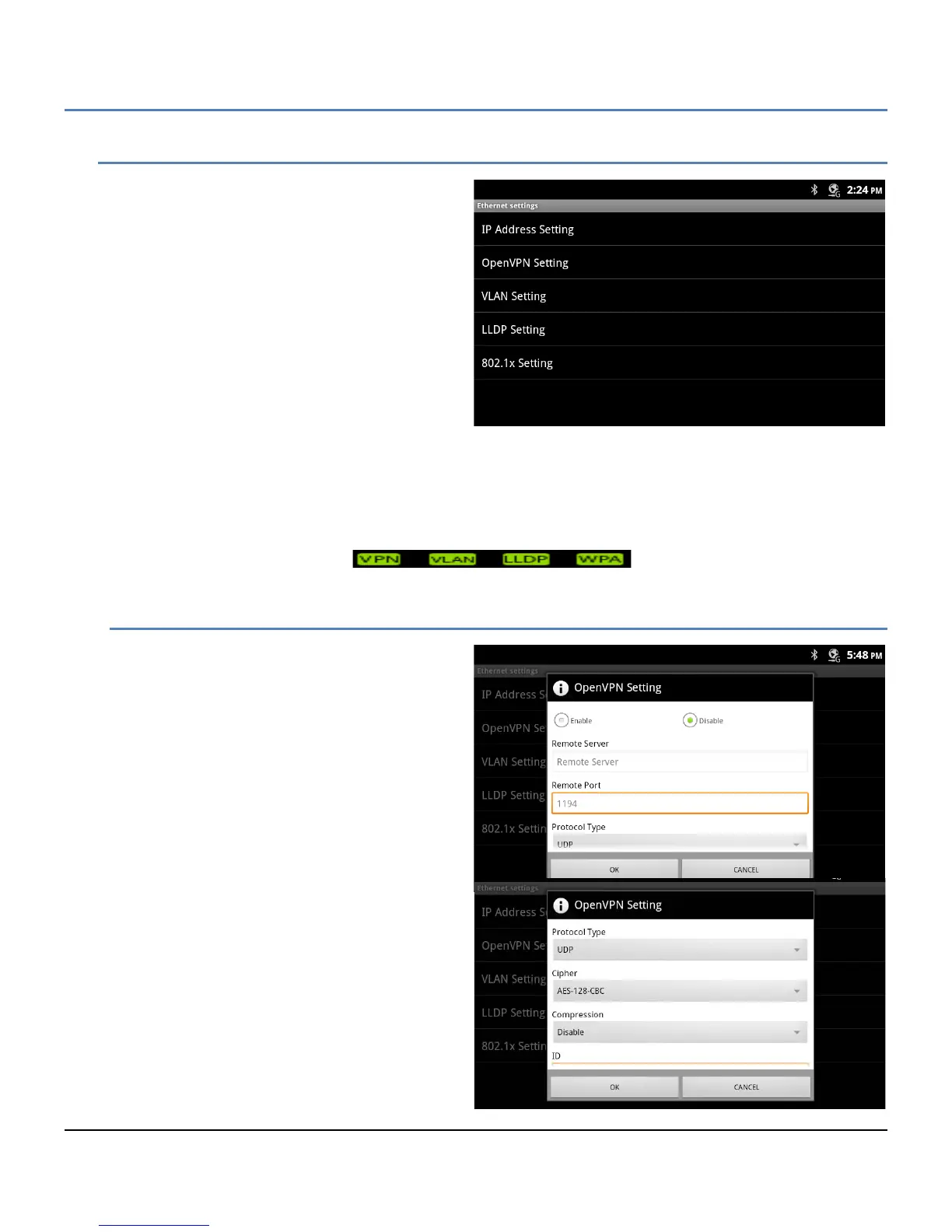
The Ethernet settings permit configuration of the
LIP-9070 network interface and the local PC
connection. Configurable characteristics include:
IP Address Setting: select the type of
addressing (Static or Dynamic), for Static
addressing, configure the IP address, subnet
and default Gateway address, also assign
DNS server address.
OpenVPN Setting: configure the Open source
VPN.
VLAN Setting: configure Virtual LAN id, and
priority for LIP-9070 LAN and PC ports.
LLDP Setting: enable Link Layer Discovery
Protocol and Automatic VLAN configuration,
the later requires LLDP be enabled.
802.1x Setting: assign the Id and password for 802.1x authentications.
Note
° On the right side of the Notifications bar an icon, as below, displays showing the settings that are enabled
and active. If enabled but not active, the icon is colored grey.
12.1.1.1 OpenVPN
OpenVPN implements virtual private network
technology employing an open source software
application. The LIP-9070 OpenVPN
implements User name/password or certificates
for authentication utilizing SSL/TLS (Secure
Socket Layer/Transport Layer Security). The
following Open VPN characteristics are available.
Enable/Disable: set the Open VPN
status.
Remote Server: Open VPN server IP
address or URL.
Remote port: set transport protocol port.
Protocol Type: set the transport protocol
UDP or TCP.
Cipher: establish any encryption.
Compression: enable or disable
compression.
ID: assign authentication User Id.
Password: assign the password for
authentication.
Install Root CA Certificate: initiate
process to install a CA certificate.



 To Next Page