LIP-9070 iPKTS User Guide
27
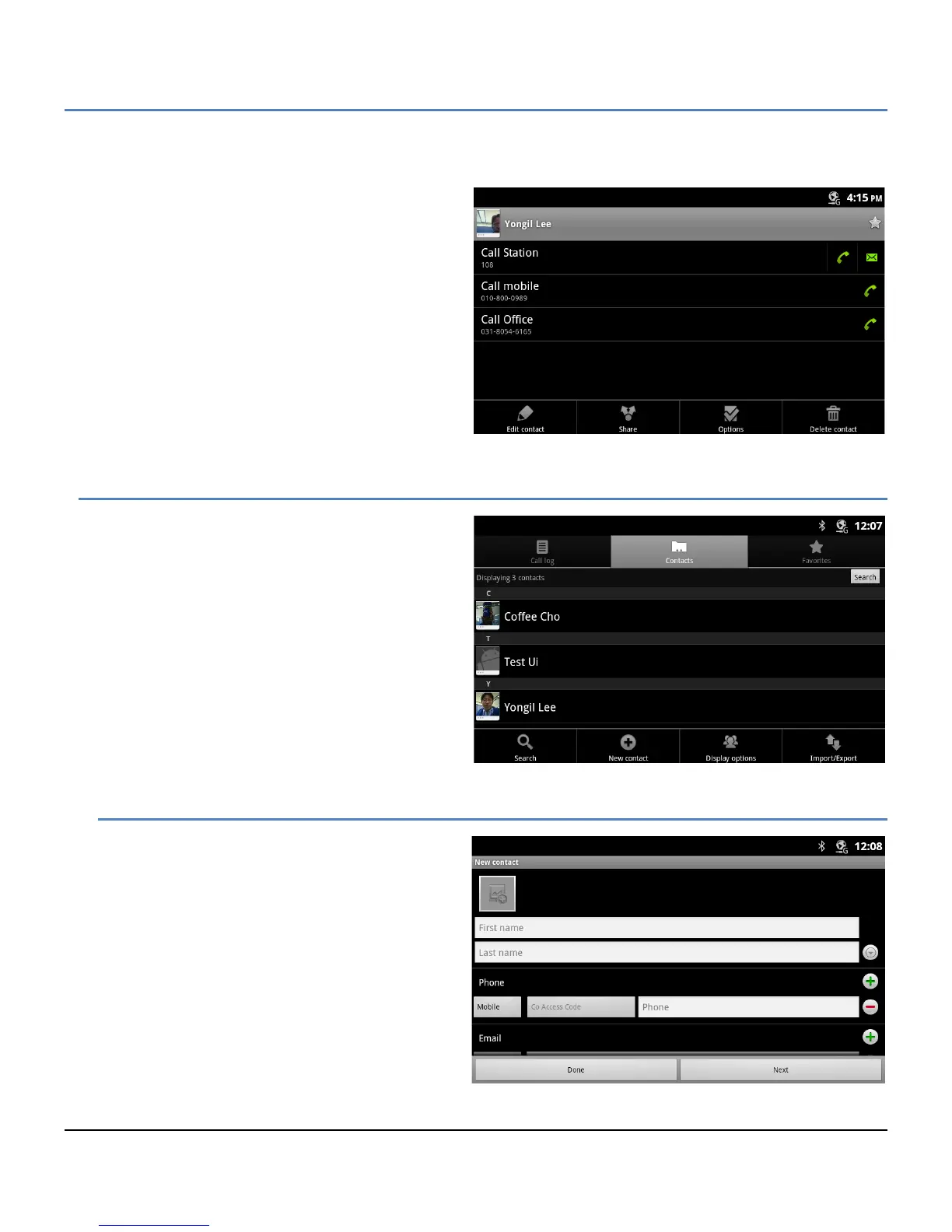
3. Touch the icon on the right to call or send an SMS. The appropriate screen for the communication option
selected opens.
The Option menu for the Contact screen includes
tools as listed below.
Edit Contact: open the contact information
screen for editing.
Share: share the contact information with a
connected Bluetooth device, section 6.6.4.
Options: select options for the contact such as
send to voice mail, section 6.6.2, and
ringtones, section 6.6.3.
Delete contact: delete the contact.
6.3 Managing the Contact Database
Contacts are managed through one of two menus.
The Contacts list Option menu impacts the Contacts
list as a whole and permits contacts to be added,
imported or exported.
6.3.1 Adding a Contact
To add a Contact,
1. Open the Contacts list by touching the
Contact icon in the Apps Dock or the iPECS
Call window.
2. Touch the Menu button.
3. Select ‘New Contact’.
4. Touch and complete entries in the 'New'
contact form and select ‘Done’.



 To Next Page