LIP-9070 iPKTS User Guide
23
5.5.1 Preferences
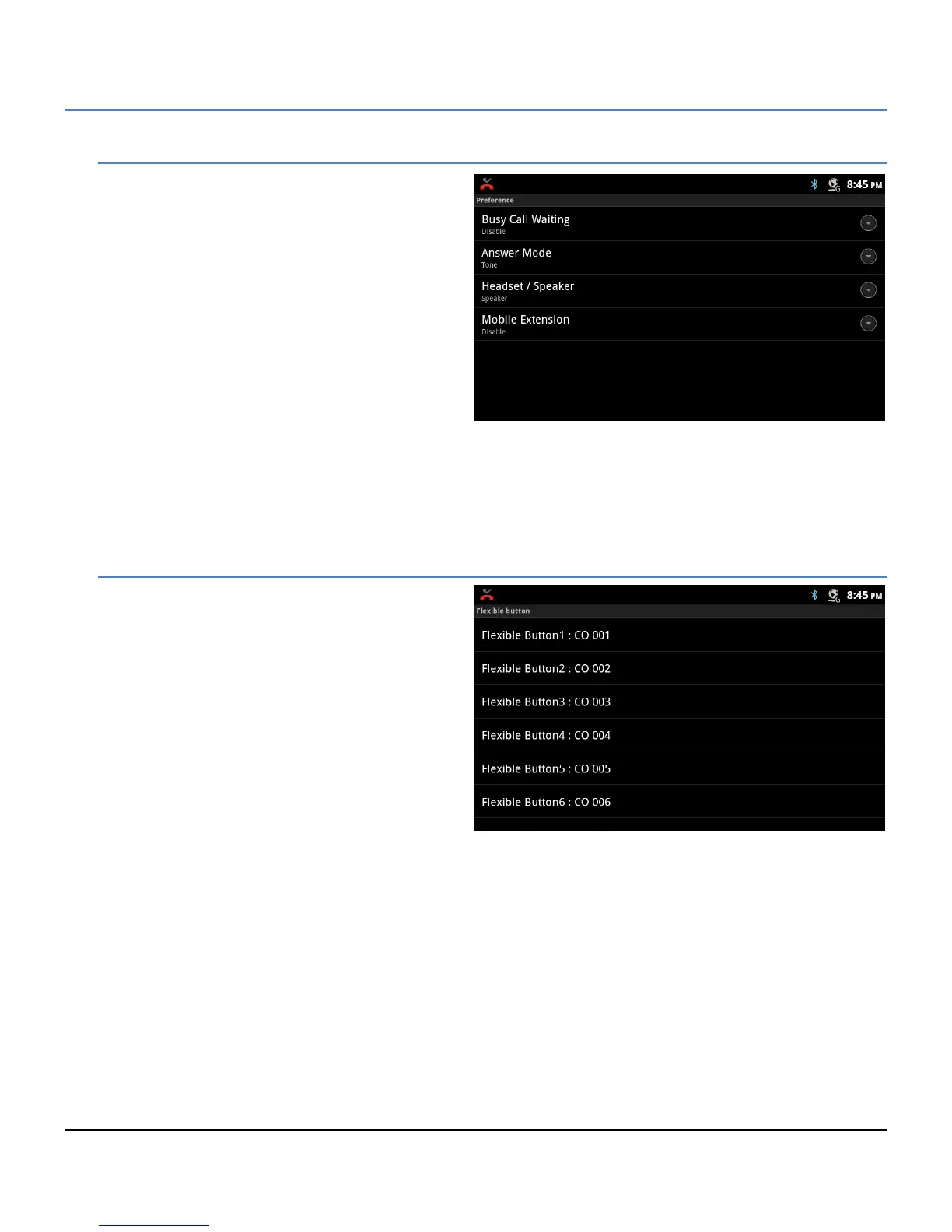
Preferences determine how calls to a busy station
are handled, how calls are answered and if calls are
sent to the user’s mobile phone.
Busy Call Waiting: while the user is busy on
a call, new DID and DISA calls can be
delivered to the phone or, when disabled,
the call routes based on the busy call
routing configured in the iPECS system.
Answer Mode: set the Intercom Call Answer
Mode as HF (Handsfree Answerback to
Voice announced calls), Privacy (lift the
handset or press the Speakerphone button
to answer a Voice announced call) or Tone
ring.
Headset/Speaker: configure the audio path when the speaker button is touched, route audio to the
headset or speakerphone.
Mobile Extension: send calls to a mobile phone associated with the station.
5.5.2 Flex Button Labels
A label or Name, up to 12 characters can be
configured for each Flex button by the user. If a
label is not configured the default name based on
the type button is used.
To configure a button label,
1. In the Call Setting screen, select Flexible
Button Name.
2. Select the desired Flex button, scrolling to
display the Flex button.
3. Enter the label, up to 16 characters.
4. Press Save to store the label.



 To Next Page