LIP-9070 iPKTS User Guide
48
10.3.5.4 Picture Gallery Tools
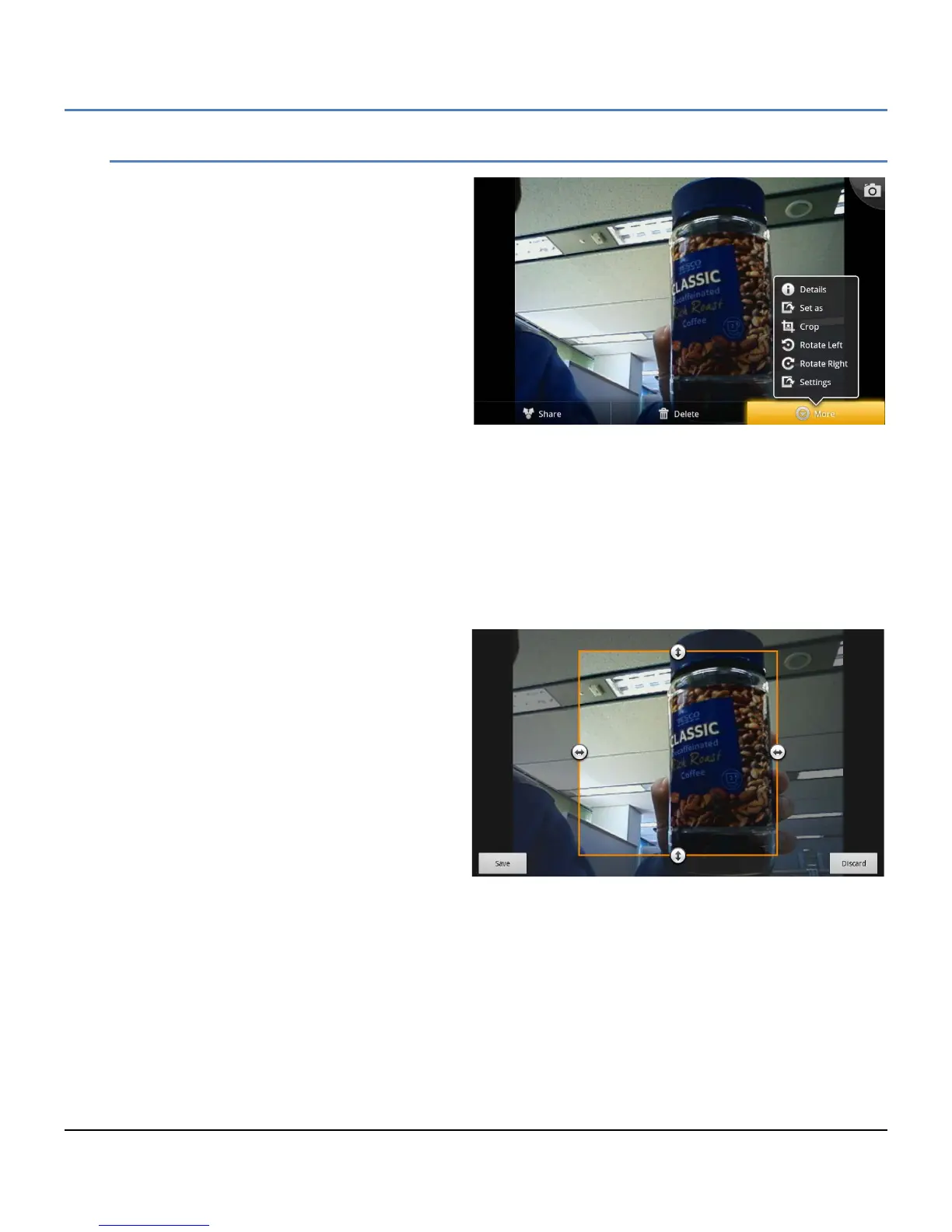
The Picture tools are available in the Gallery to
allow the picture to be modified, used as a
contact icon or wallpaper, etc.
While viewing the picture, touch the picture or
press the Menu button in the Slideshow screen
to display the Picture tools.
Share: share the picture with a Bluetooth
device, the Bluetooth device selection
screen will appear.
Delete: delete the picture, a confirmation
is required.
Details: display details for the picture
including name, type of file, date and
album.
Set as: configure the picture as a contact icon or as the wallpaper. The picture will be sized to fit the
Contact icon or Wallpaper screen size.
Crop: crop the picture and save as a new picture in the Camera Album.
Rotate Left: rotate the picture 90° counterclockwise.
Rotate Right: rotate the picture 90° clockwise.
Settings: enable subtitles and the font for the subtitles.
If a picture is modified, it can be saved in the
Camera Album without affecting the albums on
the SD card.



 To Next Page