LIP-9070 iPKTS User Guide
50
10.4.1 Playing Songs
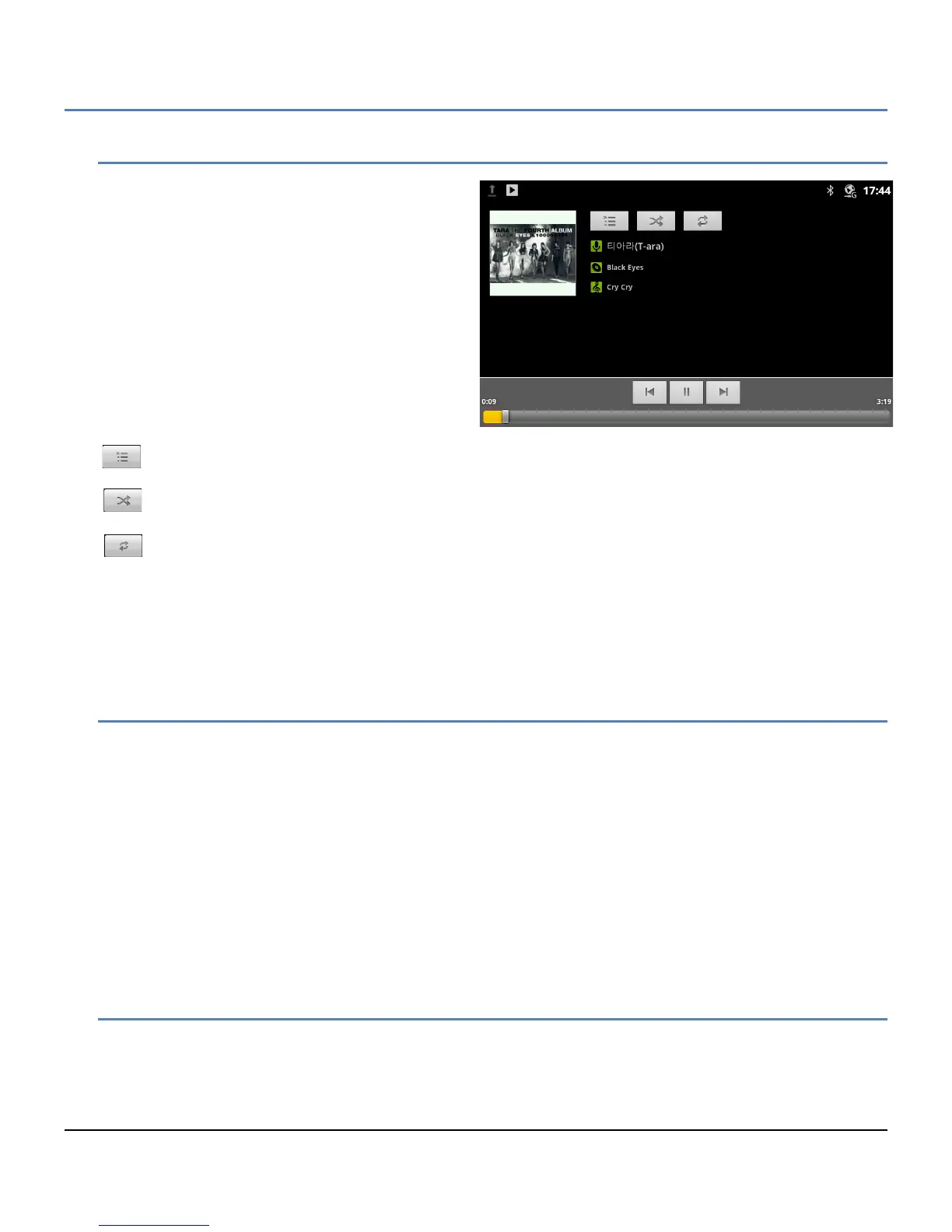
To play a song, select a song or playlist from the
Music Library, or in the Songs or Album list, press
Menu and Play All. The playback screen appears
and the song plays over the speaker of the phone.
At the bottom of the playback screen is the progress
bar indicating the playback time and total length of
the song. Above the progress bar are the common
next and previous track controls along with the
pause/resume button.
On-screen is information from the files such as
album cover, artist, song, etc. In addition, there are
three icon tools,
Playlist: open the current Playlist.
Shuffle: shuffle the current playlist for random order playback.
Repeat: repeat the current song, album or playlist.
Note
° The music will continue to play even when you switch applications. Music stops when the last song in the
playlist is reached, unless the repeat option is active, or if playback is stopped by the user.
10.4.2 Playing a Party-Shuffle
When Party Shuffle is selected, the LIP-9070 plays songs from the SD card in a random order. To play a Party
Shuffle,
1. In the Music Library screen, touch the Menu button
2. Select Party Shuffle. Twelve tracks are selected at random from the SD card and played as the current
Playlist. When the dozen tracks are completed, another twelve tracks are selected and played.
If desired, a song can be added to the Party Shuffle playlist. To add a song to the end of the current Party Shuffle
playlist,
1. In the Music Library, touch and hold a song from a list.
2. Touch the Menu button
3. Select ‘Add to Playlist’ and select ‘Current Playlist’.
10.4.3 Play songs from a Playlist
To play songs in a Playlist,
1. In the Music Library, select Playlist.
2. Select the desired Playlist. Songs in the Playlist are played.



 To Next Page