LIP-9070 iPKTS User Guide
39
9 Appointment/Event Calendar
In the Appointment Calendar application appointments and events are scheduled and reminders for the schedules are
assigned. The application sends a notification at the scheduled event reminder times. The Calendar is presented in
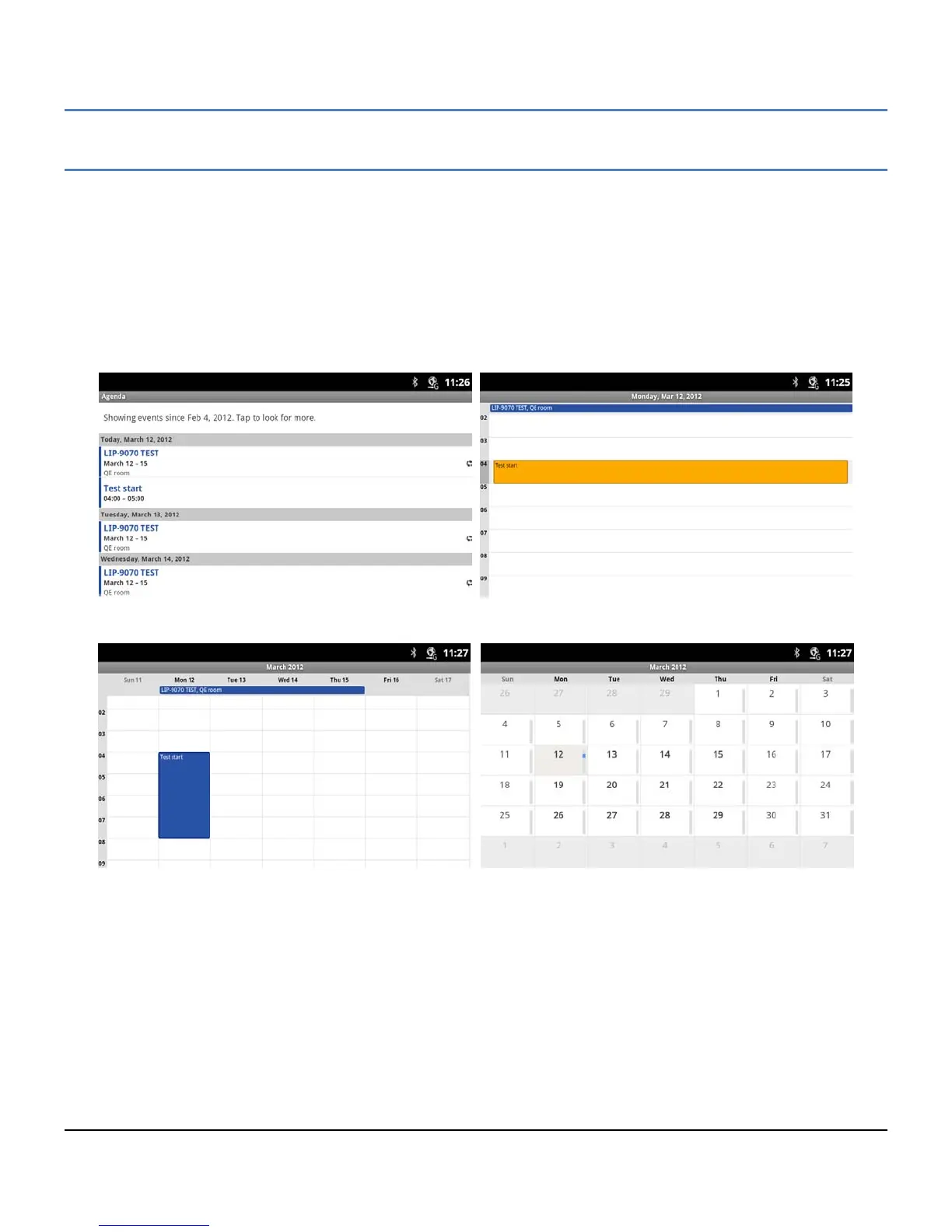
four (4) views:
Agenda displays events in chronological order beginning with the next upcoming event.
Day displays the day’s schedule with the hour on the right side and events highlighted over the hours the event
is scheduled.
Week displays the weeks schedules with the hour on the right side, the day across the top and events
highlighted over the hours the event is scheduled.
Month displays the months schedules.
Agenda View Day View
Week View Month View
In the Day, Week and Month views, the swipe gesture can be used to display the next or previous Day, Week or Month,
as appropriate.
To select the schedule view,
1. Touch the Appointment Calendar icon in a Launcher screen or the Apps Dock.
2. Touch the Option menu button.
3. Select the desired view (Agenda, Day, Week or Month).
Note
° The Event Calendar does not work with the Google Calendar calendaring service.



 To Next Page