5
handle.
does not contact with the surface plate.
the knife carrier.
two places.
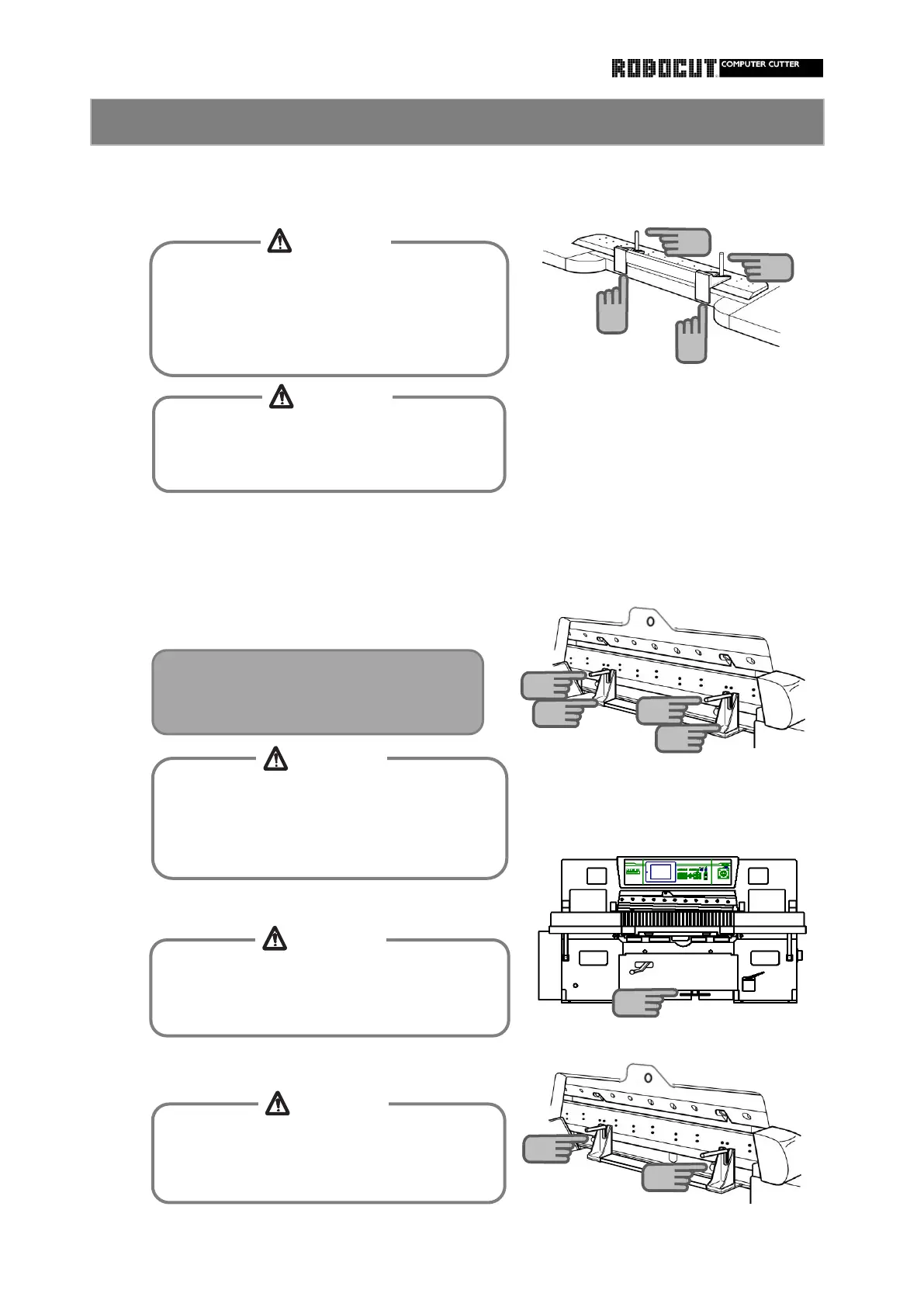
Install the knie support bolt to the clamp at
Step on the clamp pedal to lower the clamp.
When holding the knife holder, slide to beneath
When holding the knife handle, erect the knife
Install the knife holder and tighten the knife
on the surface plate so that the cutting edge
How to install the knife 2
When sliding the knife holder on the surface
plate, be careful not to make the cutiing
edge into contact with the mai body.
Otherwise the cutting edge will be chipped.
When using the knife handle, be careful not
to allow fingers to slip due to oil or the like.
Otherwise injureies will be caused.
6
6
When removing or installing the holder or
handle from/to the knife, be careful of the
cutting edge of the knife,
Otherwise injuries will be caused with the
Set the knife so that the knife handles is
located beneath the notch in the knife
carrier.
When stepping on the clamp pedal, do not
reach in the operating range of the clamp.
Otherwise injuries will be caused.
When removing or installing the support bolt
fro /to the clamp, be careful of the knife.
Otherwise injuries will be caused.
8
9
9
7
7
CAUTION
CAUTION
CAUTION
CAUTION
CAUTION



 To Next Page