5
to the top.
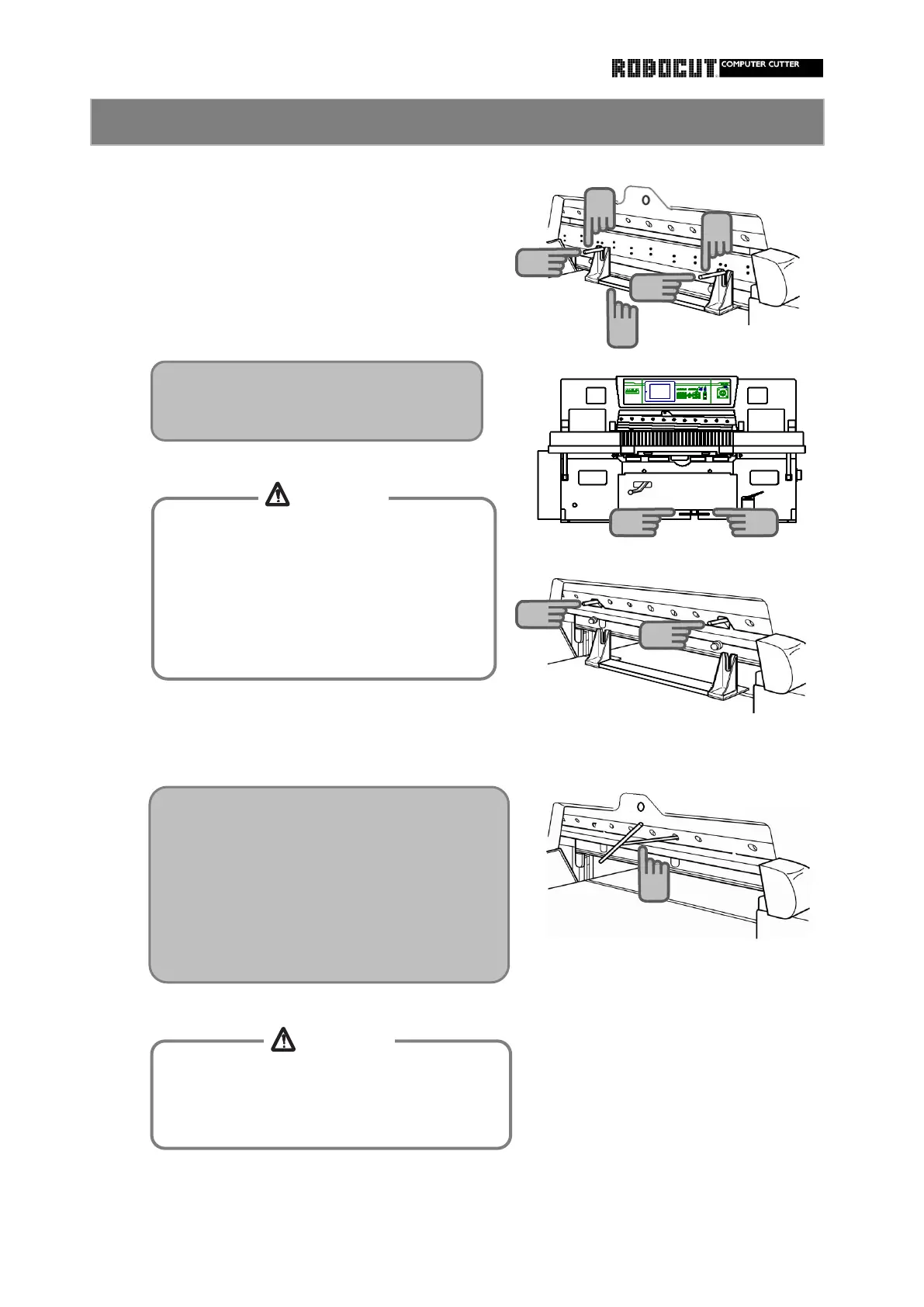
Remove the knife handle.
Using an Allen wrench, align the bolt hole.
carrier.
Step on the clamp pedal to lower the clamp.
When holding the knife handle to make the
After the knife rises a little, slightly loosen
knife into light contact with the clamp, slowly
the knife handle and, while leaving the knife
rerease the clamp pedal to raise the clamp.
holder on the surface plate, raise the knife
Using the knife bolt, fix the knife to the knife
How to install the knife 3
10
Raise the clamp to the top while carefully
inserting ti knife handle into the notch in
the knife carrier.
10
10
12
12
After the knife support bolt has supported
th cutting edge and all knife installation
bolts have been removed, never lower the
clamp until the knife is pushed with the
knife handle.
Otherwise the knife will fall, resulting in
Tighten bolts in order, starting at the center
then ourward, so that no warp is causefd in
Do not install the bolt second to the leftmost
To install the leftmost bolt, open the knife
height adjustment window.
14
When stepping on the clamp pedal, never
reach the operating range of the clamp.
Otherwise injuries will be caused.
15
11
11
11
CAUTION
CAUTION



 To Next Page