5
mined opsition.
position.
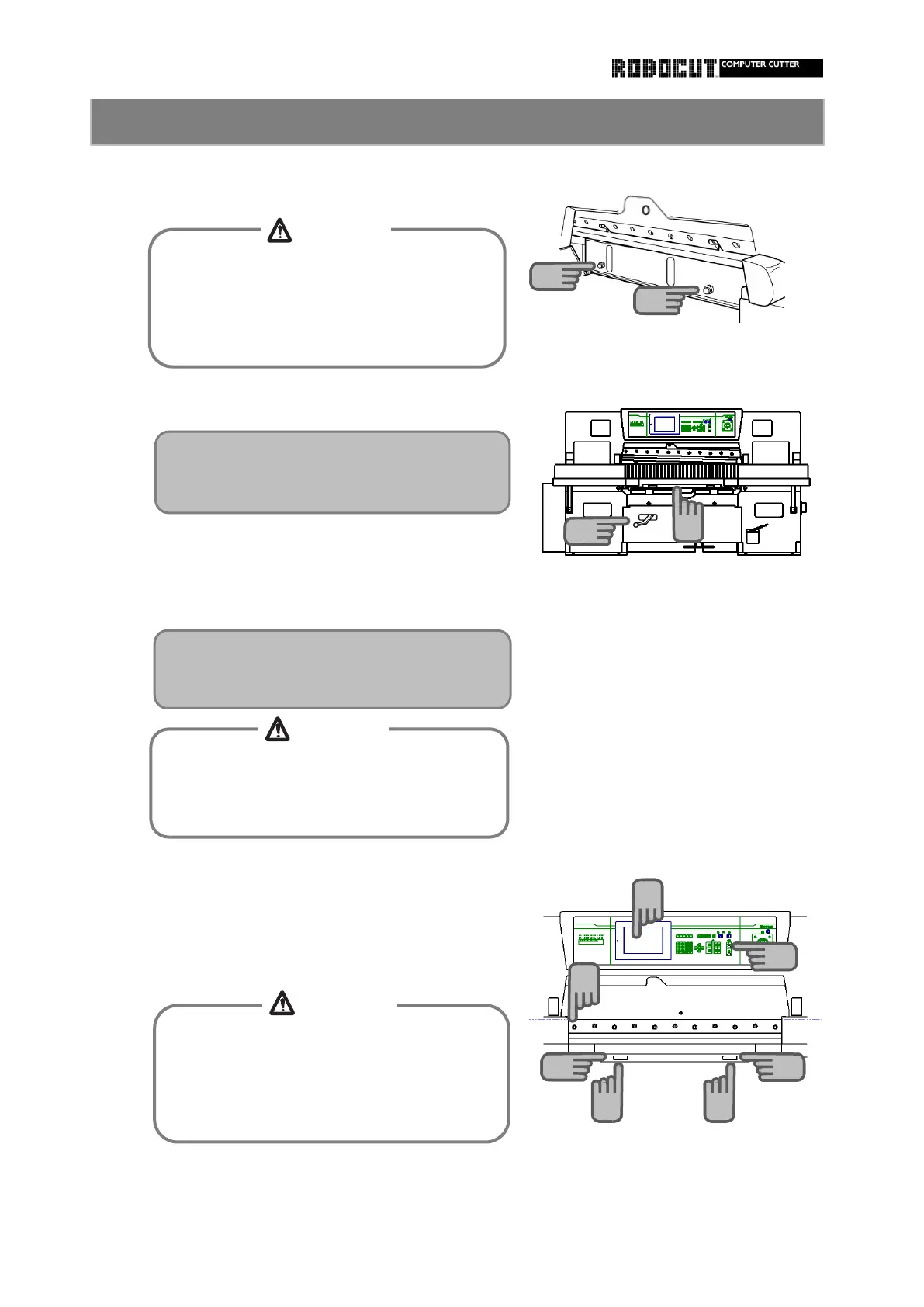
①. Start the main motor.
position.
carrier to the original position.
Remove the knife support bolt from the clamp.
⑤. Press the cutting button to return the knife
Return the knife support bolt to the predeter-
Place the knife change lever in the " Cutting"
How to install the bolt second to the leftmost one.
②. Check if the backgauge is over 200mm
is down,and then rerease the cutting button.
③. Press the cutting button.Wait until the knife
④. Install the knife bolt second to the leftmost one.
How to install the knife 4
16
Until the knife support bolt is installed in the
predetermined position, neither the knife nor
the clamp operates.
16
Never reach between the knife support bolt
and surface plate.
Otherwise entanglement will be caused
between the knife support bolt and surface
Do not start the knife until knife adjustment
is finished.
Too low a cutting edge will give damege to
the knife and machine.
17
18
Follow the description given in the " Knife
height adjustment " section to adjust the
knife height.
①
③
③
④
②
⑤
⑤
To work with the knife down, stop the knife
when the cutting edge of the knife is in
contact with the cutting stick.
Otherwise injuries will be caused with the
cutting edge.



 To Next Page