5
Adjust the knife height.
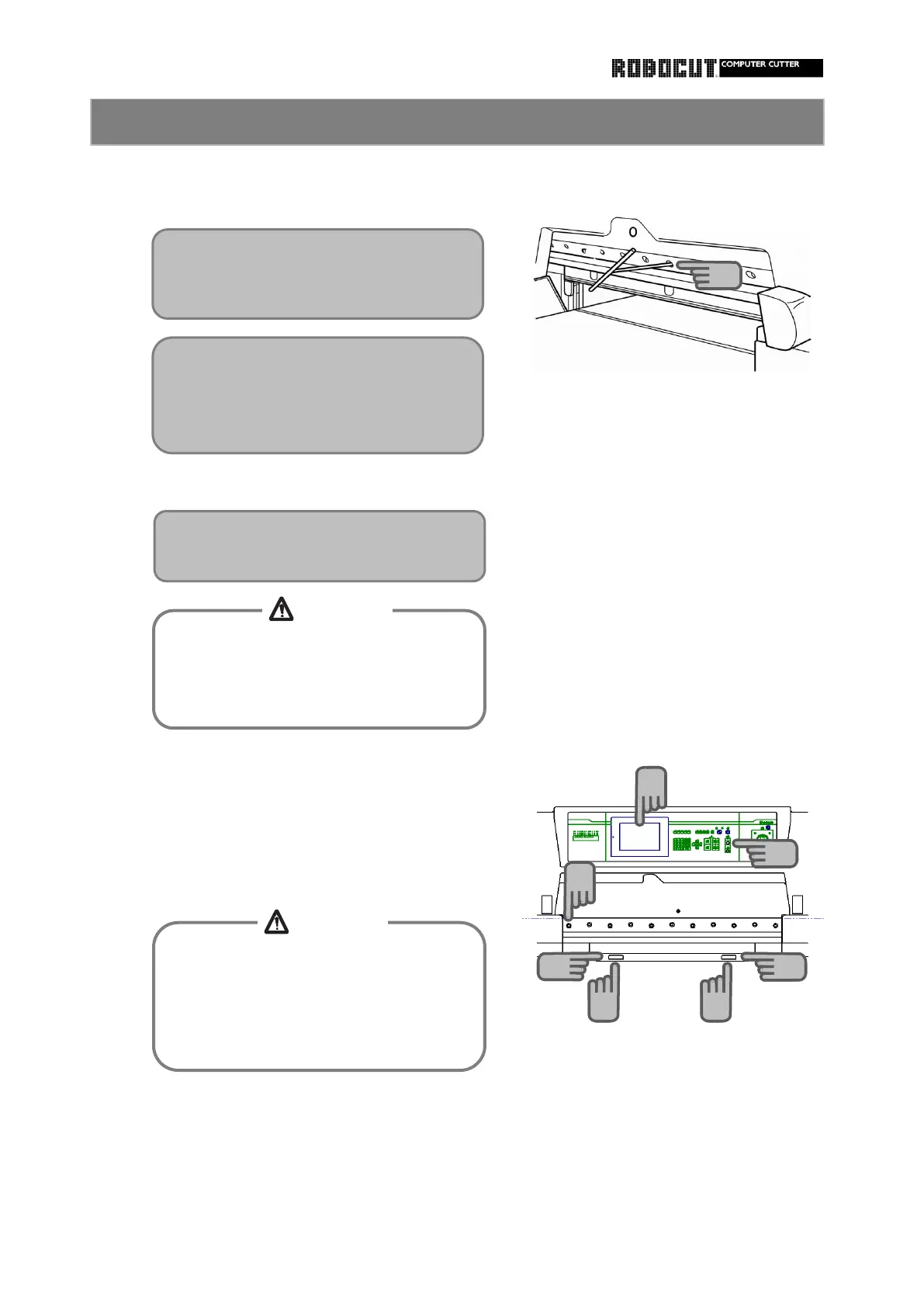
How to install the second bolt from the leftmost.
①. Start the main motor.
②. Make sure that the backgauge is at
least 200mm.
③. Press and holding the cutting buttons
until the knife lowers to the bottom
Then release the cutting buttons.
④. Install the second bolt.from the leftmost.
⑤. Press the cutting buttons to retur the
the knife carrier to its original position.
Fix the knife to the knife carrier with bolts.
Do not start the knife until knife height
adjustmentis finished.
Too low a cutting edge will give damage
ti the knife and machine.
How to install the knife (Knife lifter) 3
To fix the leftmost bolt, open the
knifeheight ajustment window.
At this point, do not install the second
Adjust according to the knife height
adjustment section.
To work with the knife down, stop the
knife when the cutting edge of the knife
is in contact with the cutting stick.
Otherwise injuries will be caused with the
①
③
③
④
②
⑤
⑤
15
CAUTION
CAUTION
Tighten bolts in order, starting at the
center then outward, so that no warp is
caused in the knife.



 To Next Page