Chapter 6
| Address Table Settings
Configuring MAC Address Learning
– 156 –
◆
Also note that MAC address learning cannot be disabled if any of the following
conditions exist:
■
802.1X Port Authentication has been globally enabled on the switch (see
“Configuring 802.1X Global Settings” on page 293).
■
Security Status (see “Configuring Port Security” on page 289) is enabled on
the same interface.
Parameters
These parameters are displayed:
◆
Interface – Displays a list of ports or trunks.
◆
Port – Port Identifier. (Range: 1-10/28)
◆
Trunk – Trunk Identifier. (Range: 1-8)
◆
Status – The status of MAC address learning. (Default: Enabled)
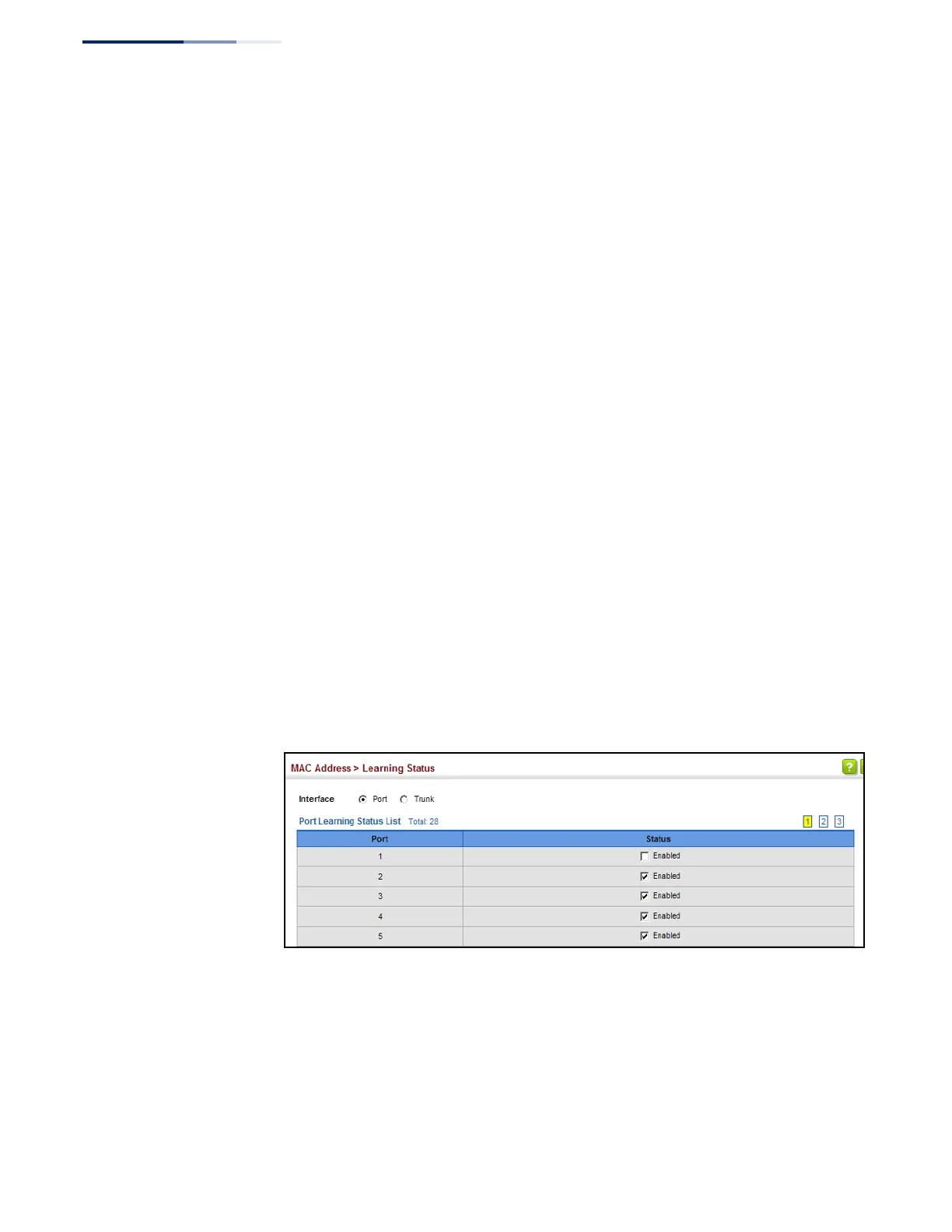
Web Interface
To enable or disable MAC address learning:
1.
Click MAC Address, Learning Status.
2.
Set the learning status for any interface.
3.
Click Apply.
Figure 84: Configuring MAC Address Learning















 To Next Page