Chapter 12
| Security Measures
Network Access (MAC Address Authentication)
– 247 –
the VLANs have already been created on the switch. (GVRP is not used to create
the VLANs.) (Default: Enabled)
The VLAN settings specified by the first authenticated MAC address are
implemented for a port. Other authenticated MAC addresses on the port must
have the same VLAN configuration, or they are treated as authentication
failures.
If dynamic VLAN assignment is enabled on a port and the RADIUS server
returns no VLAN configuration (to the 802.1X authentication process), the
authentication is still treated as a success, and the host is assigned to the
default untagged VLAN.
When the dynamic VLAN assignment status is changed on a port, all
authenticated addresses mapped to that port are cleared from the secure MAC
address table.
◆
MAC Filter ID – Allows a MAC Filter to be assigned to the port. MAC addresses
or MAC address ranges present in a selected MAC Filter are exempt from
authentication on the specified port (as described under "Configuring a
MAC Address Filter"). (Range: 1-64; Default: None)
Web Interface
To configure MAC authentication on switch ports:
1.
Click Security, Network Access.
2.
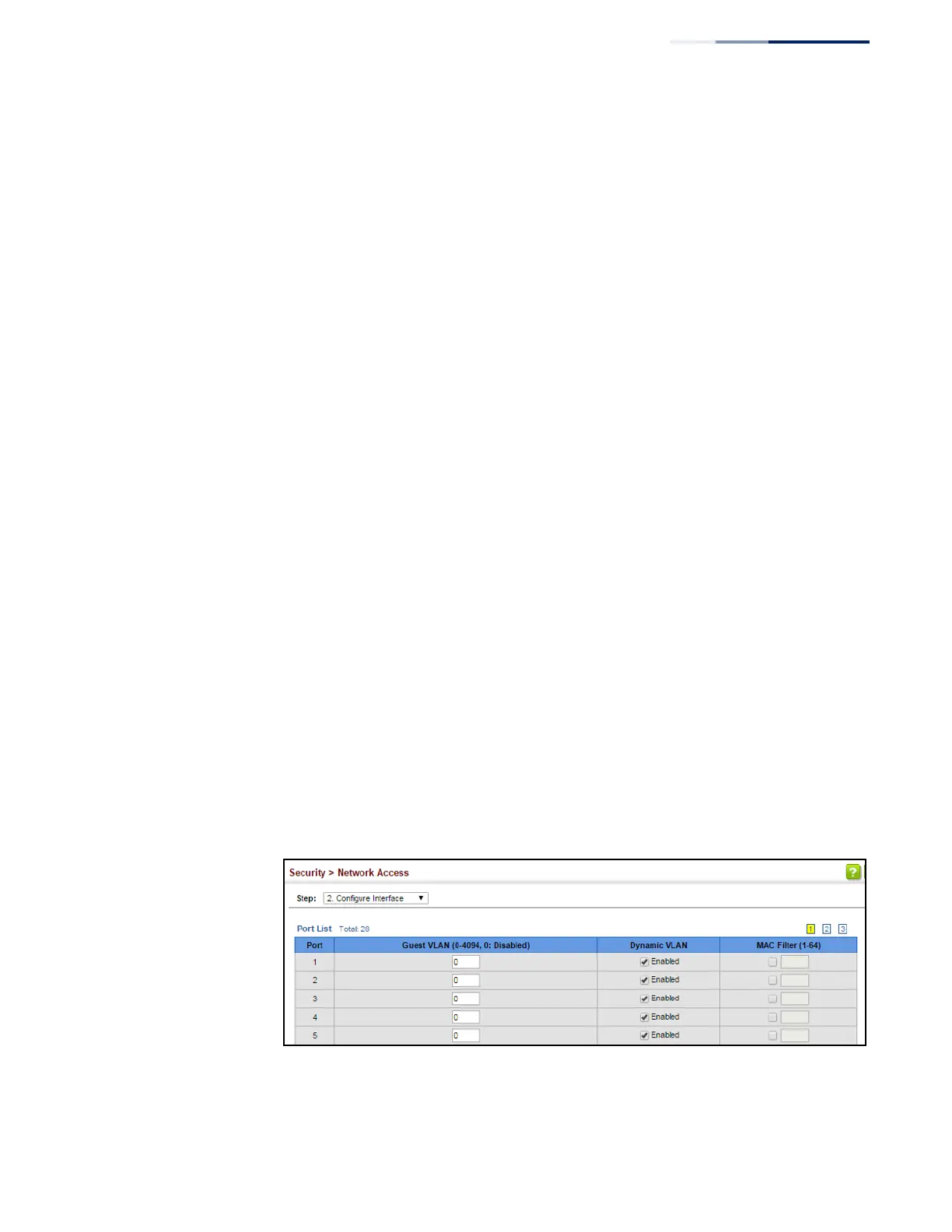
Select Configure Interface from the Step list.
3.
Click the General button.
4.
Set the guest VLAN to use when MAC Authentication or 802.1X Authentication
fails, the dynamic VLAN, and the MAC filter.
5.
Click Apply.
Figure 157: Configuring Interface Settings for Network Access















 To Next Page