Chapter 13
| Basic Administration Protocols
Simple Network Management Protocol
– 372 –
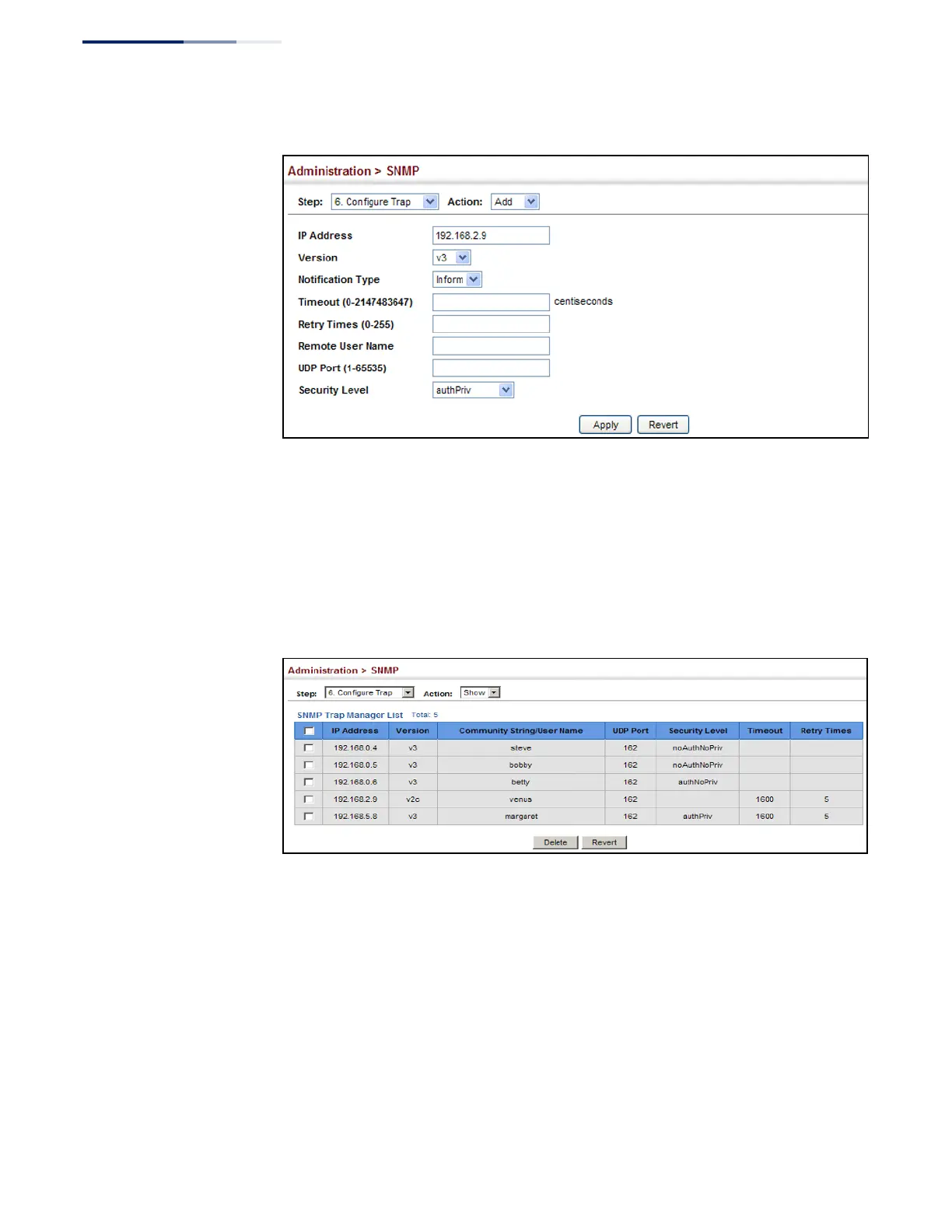
Figure 237: Configuring Trap Managers (SNMPv3)
To show configured trap managers:
1.
Click Administration, SNMP.
2.
Select Configure Trap from the Step list.
3.
Select Show from the Action list.
Figure 238: Showing Trap Managers
Creating SNMP
Notification Logs
Use the Administration > SNMP (Configure Notify Filter - Add) page to create an
SNMP notification log.
Command Usage
◆
Systems that support SNMP often need a mechanism for recording Notification
information as a hedge against lost notifications, whether there are Traps or
Informs that may be exceeding retransmission limits. The Notification Log MIB
(NLM, RFC 3014) provides an infrastructure in which information from other
MIBs may be logged.
◆
Given the service provided by the NLM, individual MIBs can now bear less
responsibility to record transient information associated with an event against















 To Next Page