Chapter 16
| IP Services
Domain Name Service
– 438 –
then the switch will automatically enabled DNS host name-to-address
translation.
Parameters
These parameters are displayed:
◆
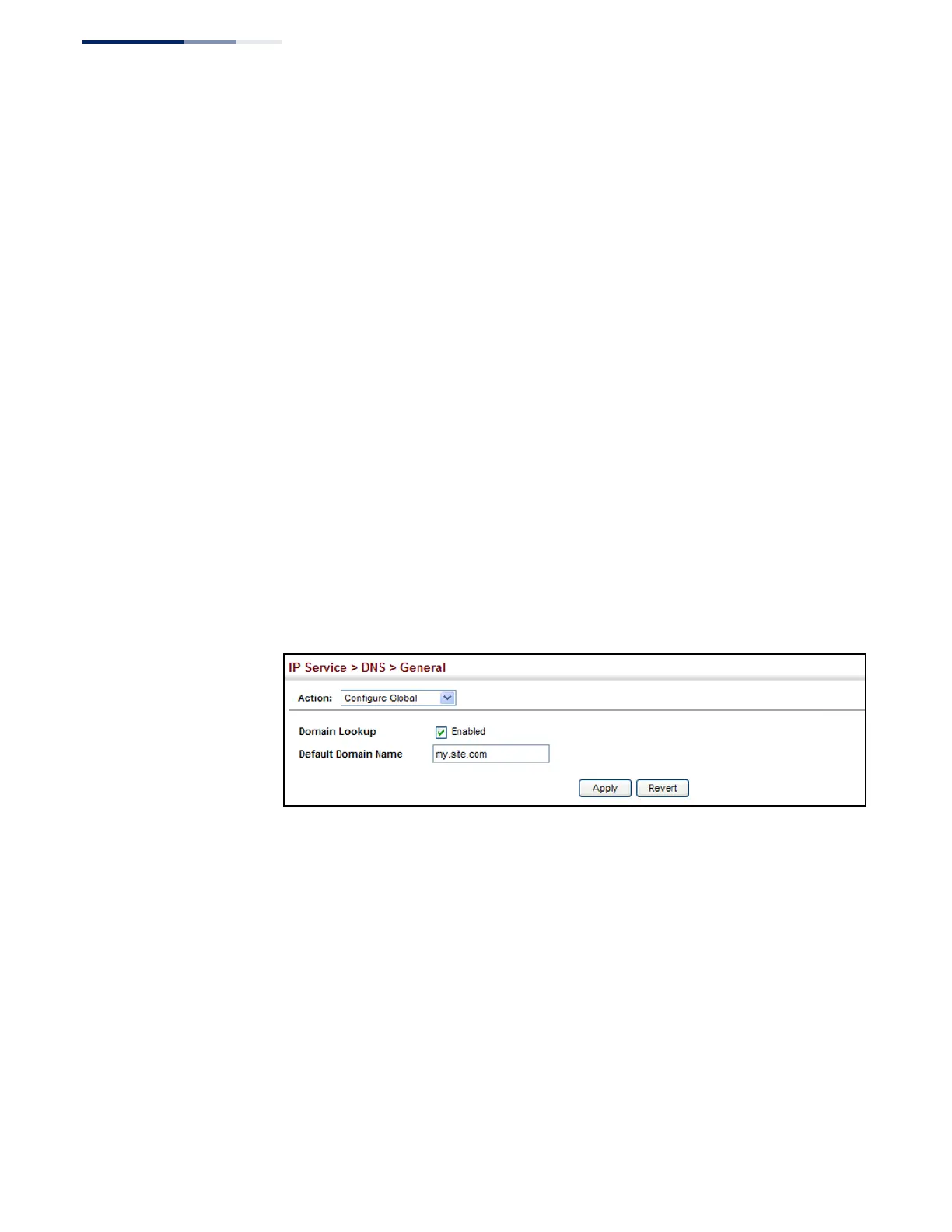
Domain Lookup – Enables DNS host name-to-address translation.
(Default: Disabled)
◆
Default Domain Name – Defines the default domain name appended to
incomplete host names. Do not include the initial dot that separates the host
name from the domain name. (Range: 1-127 alphanumeric characters)
Web Interface
To configure general settings for DNS:
1.
Click IP Service, DNS.
2.
Select Configure Global from the Action list.
3.
Enable domain lookup, and set the default domain name.
4.
Click Apply.
Figure 290: Configuring General Settings for DNS
Configuring a List
of Domain Names
Use the IP Service > DNS - General (Add Domain Name) page to configure a list of
domain names to be tried in sequential order.
Command Usage
◆
Use this page to define a list of domain names that can be appended to
incomplete host names (i.e., host names passed from a client that are not
formatted with dotted notation).
◆
If there is no domain list, the default domain name is used (see “Configuring
General DNS Service Parameters” on page 437). If there is a domain list, the
system will search it for a corresponding entry. If none is found, it will use the
default domain name.















 To Next Page