Chapter 7
| Spanning Tree Algorithm
Configuring Interface Settings for STA
– 175 –
◆
Root Path Cost – The path cost from the root port on this switch to the root
device.
◆
Configuration Changes – The number of times the Spanning Tree has been
reconfigured.
◆
Last Topology Change – Time since the Spanning Tree was last reconfigured.
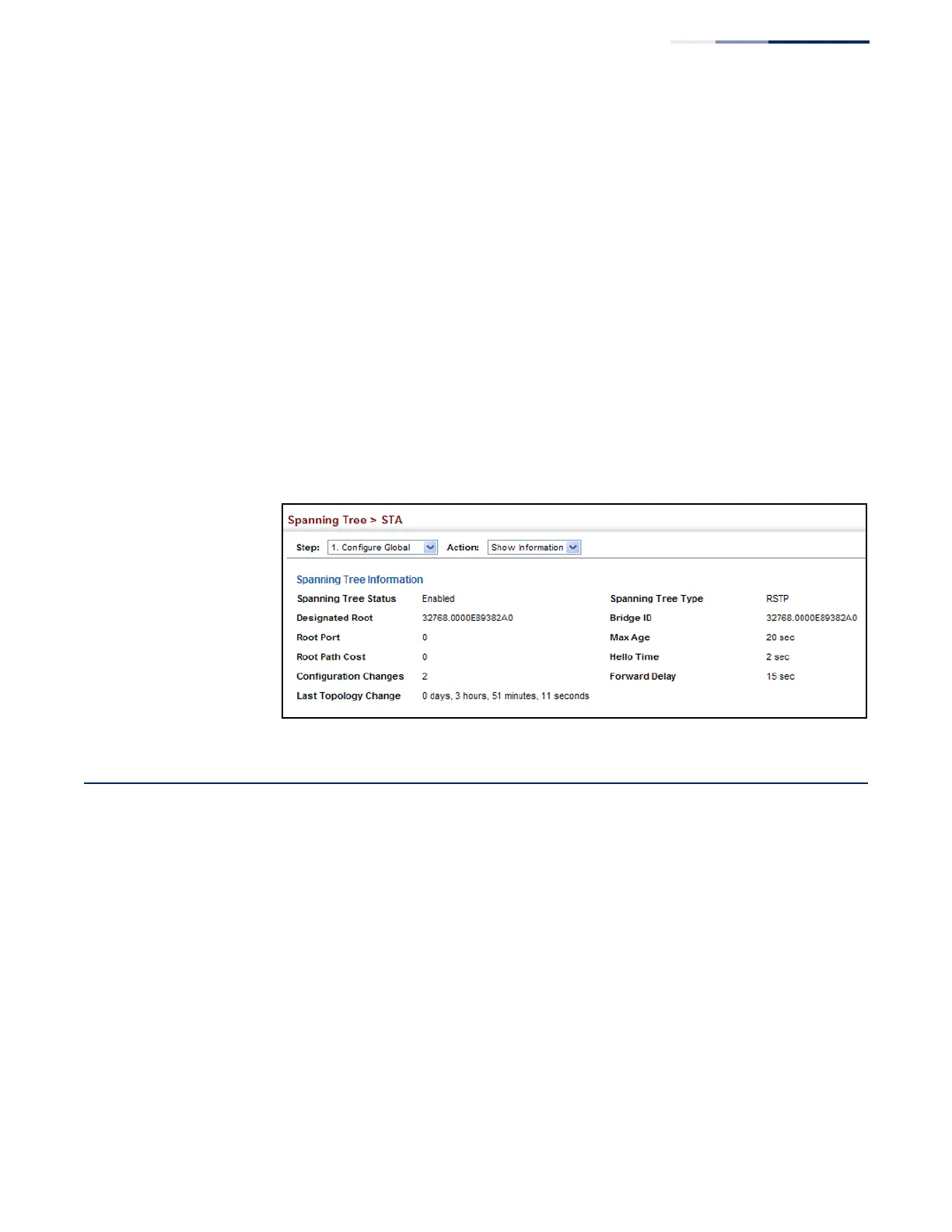
Web Interface
To display global STA settings:
1.
Click Spanning Tree, STA.
2.
Select Configure Global from the Step list.
3.
Select Show Information from the Action list.
Figure 99: Displaying Global Settings for STA
Configuring Interface Settings for STA
Use the Spanning Tree > STA (Configure Interface - Configure) page to configure
RSTP and MSTP attributes for specific interfaces, including port priority, path cost,
link type, and edge port. You may use a different priority or path cost for ports of
the same media type to indicate the preferred path, link type to indicate a point-to-
point connection or shared-media connection, and edge port to indicate if the
attached device can support fast forwarding. (References to “ports” in this section
means “interfaces,” which includes both ports and trunks.)















 To Next Page