Chapter 13
| Basic Administration Protocols
Simple Network Management Protocol
– 355 –
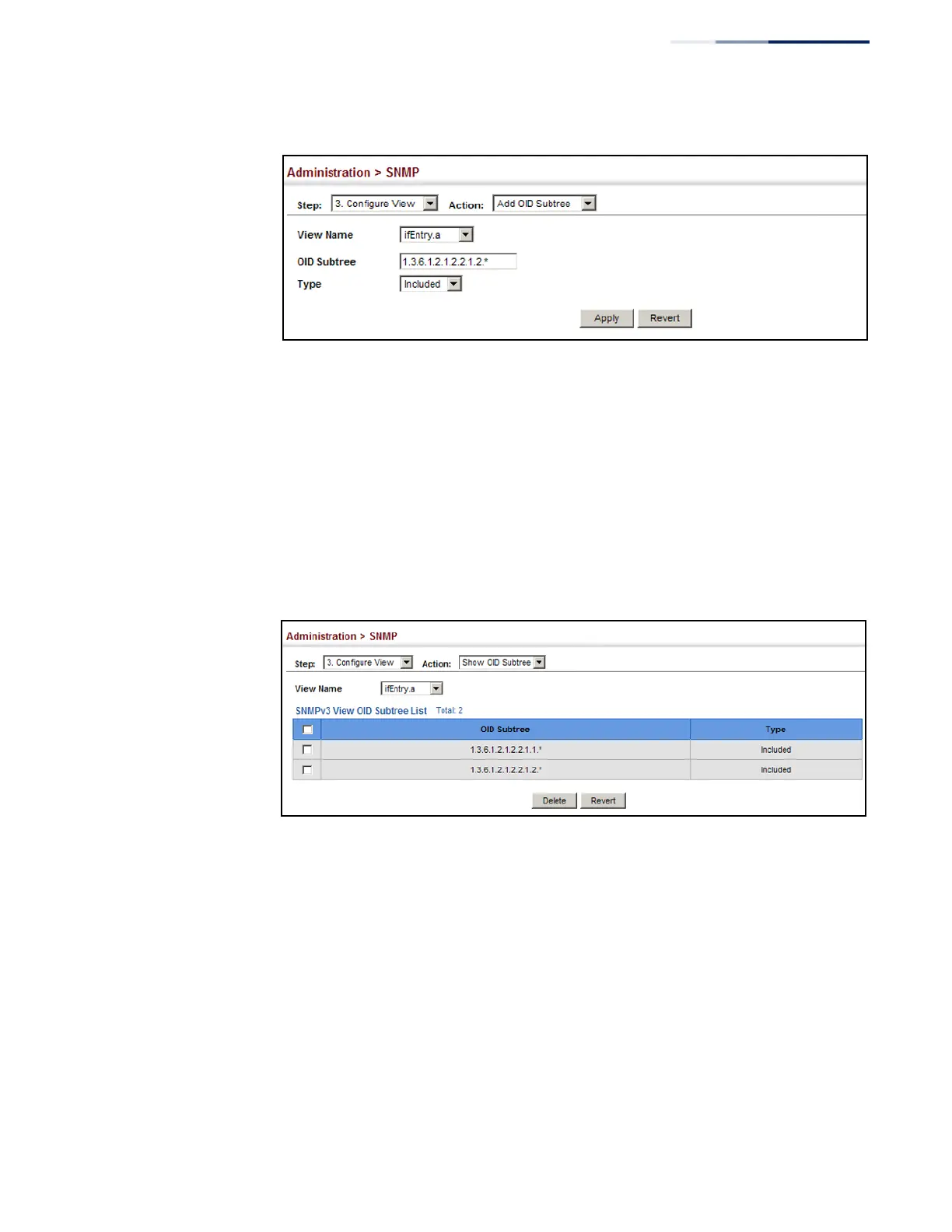
Figure 224: Adding an OID Subtree to an SNMP View
To show the OID branches configured for the SNMP views of the switch’s MIB
database:
1.
Click Administration, SNMP.
2.
Select Configure View from the Step list.
3.
Select Show OID Subtree from the Action list.
4.
Select a view name from the list of existing views.
Figure 225: Showing the OID Subtree Configured for SNMP Views
Configuring
SNMPv3 Groups
Use the Administration > SNMP (Configure Group) page to add an SNMPv3 group
which can be used to set the access policy for its assigned users, restricting them to
specific read, write, and notify views. You can use the pre-defined default groups or
create new groups to map a set of SNMP users to SNMP views.
Parameters
These parameters are displayed:
◆
Group Name – The name of the SNMP group to which the user is assigned.
(Range: 1-32 characters)
◆
Security Model – The user security model; SNMP v1, v2c or v3.















 To Next Page