Chapter 12
| Security Measures
Access Control Lists
– 273 –
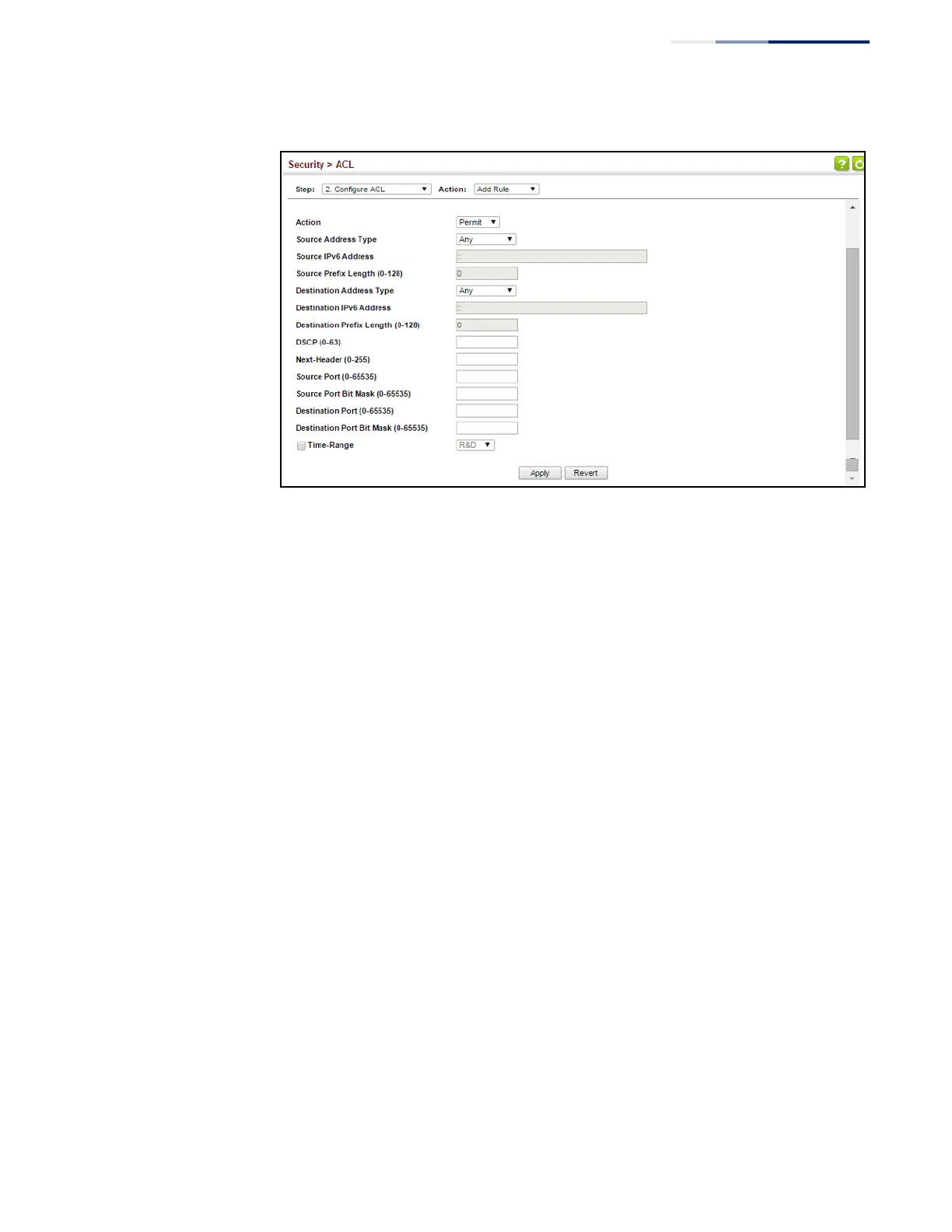
Figure 174: Configuring an Extended IPv6 ACL
Configuring a
MAC ACL
Use the Security > ACL (Configure ACL - Add Rule - MAC) page to configure a MAC
ACL based on hardware addresses, packet format, and Ethernet type.
Parameters
These parameters are displayed:
◆
Type – Selects the type of ACLs to show in the Name list.
◆
Name – Shows the names of ACLs matching the selected type.
◆
Action – An ACL can contain any combination of permit or deny rules.
◆
Source/Destination Address Type – Use “Any” to include all possible
addresses, “Host” to indicate a specific MAC address, or “MAC” to specify an
address range with the Address and Bit Mask fields. (Options: Any, Host, MAC;
Default: Any)
◆
Source/Destination MAC Address – Source or destination MAC address.
◆
Source/Destination Bit Mask – Hexadecimal mask for source or destination
MAC address.
◆
Packet Format – This attribute includes the following packet types:
■
Any – Any Ethernet packet type.
■
Untagged-eth2 – Untagged Ethernet II packets.
■
Untagged-802.3 – Untagged Ethernet 802.3 packets.
■
Tagged-eth2 – Tagged Ethernet II packets.















 To Next Page