Chapter 13
| Basic Administration Protocols
Simple Network Management Protocol
– 367 –
Web Interface
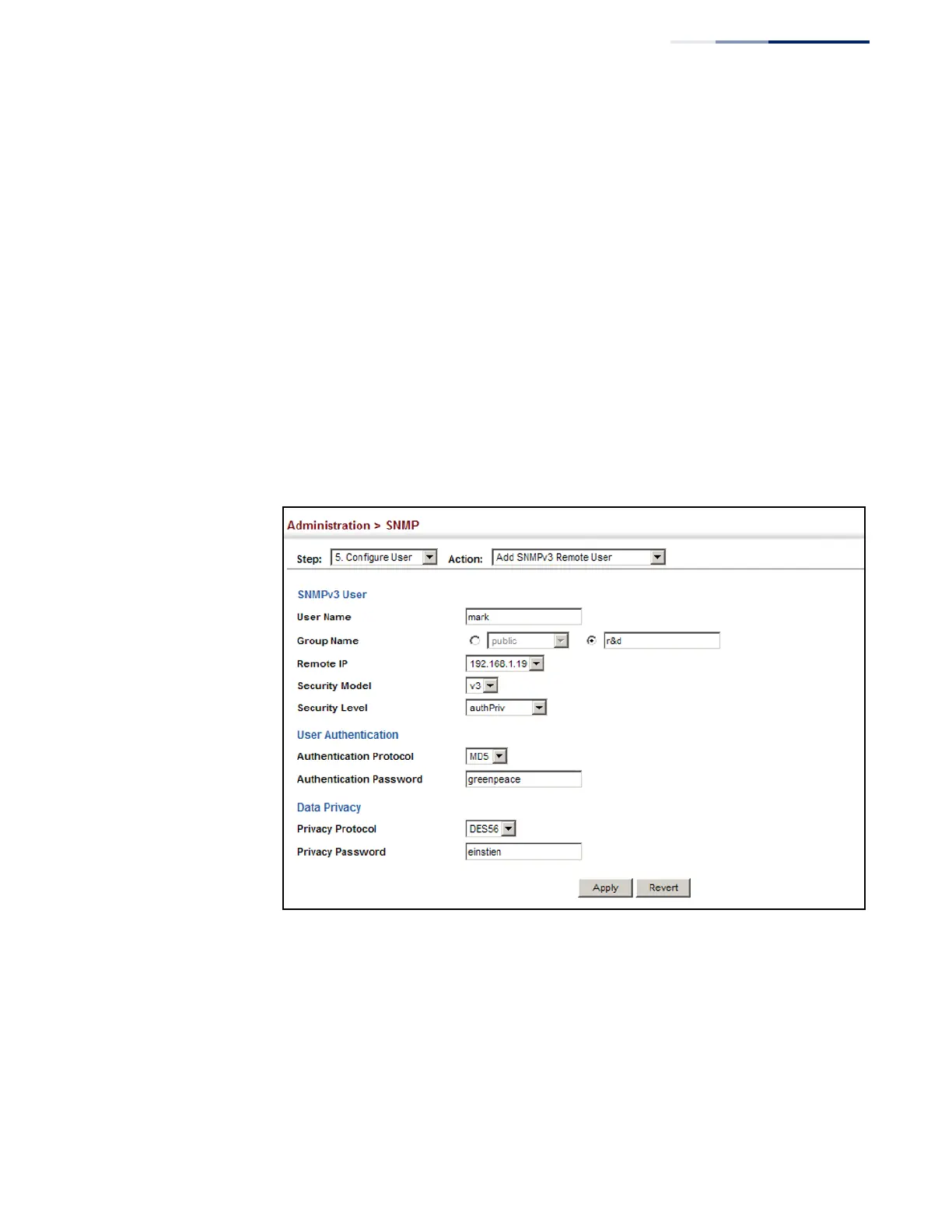
To configure a remote SNMPv3 user:
1.
Click Administration, SNMP.
2.
Select Configure User from the Step list.
3.
Select Add SNMPv3 Remote User from the Action list.
4.
Enter a name and assign it to a group. Enter the IP address to identify the source
of SNMPv3 inform messages sent from the local switch. If the security model is
set to SNMPv3 and the security level is authNoPriv or authPriv, then an
authentication protocol and password must be specified. If the security level is
authPriv, a privacy password must also be specified.
5.
Click Apply
Figure 233: Configuring Remote SNMPv3 Users
To show remote SNMPv3 users:
1.
Click Administration, SNMP.
2.
Select Configure User from the Step list.
3.
Select Show SNMPv3 Remote User from the Action list.















 To Next Page