Chapter 9
| Class of Service
Layer 2 Queue Settings
– 196 –
Web Interface
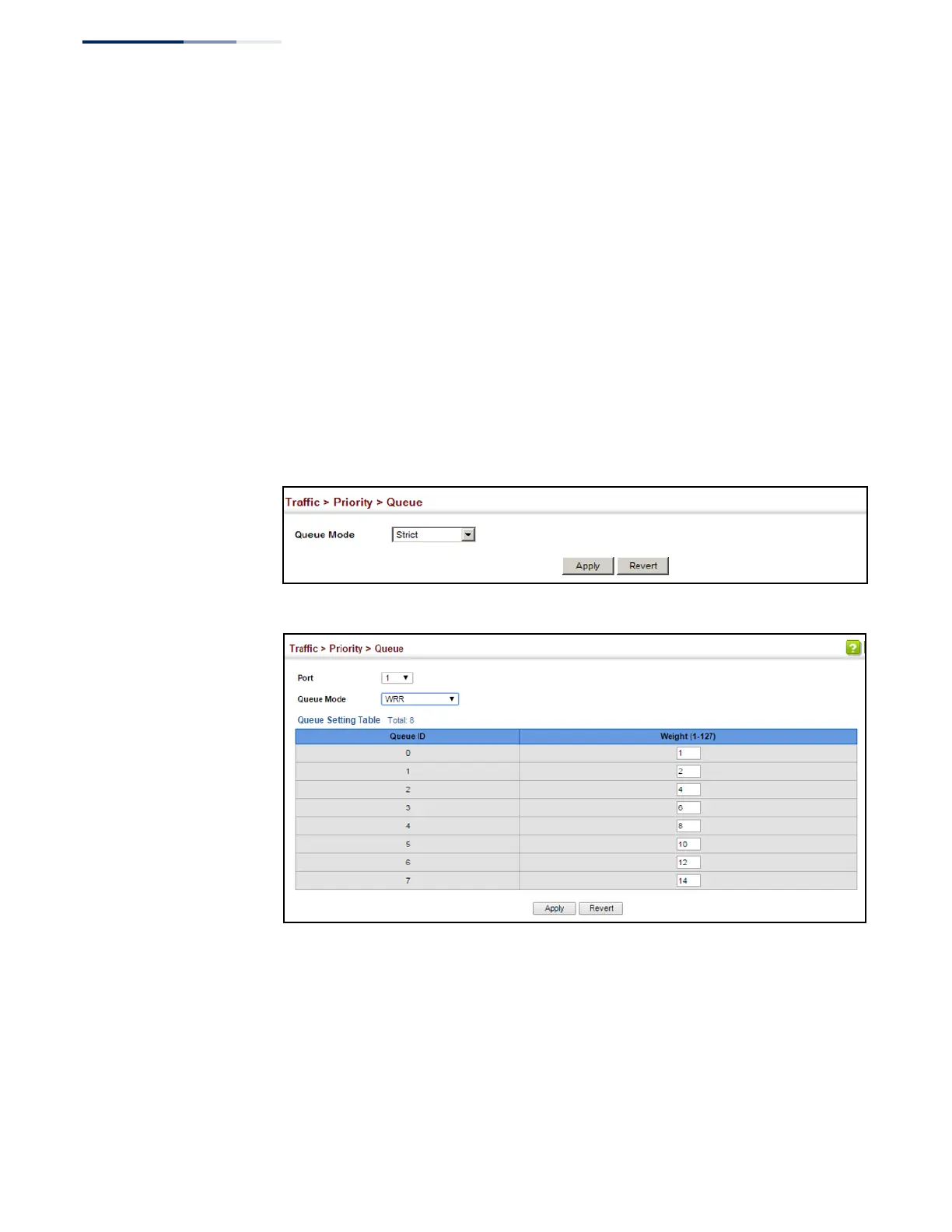
To configure the queue mode:
1.
Click Traffic, Priority, Queue.
2.
Set the queue mode.
3.
If the weighted queue mode is selected, the queue weight can be modified if
required.
4.
If the queue mode that uses a combination of strict and weighted queueing is
selected, the queues which are serviced first must be specified by enabling
strict mode parameter in the table.
5.
Click Apply.
Figure 115: Setting the Queue Mode (Strict)
Figure 116: Setting the Queue Mode (WRR)















 To Next Page