Chapter 7
| Spanning Tree Algorithm
Configuring Interface Settings for MSTP
– 188 –
Web Interface
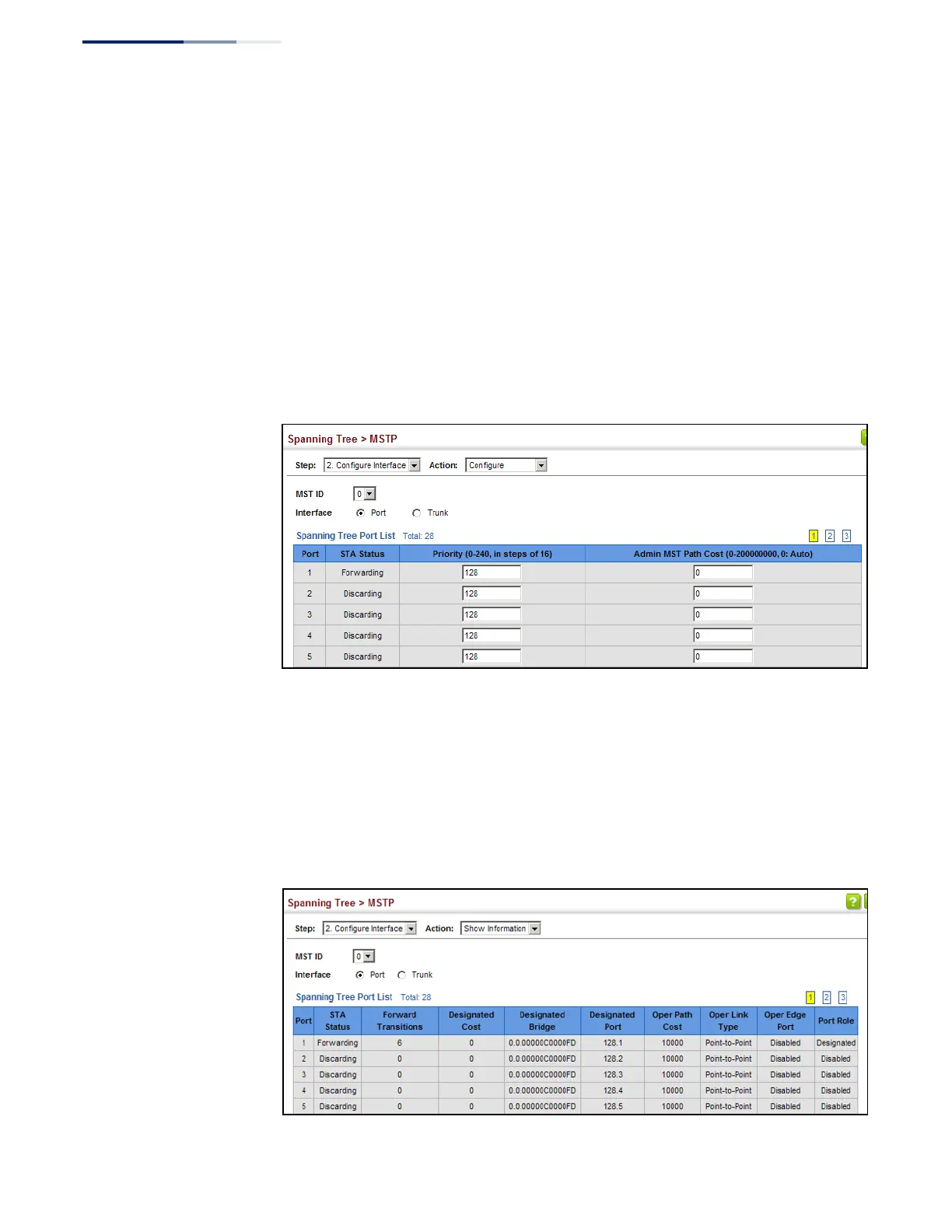
To configure MSTP parameters for a port or trunk:
1.
Click Spanning Tree, MSTP.
2.
Select Configure Interface from the Step list.
3.
Select Configure from the Action list.
4.
Enter the priority and path cost for an interface
5.
Click Apply.
Figure 110: Configuring MSTP Interface Settings
To display MSTP parameters for a port or trunk:
1.
Click Spanning Tree, MSTP.
2.
Select Configure Interface from the Step list.
3.
Select Show Information from the Action list.
Figure 111: Displaying MSTP Interface Settings















 To Next Page