Chapter 12
| Security Measures
IPv4 Source Guard
– 308 –
◆
TCP Xmas Scan – A so-called TCP XMAS scan message is used to identify
listening TCP ports. This scan uses a series of strangely configured TCP packets
which contain a sequence number of 0 and the URG, PSH and FIN flags. If the
target's TCP port is closed, the target replies with a TCP RST packet. If the target
TCP port is open, it simply discards the TCP XMAS scan. (Default: Disabled)
Web Interface
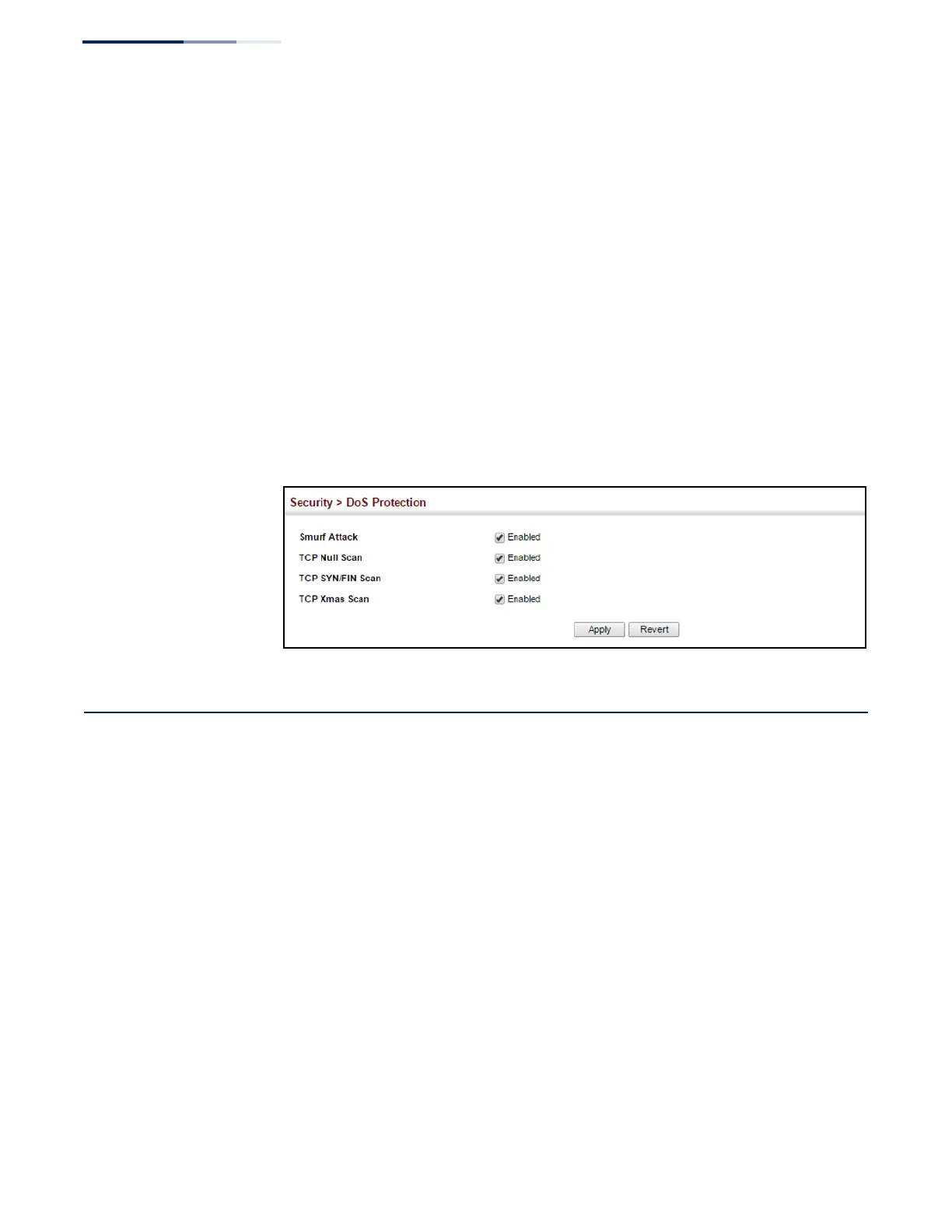
To protect against DoS attacks:
1.
Click Security, DoS Protection.
2.
Enable protection for specific DoS attacks, and set the maximum allowed rate
as required.
3.
Click Apply
Figure 195: Protecting Against DoS Attacks
IPv4 Source Guard
IPv4 Source Guard is a security feature that filters IP traffic on network interfaces
based on manually configured entries in the IP Source Guard table, or dynamic
entries in the DHCP Snooping table when enabled (see “DHCP Snooping” on
page 299). IP source guard can be used to prevent traffic attacks caused when a
host tries to use the IPv4 address of a neighbor to access the network. This section
describes how to configure IPv4 Source Guard.
Configuring Ports
for IPv4 Source Guard
Use the Security > IP Source Guard > General page to set the filtering type based on
source IP address, or source IP address and MAC address pairs. It also specifies
lookup within the ACL binding table or the MAC address binding table, as well as
the maximum number of allowed binding entries for the lookup tables.
IP Source Guard is used to filter traffic on an insecure port which receives messages
from outside the network or fire wall, and therefore may be subject to traffic attacks
caused by a host trying to use the IP address of a neighbor.















 To Next Page