Chapter 16
| IP Services
Dynamic Host Configuration Protocol
– 445 –
◆
Vendor Class ID – The following options are supported when the check box is
marked to enable this feature:
■
Default – The default string is the model number.
■
Tex t – A text string. (Range: 1-32 characters)
■
Hex – A hexadecimal value. (Range: 1-64 characters)
Web Interface
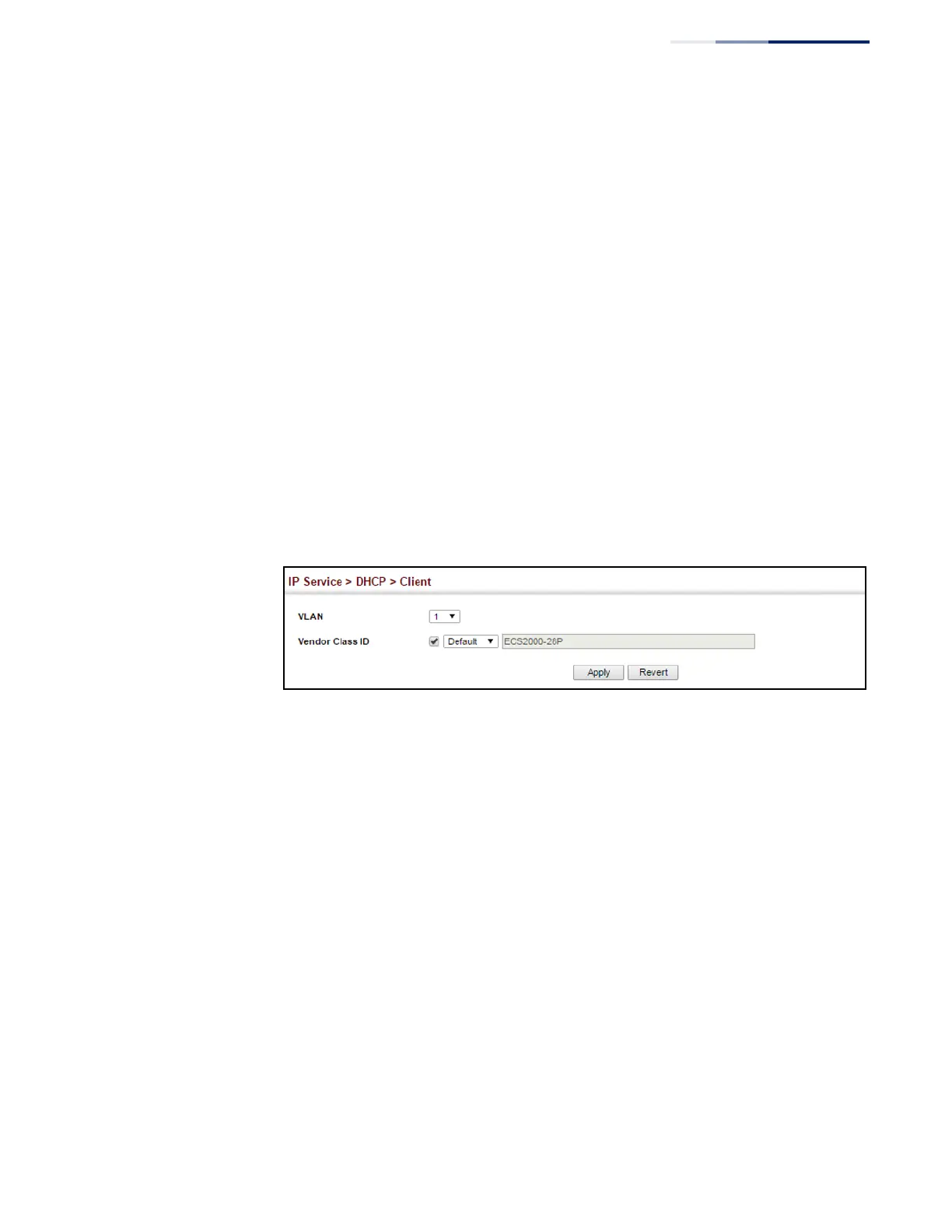
To configure a DHCP client identifier:
1.
Click IP Service, DHCP, Client.
2.
Mark the check box to enable this feature. Select the default setting, or the
format for a vendor class identifier. If a non-default value is used, enter a text
string or hexadecimal value.
3.
Click Apply.
Figure 298: Specifying a DHCP Client Identifier
Configuring DHCP
Relay Service
Use the IP Service > DHCP > Relay page to configure DHCP relay service for
attached host devices, including DHCP option 82 information. DHCP provides an
option for sending information about its DHCP clients to the DHCP server
(specifically, the interface on the relay server through which the DHCP client
request was received). Also known as DHCP Relay Option 82, it allows compatible
DHCP servers to use this information when assigning IP addresses, or to set other
services or policies for clients.
If DHCP relay is enabled, and this switch sees a DHCP request broadcast, it inserts its
own IP address into the request so that the DHCP server will know the subnet
where the client is located. Then, the switch forwards the packet to the DHCP
server. When the server receives the DHCP request, it allocates a free IP address for
the DHCP client from its defined scope for the DHCP client’s subnet, and sends a
DHCP response back to the DHCP relay agent (i.e., this switch). This switch then
passes the DHCP response received from the server to the client.















 To Next Page