Chapter 9
| Class of Service
Layer 3/4 Priority Settings
– 202 –
◆
CFI – Canonical Format Indicator. Set to this parameter to “0” to indicate that
the MAC address information carried in the frame is in canonical format.
(Range: 0-1)
◆
PHB – Per-hop behavior, or the priority used for this router hop. (Range: 0-7)
◆
Drop Precedence – Drop precedence used in controlling traffic congestion.
(Range: 0 - Green, 3 - Yellow, 1 - Red)
Web Interface
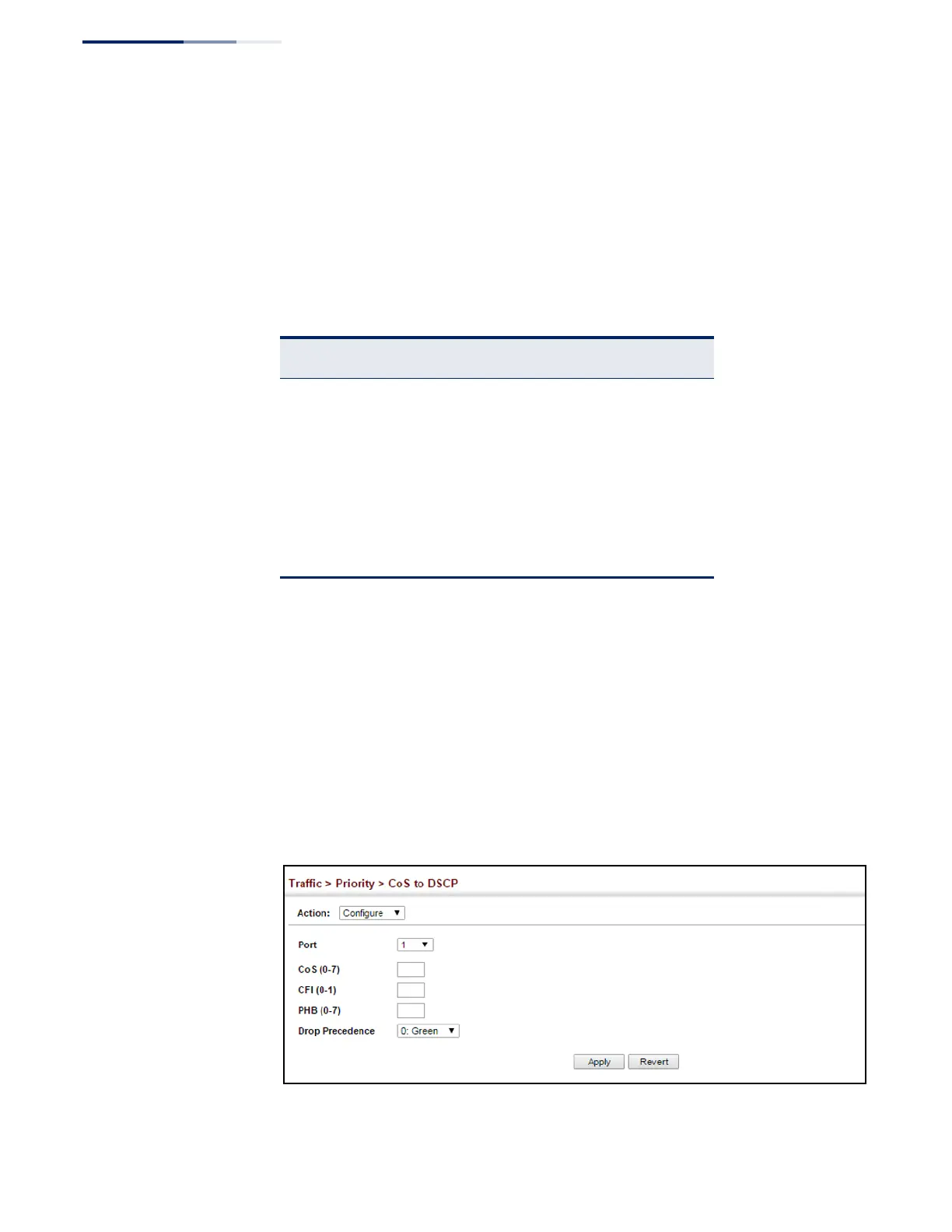
To map CoS/CFI values to internal PHB/drop precedence:
1.
Click Traffic, Priority, CoS to DSCP.
2.
Select Configure from the Action list.
3.
Set the PHB and drop precedence for any of the CoS/CFI combinations.
4.
Click Apply.
Figure 121: Configuring CoS to DSCP Internal Mapping
Table 14: Default Mapping of CoS/CFI to Internal PHB/Drop Precedence
CFI
CoS
0 1
0 (0,0) (0,0)
1 (1,0) (1,0)
2 (2,0) (2,0)
3 (3,0) (3,0)
4 (4,0) (4,0)
5 (5,0) (5,0)
6 (6,0) (6,0)
7 (7,0) (7,0)















 To Next Page