Chapter 13
| Basic Administration Protocols
Remote Monitoring
– 381 –
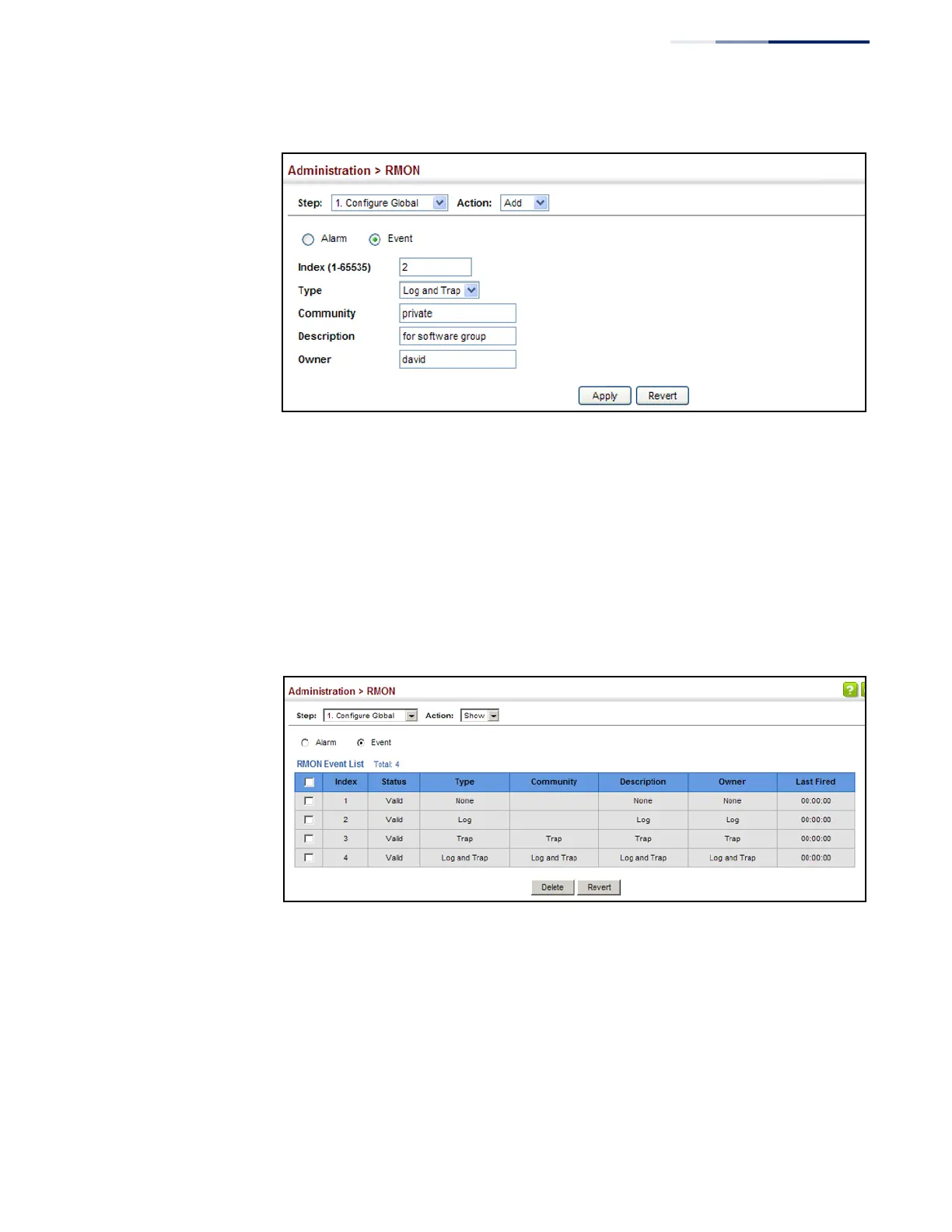
Figure 244: Configuring an RMON Event
To show configured RMON events:
1.
Click Administration, RMON.
2.
Select Configure Global from the Step list.
3.
Select Show from the Action list.
4.
Click Event.
Figure 245: Showing Configured RMON Events
Configuring RMON
History Samples
Use the Administration > RMON (Configure Interface - Add - History) page to collect
statistics on a physical interface to monitor network utilization, packet types, and
errors. A historical record of activity can be used to track down intermittent
problems. The record can be used to establish normal baseline activity, which may
reveal problems associated with high traffic levels, broadcast storms, or other
unusual events. It can also be used to predict network growth and plan for
expansion before your network becomes too overloaded.















 To Next Page