Chapter 10
| Quality of Service
Configuring a Class Map
– 207 –
◆
Description – A brief description of a class map. (Range: 1-64 characters)
Add Rule
◆
Class Name – Name of the class map.
◆
Type – Only one match command is permitted per class map, so the match-any
field refers to the criteria specified by the lone match command.
◆
ACL – Name of an access control list. Any type of ACL can be specified,
including standard or extended IPv4/IPv6 ACLs and MAC ACLs.
◆
IP DSCP – A DSCP value. (Range: 0-63)
◆
IP Precedence – An IP Precedence value. (Range: 0-7)
◆
IPv6 DSCP – A DSCP value contained in an IPv6 packet. (Range: 0-63)
◆
VLAN ID – A VLAN. (Range:1-4094)
◆
CoS – A CoS value. (Range: 0-7)
Web Interface
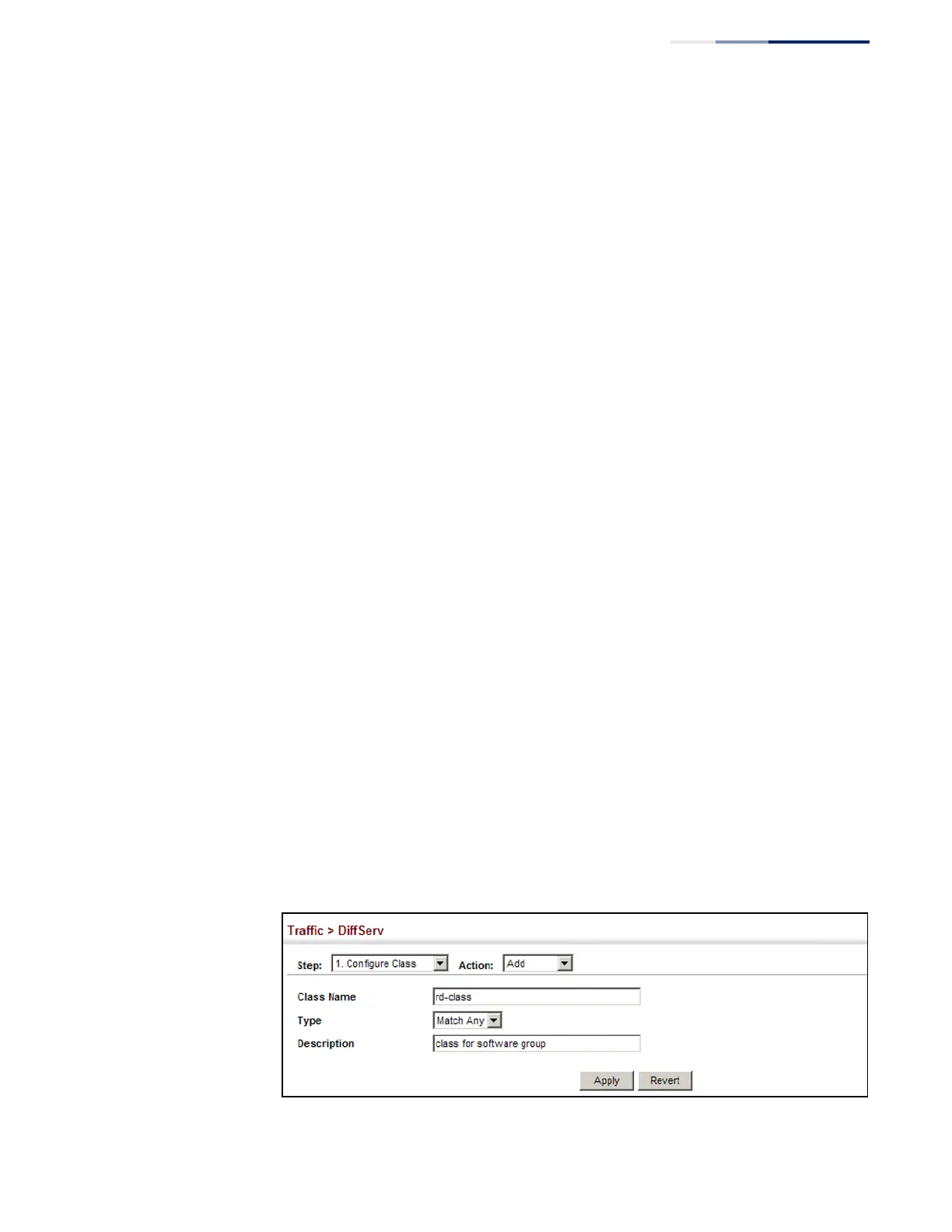
To configure a class map:
1.
Click Traffic, DiffServ.
2.
Select Configure Class from the Step list.
3.
Select Add from the Action list.
4.
Enter a class name.
5.
Enter a description.
6.
Click Add.
Figure 123: Configuring a Class Map















 To Next Page