Chapter 2
| Using the Web Interface
Navigating the Web Browser Interface
– 59 –
MLD Snooping 421
General Enables multicast filtering; configures parameters for IPv6 multicast
snooping
421
Interface Configures Immediate Leave status for a VLAN 423
Multicast Router 424
Add Static Multicast Router Assigns ports that are attached to a neighboring multicast router 424
Show Static Multicast Router Displays ports statically configured as attached to a neighboring
multicast router
424
Show Current Multicast Router Displays ports attached to a neighboring multicast router, either
through static or dynamic configuration
424
MLD Member 426
Add Static Member Statically assigns multicast addresses to the selected VLAN 426
Show Static Member Shows multicast addresses statically configured on the selected VLAN 426
Show Current Member Shows multicast addresses associated with the selected VLAN, either
through static or dynamic configuration
426
Group Information Displays known multicast groups, member ports, the means by which
each group was learned, and the corresponding source list
428
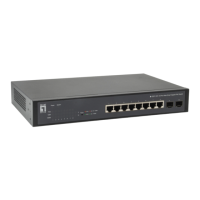
* GEP-1061
Table 4: Switch Main Menu (Continued)
Menu Description Page






 To Next Page